Need help?
Do you have a question about the Hella Gutmann mega macs 56 and is the answer not in the manual?
Guides users on where to find detailed manuals and product information for the mega macs 56.
General safety measures to prevent injury when working with vehicles and equipment.
Specific safety guidelines for the proper handling and use of the mega macs 56 device.
Lists all items included in the product package.
Instructions for verifying the completeness and condition of the received items.
Defines the correct application and purpose of the mega macs 56 device in automotive diagnostics.
Information on Bluetooth usage, restrictions, and legal considerations.
Explains how device features vary based on region, acquired licenses, and hardware.
Guidance on operating the device, including touch screen interaction and button usage.
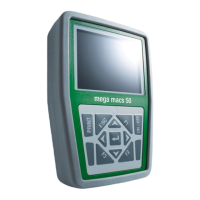
Details all physical connections and ports available on the mega macs 56 device.
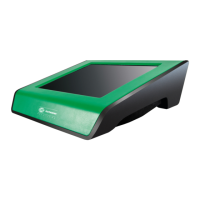
Explains the DT VCI's connections, indicators, and purpose.
Interprets the LED flashing patterns of the DT VCI to indicate operational status.
Lists the system prerequisites for installing the Hella Gutmann driver package.
Provides step-by-step instructions for installing the Hella Gutmann drivers.
Instructions for charging the device's battery before initial use.
Guide to powering on the device and completing initial setup steps.
Process for activating purchased software licenses by connecting to the HGS server.
Procedures for correctly shutting down the mega macs 56 device.
Details how to configure connections for peripherals like printers, Bluetooth, and WLAN.
Steps for setting up the Bluetooth adapter for wireless connectivity with a PC.
Instructions on how to search for and connect a Bluetooth adapter to the device.
Defines various icons used within the device's graphical interface.
Explains common symbols like Enter, Confirm, Cancel, and navigation keys.
Details icons found in the main menu for accessing device features and categories.
Explains icons used for selecting vehicles and accessing vehicle-specific data.
Guide to performing various vehicle diagnostic functions.
Steps to prepare for vehicle diagnostics, including safety checks.
Step-by-step procedure for executing diagnostic functions on a vehicle.
How to access vehicle-specific information such as repair history and service data.
Information on using the oscilloscope module for measuring voltage, current, and resistance.
Instructions for conducting oscilloscope measurements on vehicle components.
 General
| Manufacturer | Hella Gutmann |
|---|---|
| Model | mega macs 56 |
| Category | Diagnostic Equipment |
| Display | 10.4-inch touchscreen |
| Connectivity | Wi-Fi, Bluetooth |
| Power Supply | Internal battery, external power adapter |
| Protocols | CAN, ISO, SAE, OBD II |
| Diagnostic Functions | Full system diagnostics, coding, programming, and adaptations |
| Software Updates | Regular software updates via internet |

 To Next Page