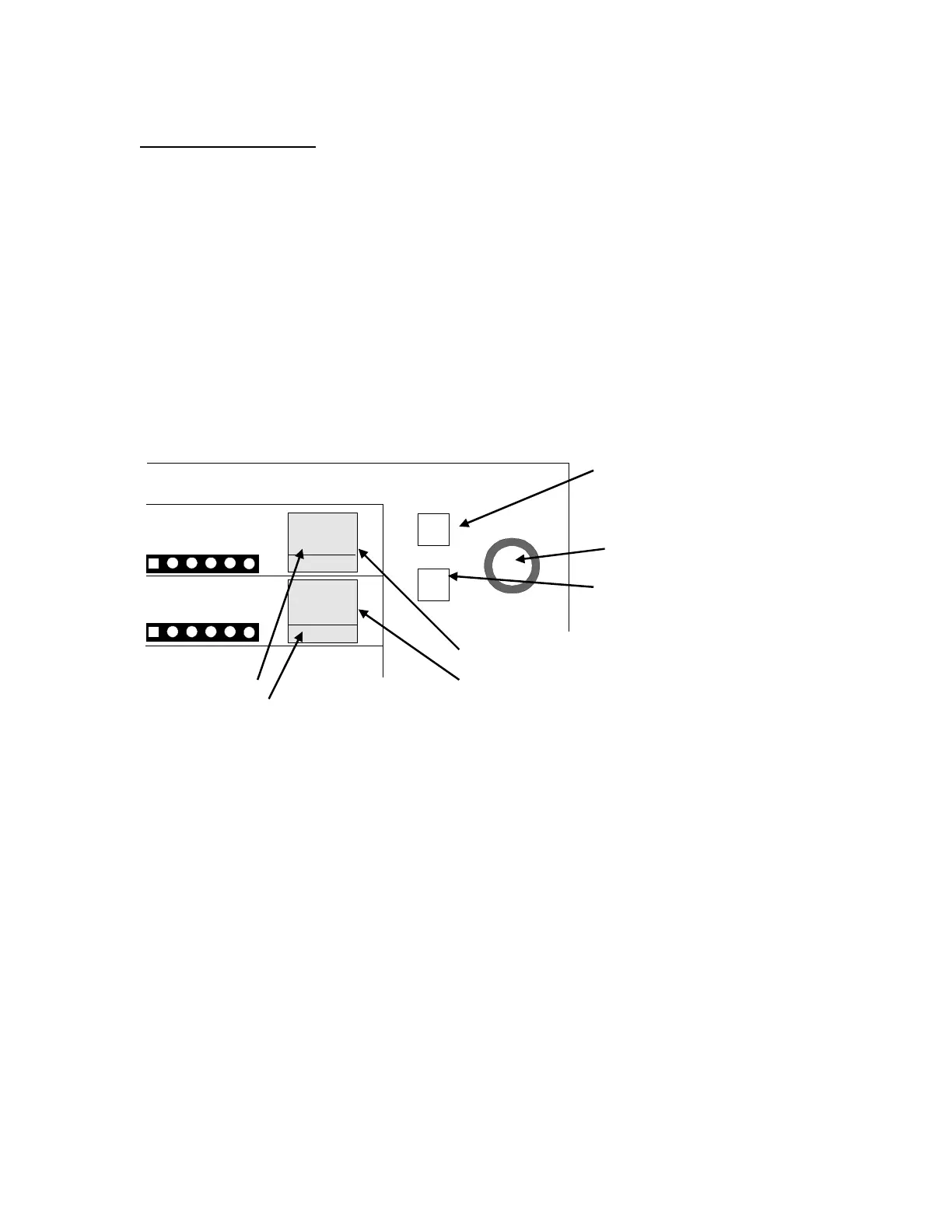
Changing Preset Range
The set point can be changed when necessary by pushing the setup button, regardless of
whether the machine is in the stop state or in continuous mode. The black and white colors on
the set point display are inverted, so turn the setup dial to change the display to an arbitrary
value.
In this case, “Adaptive” or “Trend” appears on the lower side of the set point display, indicating
the respective set points.
Set the set point display to the display type to which you wish to change it, and then turn the
setup dial.
To change from mean value (adaptive) display to Trend (absolute value) display or vice versa,
push the “Absolute/Trend” button on the right side of the respective displays.
Page 7
TMG-1200 Instruction Manual
ADAPTIVE/TREND
SETUP DIAL
ADAPTIVE/TREND
ADAPTIVE
10
10
ADAPTIVEADAPTIVE
G Monitor
CH1 Set point Display
CH2 Set point Display
CH2 Trend/Adaptive Button
CH1 Absolute Value/Mean Value Display
CH2 Absolute Value/Mean Value Display
CH1 Trend/Adaptive Button
Trend/Adaptive Setup Dial
Set table range: Absolute Value: 0 to 500 µm (in units of 10 µm.)
Mean Value: 0 to 99 µm (in units of 1 µm.)
• Setting the absolute value to "0" turns off absolute value detection.



 To Next Page