EasyManua.ls Logo

Helmac GP - Ticket Heading Formatting; Operator Management; Print Operator Name on Ticket

Default Icon
68 pages
Print Icon
To Next Page IconTo Next Page
To Previous Page IconTo Previous Page
Loading...
Rev 1.1
11
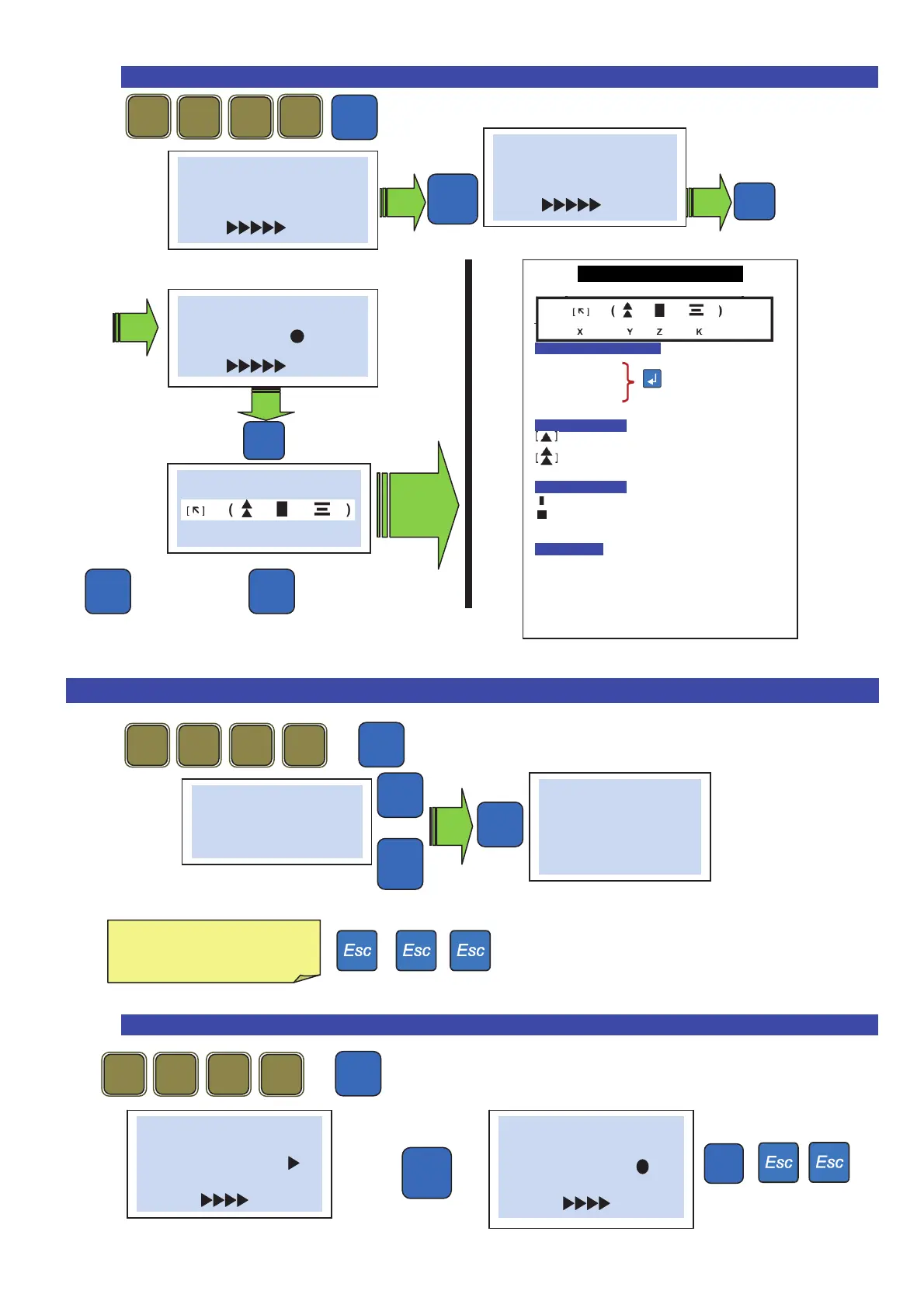
29.1 Headings formatting (Position and characters height) .
Next line Previous line
30. Operators .
+
Shows:
Or
30.1 Printing of the operator’s name on the ticket .
+
5 x
# Ticket #
Headline
(conf.)
Pro
3
1
1
1
# Ticket #
Logo
(conf.)
-
/
# Ticket #
(1) ( )
(conf.)
# ( 1 ) #
Com
p
an
y
HELMAC-
+
/
-
/
Ticket heading format
legend
Heading N° 1-2 or 3
X – Line position on the ticket
[ ] – Do not print
[] –
Print high
key to choose
[] –
Print below
Y – Characters height
Normal
Double height
Z – Characters format
[ ] – Normal
[
] – Bold
K – Justification
[ ] – None
[
] – Right
[ = ] –
Center
[] –
Left
# Operators #
01
# Operators #
01 Name
John
+
/
-
/
Type the operator’s name
(C for clear)
Pro
2 1
3
1
# Ticket #
Logo
(
conf.
)
-
/
# Ticket #
Operator [ ]
(conf.)
Pro
3
1
1
1