Rev 1.1
6
16. Cash register management .
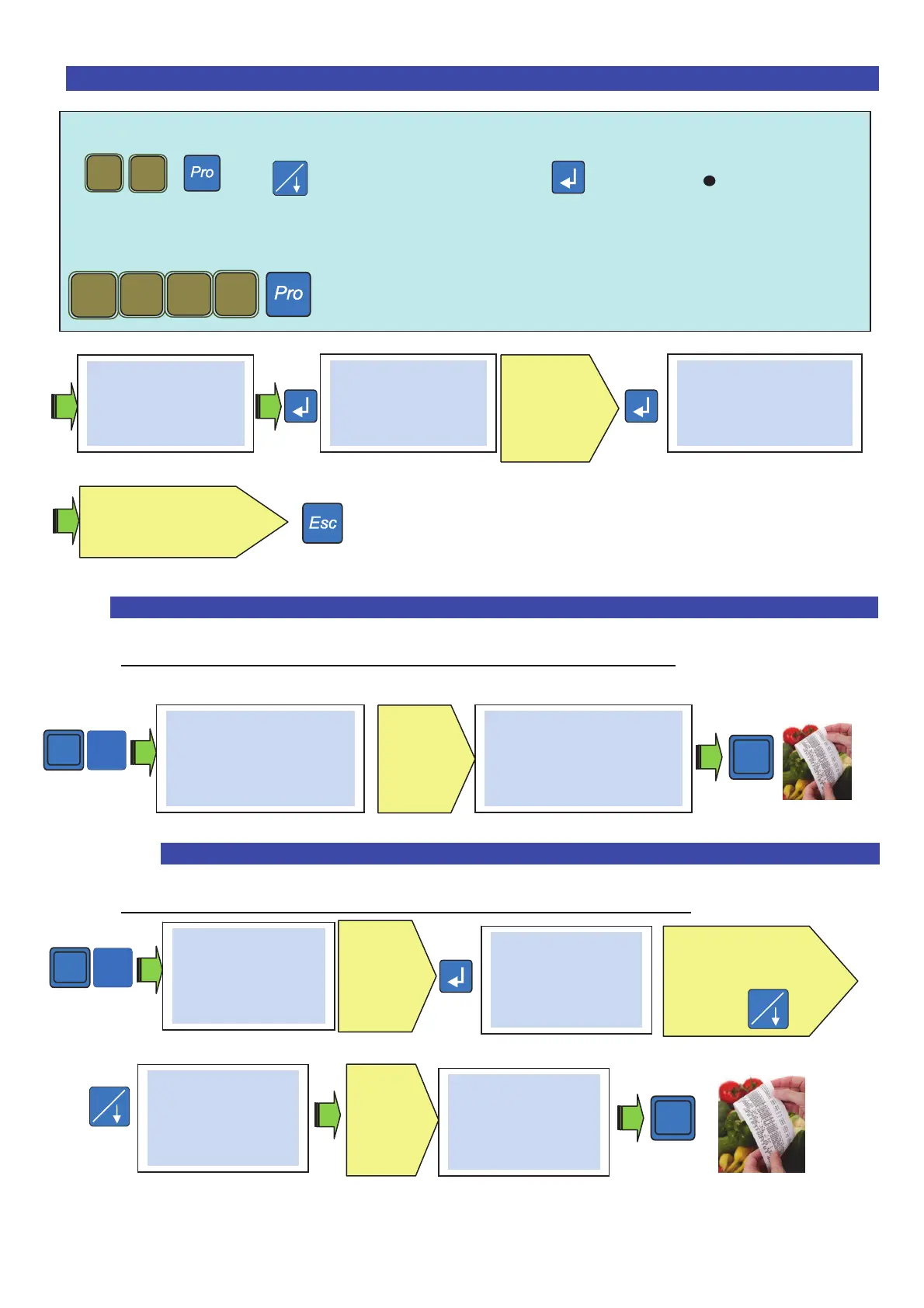
Note : the cash register management function must be enabled from the programming menu
+ then Cash register management to confirm ( )
By default the types of payment are in cash, return and credit are already configured
Note : one can configure different types of payment (from 0 to 7).
a. Example of payment in cash on operator #1 : .
Register an operation on an operator #1 ( E.g.: + 1,23€ #1 ) then:
b. Example of payment with several types of payment on an operator #1 : .
Register an operation on an operator #1 ( E.g.: + 12,50 € #1 ) then:
The ticket shows the types of payment used in the last lines.
Choose the second
type of payment
*
# 1
Enter the
value of
the
received
cash
# Cash 1,23 #
#1 1 Art. 1,23*
1
2 3
6
# Payment type #
0
# Payment type #
0 Line 1
Che
ue
Digit the
text of
payment
type 0
# Payment type #
1
Repeat the operation
for the other types of
payments
# Cash 10.00 #
Change 8,77
#1 1 Art. 1,23*
*
*
# 1
# Cash 12.50 #
#1 1 Art. 12.50*
Digit the
payment
value in
cash
# Cash 5.00 #
Due 7,50
#1 1 Art. 1,23*
Enter the
value
# cheque 7,50 #
Change 7.50
#1 1 Art. 1,23*
# cheque 7,50 #
#1 1 Art. 1,23*
*



 To Next Page