Rev 1.1
5
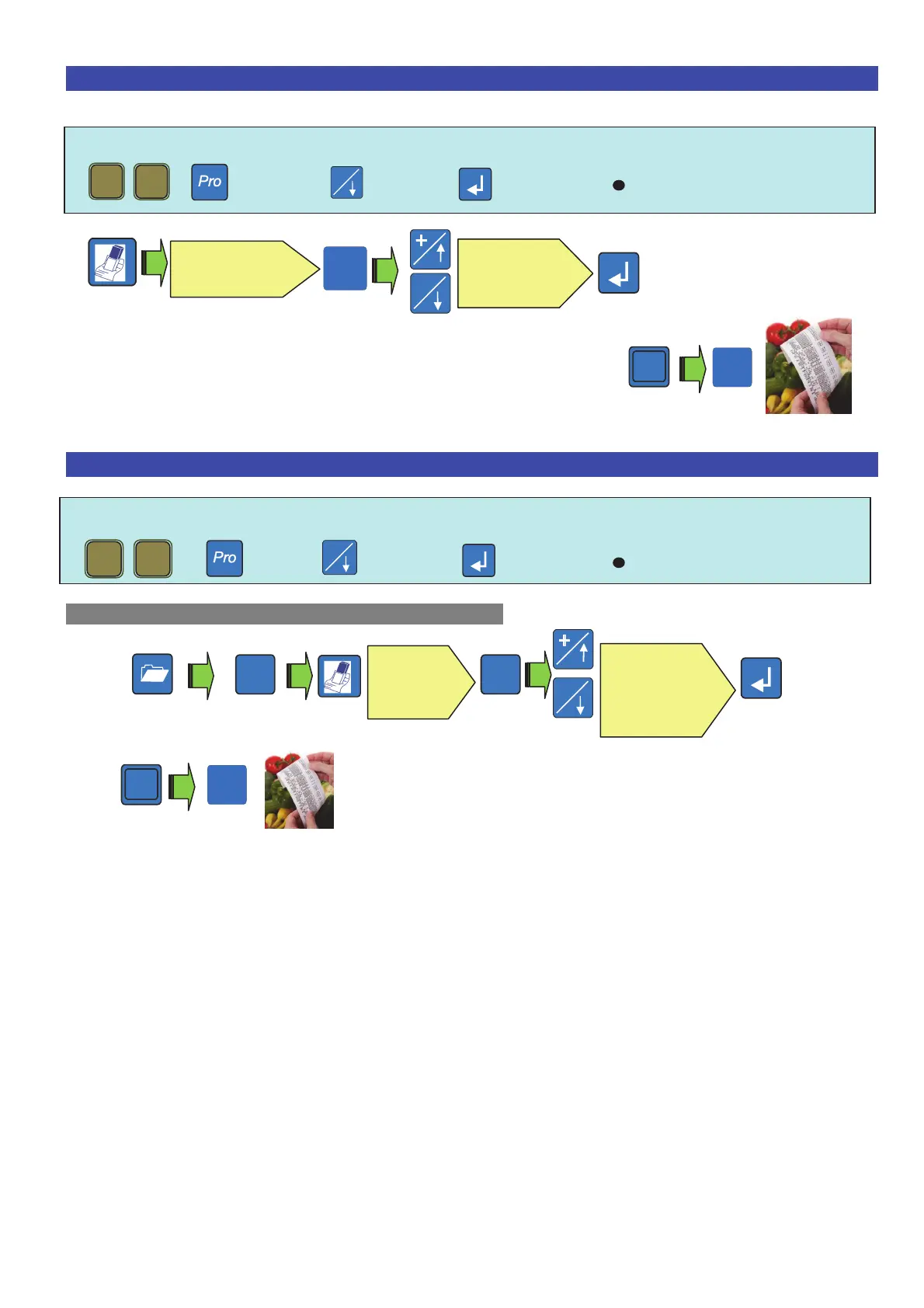
14. Deleting a transaction on a receipt .
Note: Before using this function, one must activate it in the programming menu
Then Rebate to confirm ( )
- Proceed with another operation or close the receipt.
15. Reopening a closed receipt .
Note : The receipt reopening function must be activated in the programming menu.
+ Then Rebate to confirm ( )
To reopen the last closed receipt and write off a line:
-
Note : one can make one or more cancellations of the new carried out transactions on the
reopened receipt
# 1
# 1
*
# 1
+
# 1
Choose the
operator
Choose the
transaction
To confirm the
cancellation.
# 1
*
Choose
the
operator
Choose the
transaction
to delete



 To Next Page