NETLink
®
PRO family Application Examples
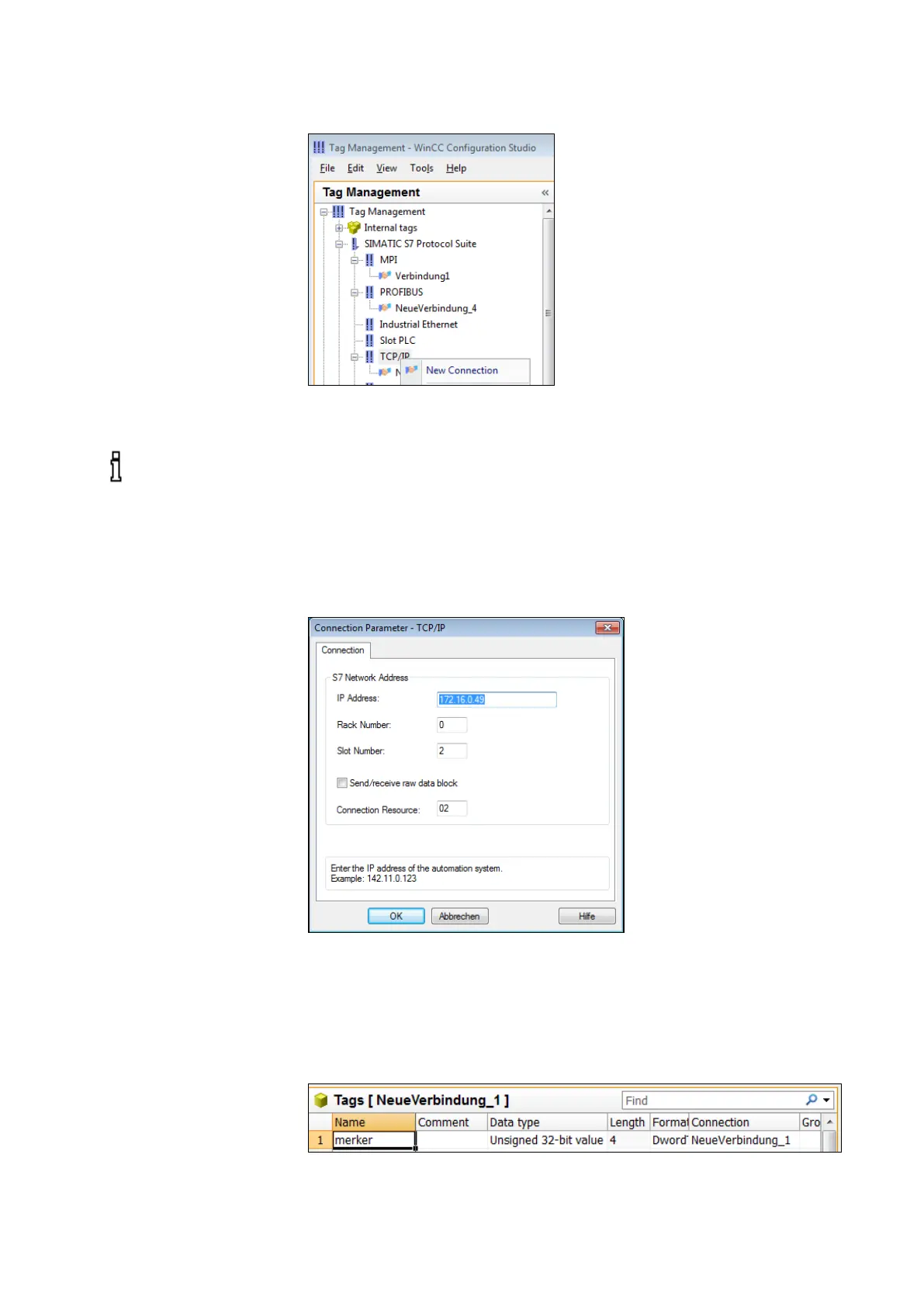
With right-click: TCP / IP -> System parameter you have to
select the correct logical device name in the ‘Unit' tab.
In this case, the NETLink
®
Gateway has the IP address
172.16.0.49
• click on ‚Properties’
• type in the IP address of the NETLink device
• Enter the rack/slot combination of the end device
Here 172.16.0.49 and 0, 2.
The destination CPU with which we want to communicate has
the bus address 2.
10.2
Creating a variable
Under this connection we have just configured, we now have
to create a variable.
This is done by right-clicking to open the context menu of the
new connection and selecting ‘New variable…’.
All NETLink have the IP
address 192.168.4.49 on
delivery from the factory
.



 To Next Page