NETLink
®
PRO family Application Examples
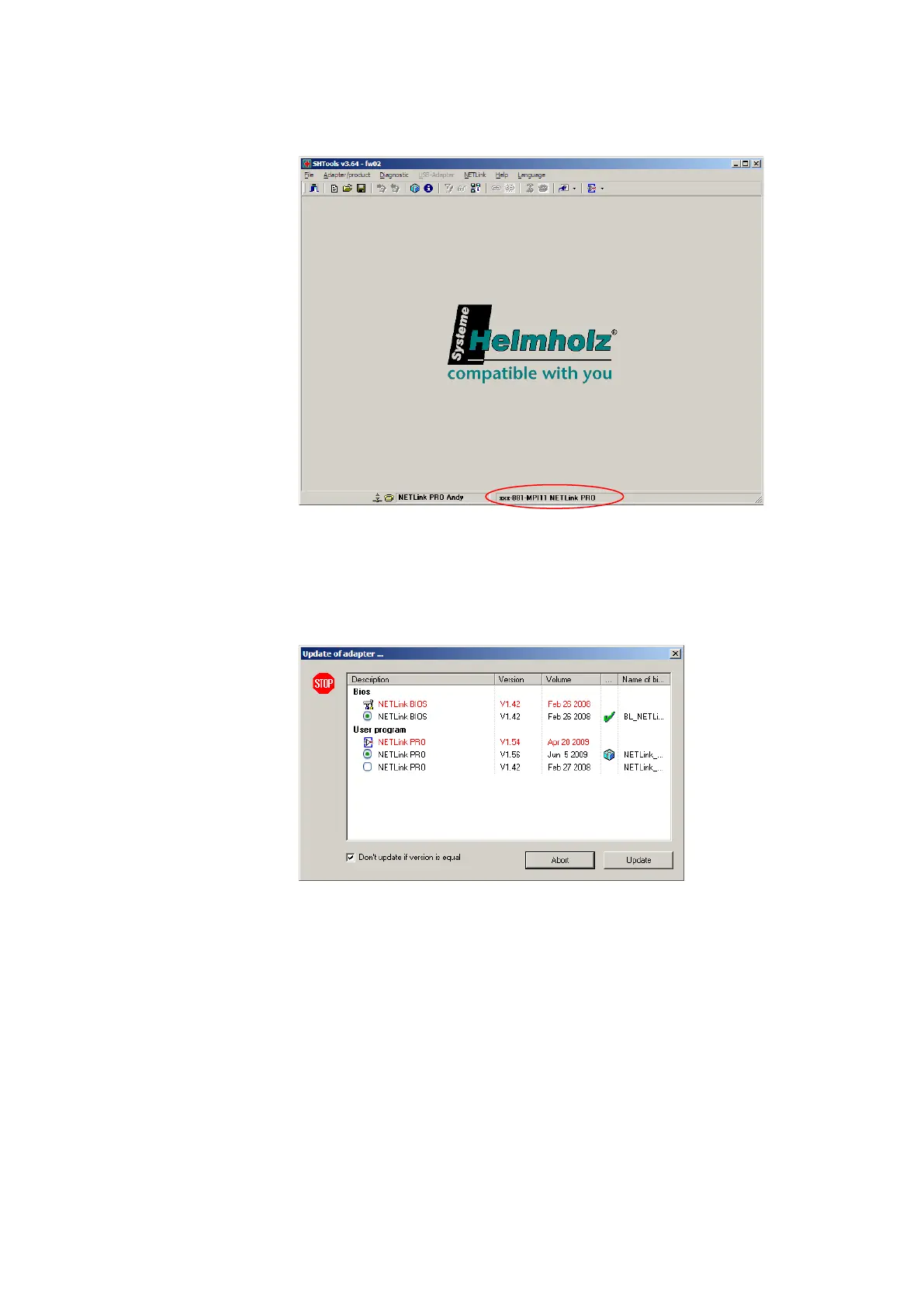
2) After “SHTools” has been started, make sure that the appropri-
ate NETLink
®
product is activated on the status bar
If there appear another product, so simply press the right mouse
button over the status bar and select the product based on its
name and order number in the dialog box that then opens.
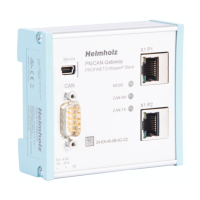
3) After you have pressed the “Adapter->Update adapter” menu, the
dialog box shown below appears (example):
To perform an update from a firmware version lower than V1.42
to a version higher than V1.42, it is first necessary to update to
version 1.42 as an intermediate step.
After that, an update to all higher versions can be performed in a
further step.
Q: What must I observe when calling your technical support?
A: Please have all relevant data of your system constellation with
the connected stations and program modules at hand when you
contact technical support at Helmholz GmbH & Co. KG.



 To Next Page