EasyManua.ls Logo

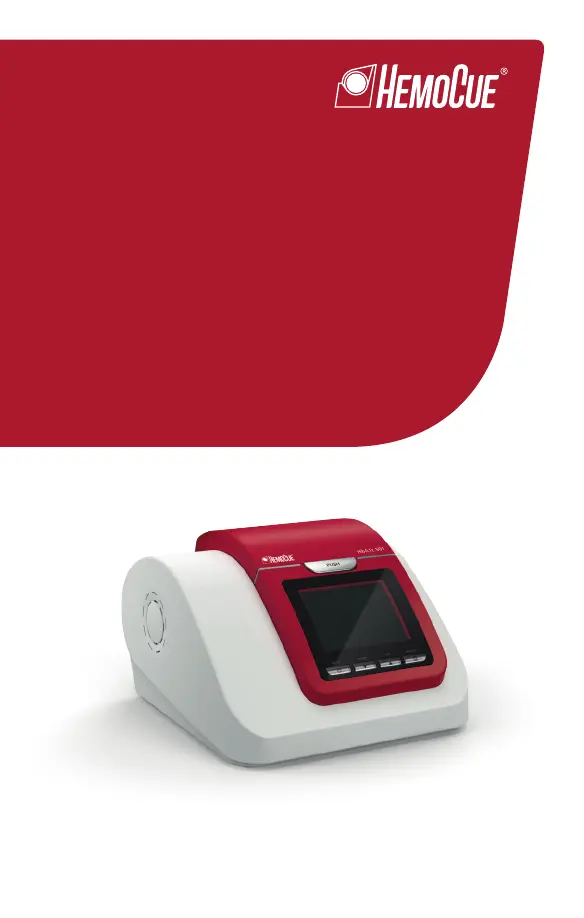
HemoCue HbA1c 501 - User Manual

HemoCue HbA1c 501
264 pages
Print Icon
To Next Page IconTo Next Page
Loading...
Operating Manual
HbA1c 501
Analyzer
GB
DE
NL
SE
DK
NO

Table of Contents

Questions and Answers

  • C
    Caitlin PearsonAug 18, 2025
    What to do if HemoCue Medical Equipment analyzer does not start?
    • S
      Sharon HoltAug 18, 2025
      If your HemoCue Medical Equipment analyzer does not start, unplug the power adapter and reconnect it. If the problem persists, contact your local distributor, as there may be an issue with the power adapter or the analyzer itself.
  • E
    edavilaAug 20, 2025
    What causes test cartridge error in HemoCue Medical Equipment?
    • G
      George JonesAug 20, 2025
      A Test cartridge error in HemoCue Medical Equipment may be caused by damage or contamination of the coding area of the Test cartridge. Press button and remove cartridge. Use Monthly Check to verify the analyzer performance. Insert a new Test cartridge and perform a new test.
  • H
    Heather GarciaAug 22, 2025
    What to do for check cartridge error in HemoCue Medical Equipment?
    • A
      Alexa ClarkAug 23, 2025
      If you receive a check cartridge error on your HemoCue Medical Equipment, it may be because the check cartridge is damaged (bar code label, reagent pack or contaminated surface). Insert a new Check cartridge and perform a new test.
  • N
    Norma DominguezAug 25, 2025
    How to troubleshoot analyzer system problems with HemoCue Medical Equipment?
    • P
      Paul GrossAug 26, 2025
      If you are experiencing problems with the HemoCue Medical Equipment analyzer system, try turning the power switch off and on again. If the problem persists, contact your local distributor. Use Daily Check to confirm the analyzer performance.
  • T
    Terrence FrederickAug 27, 2025
    What to do if HemoCue Medical Equipment has problem reading bar code of cartridge?
    • T
      Tracy PattersonAug 28, 2025
      If the HemoCue Medical Equipment is having trouble reading the cartridge bar code, press the button and remove the cartridge. Use the daily check to confirm the analyzer performance. Insert a new cartridge. If 'reagent pack' is displayed, the test can be started. If the error persists, contact your local distributor.
  • K
    Kevin ClarkAug 29, 2025
    What to do if HemoCue Medical Equipment shows reagent pack problem?
    • C
      Christopher ScottAug 30, 2025
      If your HemoCue Medical Equipment displays a reagent pack problem, it means that the analyzer is unable to recognize the reagents, or the reagent pack may be damaged or leaking. Press the button and remove the cartridge. Use Monthly Check to verify the analyzer performance. Insert a new Test cartridge and perform a new test.
  • M
    Maria AlvaradoSep 1, 2025
    What to do if HbA1c test result is higher than 14.0% (130mmol/mol) on HemoCue Medical Equipment?
    • B
      Brandon Gordon DDSSep 1, 2025
      If the HbA1c test result is higher than 14.0% (130mmol/mol) on your HemoCue Medical Equipment, use the Daily Check cartridge to confirm the analyzer performance. Insert a new cartridge and perform a new test.
  • C
    Cody VaughanSep 3, 2025
    What to do if HbA1c test result is lower than 4.0% (20mmol/mol) on HemoCue Medical Equipment?
    • M
      Miranda WilkinsSep 3, 2025
      If the HbA1c test result is lower than 4.0% (20mmol/mol) on your HemoCue Medical Equipment, use the Daily Check cartridge to confirm the analyzer performance. Insert a new cartridge and perform a new test.
  • A
    Alan SchneiderSep 6, 2025
    What to do if HemoCue Medical Equipment has a used cartridge inside?
    • L
      laura74Sep 6, 2025
      If a used cartridge is still inside the HemoCue Medical Equipment, press the button and remove the cartridge. Insert a new cartridge and perform a new test.
  • D
    Danielle PotterSep 8, 2025
    What happens if the lid was opened during test/check of HemoCue Medical Equipment?
    • A
      Angela GonzalezSep 8, 2025
      If the lid was opened during a test or check on the HemoCue Medical Equipment, press the button and remove the cartridge. Insert a new cartridge and perform a new test.

Summary

INTENDED USE

GENERAL INFORMATION AND PRINCIPLES

General Information

Provides an overview of the HemoCue® HbA1c 501 system's features.

Principles of Operation

Explains the boronate affinity assay used for HbA1c determination.

DEVICE DESCRIPTION

Analyzer Components

Details the main analyzer unit, its display, buttons, and connectivity ports.

Test Cartridge Description

Explains the structure and components of the test cartridge and reagent pack.

INSTALLATION

Installation and Connections

Guides on unpacking, connecting power, ports, and initial analyzer setup.

OPERATION

Powering On and Warm-up

Steps for turning on the analyzer and the initial warm-up process.

Analyzer Setup and Configuration

Setting date, time, result units, printer, and barcode system preferences.

RUNNING AN HbA1 c TEST

Blood Sample Handling

Instructions for collecting and preparing capillary and venous blood samples.

Test Procedure Steps

Comprehensive instructions for executing an HbA1c test from start to finish.

SYSTEM CHECK

Daily and Monthly Control Checks

Procedures for performing routine system verification using check cartridges.

External Control Solution Testing

Steps for using external control solutions to validate analyzer performance.

TROUBLESHOOTING

Common Error Codes

Lists and explains common error codes and their corrective actions.

MAINTENANCE AND SAFETY

Analyzer Cleaning and Care

Instructions for cleaning the analyzer, compartment, and replacing fan filters.

Safety Precautions

Key safety guidelines and warnings for operating the analyzer.

HemoCue HbA1c 501 Specifications

General IconGeneral
Sample TypeCapillary or venous whole blood
MethodologyImmunoassay
DisplayLCD
Test Time5 minutes
PowerBattery or AC adapter
ConnectivityUSB
Measurement Range4.0 - 14.0 %
Operating Temperature15-30°C
Storage Temperature10-30°C

Related product manuals