EasyManua.ls Logo

HemoCue Hb 301 - User Manual

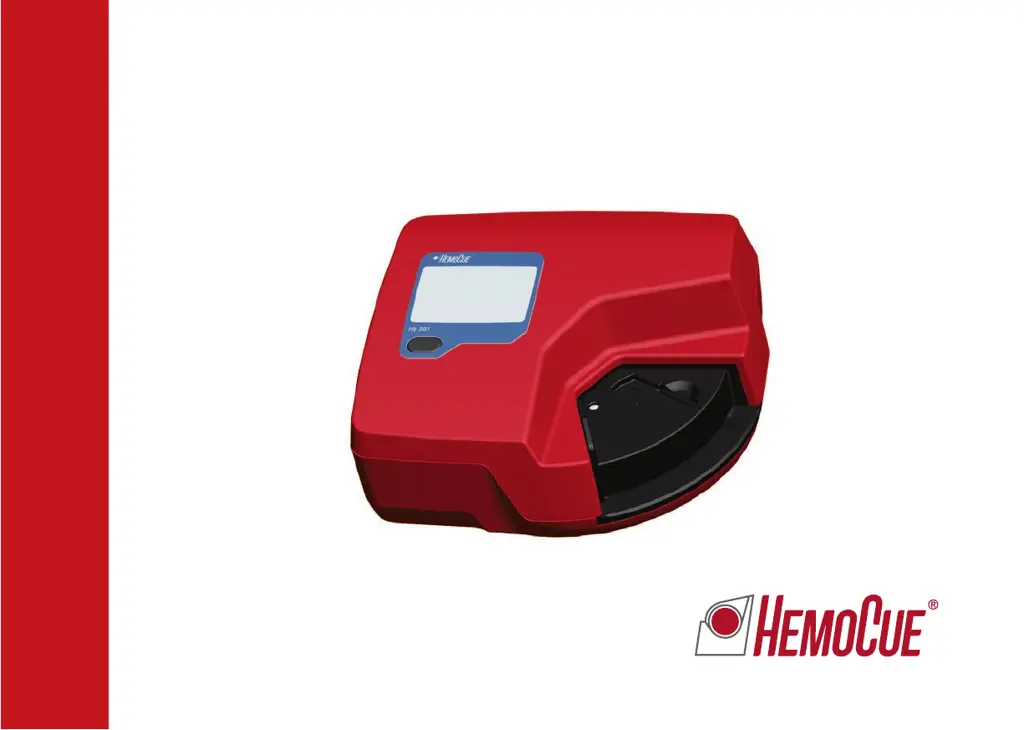
HemoCue Hb 301
56 pages
Print Icon
To Next Page IconTo Next Page
Loading...
HemoCue
®
Hb301
Operating manual
Manuel dutilisation

Questions and Answers

  • D
    David CampbellSep 23, 2025
    What to do if there are no characters on the display of HemoCue Measuring Instruments?
    • M
      Mrs. Christina BeckSep 23, 2025
      If there are no characters on the display of your HemoCue Measuring Instruments, it could be due to: 1. The analyzer not receiving power. Check that the power adapter is connected to both the analyzer and the AC power supply, and ensure the cable isn't damaged. 2. If using battery power, the batteries may need to be replaced. Turn off the analyzer and replace the batteries with 4 type AA batteries.
  • R
    Regina CarterAug 25, 2025
    How to fix HemoCue Hb 301 Medical Equipment E07 error?
    • F
      Felicia WestAug 25, 2025
      If the HemoCue Medical Equipment displays E07, it means the battery power is too low. Replace the batteries with 4 type AA batteries after turning off the analyzer or use the power adapter.
  • K
    kevin51Aug 25, 2025
    What causes E00 error on HemoCue Hb 301?
    • K
      Kelsey StewartAug 26, 2025
      If the HemoCue Medical Equipment displays E00, it could be due to: * A faulty cuvette. Check the expiration date of the microcuvettes and try a new one. * A circuit board issue. In this case, the analyzer requires service, so contact your distributor.
  • R
    Rhonda CochranAug 26, 2025
    What does E40 error mean on HemoCue Hb 301?
    • E
      Erica AveryAug 26, 2025
      If the HemoCue Medical Equipment displays E40, it may be due to: 1. Improper replacement of the cuvette holder after cleaning. Ensure it is correctly replaced as described in the maintenance section. 2. A dirty optronic unit. Clean it as described in the maintenance section. 3. Using a non-HemoCue Hb 301 Microcuvette. Only use HemoCue Hb 301 Microcuvettes. 4. A damaged microcuvette. Use a new microcuvette and repeat the measurement.
  • A
    allison33Aug 27, 2025
    How to troubleshoot HemoCue Medical Equipment E01-E05 errors?
    • K
      Karen ThompsonAug 27, 2025
      If the HemoCue Medical Equipment displays E01–E05, it indicates a dirty optronic unit, faulty electronics, or a faulty optronic unit. To resolve this, turn off the analyzer and clean the optronic unit as described in the maintenance section. If the problem persists, the analyzer needs service; contact your distributor.
  • C
    curryjenniferSep 13, 2025
    What to do if HemoCue Medical Equipment display shows wrong characters?
    • J
      Jennifer BarronSep 13, 2025
      If the HemoCue Medical Equipment display contains erroneous characters, it indicates that the display or the microprocessor is out of order. The analyzer needs service, so contact your distributor.
  • M
    Michele EdwardsSep 10, 2025
    Why HemoCue Hb 301 display is not showing any characters?
    • D
      Daniel HernandezSep 12, 2025
      If your HemoCue Medical Equipment shows no characters on the display, check the following: 1. Ensure the power adapter is correctly connected to both the analyzer and the AC power supply, and verify the cable is not damaged. 2. If using battery power, replace the batteries with 4 type AA batteries after turning off the analyzer. 3. If the issue persists, the display might be faulty, and the analyzer needs service. Contact your distributor.
  • C
    Charles DavisSep 12, 2025
    Why are HemoCue Hb 301 patient sample measurements inaccurate?
    • M
      Michael CastanedaSep 12, 2025
      If measurements on patient samples are higher or lower than anticipated when using the HemoCue Medical Equipment, consider the following: * Improper sampling technique. * Expired, damaged, or improperly stored microcuvettes. Check the expiration date and storage conditions. * Contamination or air bubbles in the microcuvette. Remeasure with a new microcuvette. * A dirty optronic unit. Clean it as described in the maintenance section. * Calibration issues. The analyzer may need service; contact your distributor.
  • I
    iparsonsSep 3, 2025
    How to fix E40 error on HemoCue Measuring Instruments?
    • M
      Mary EllisSep 4, 2025
      The E40 error on your HemoCue Measuring Instruments may be due to: 1. Improper replacement of the cuvette holder after cleaning. Ensure the cuvette holder is replaced correctly. 2. A dirty optronic unit. Clean the optronic unit. 3. Using a non-HemoCue Hb 301 Microcuvette. Only use HemoCue Hb 301 Microcuvettes. 4. A damaged microcuvette. Use a new microcuvette and repeat the measurement.
  • N
    nwilliamsSep 1, 2025
    What to do if HemoCue Measuring Instruments show an error code?
    • A
      annahughesSep 1, 2025
      If your HemoCue Measuring Instruments are displaying an error code, try turning the analyzer off and then on again after waiting for 30 seconds. If that doesn't work, use a new microcuvette and repeat the measurement. If the error persists, consult the specific error code details.

Summary

HemoCue Hb 301 System Introduction

System Components Overview

Lists and illustrates all parts included with the HemoCue Hb 301 Analyzer.

Initial Setup and Startup Procedure

Steps to set up, power on, and confirm analyzer readiness for use.

Performing Hemoglobin Measurements

Capillary Blood Sampling and Measurement

Detailed procedure for collecting and measuring capillary blood samples.

Using Control Materials for Testing

Procedure for performing tests with control materials for quality assurance.

PC and Printer Connectivity for Data Transfer

How to connect the analyzer for data transfer or printing results.

Analyzer Maintenance and Troubleshooting

Routine Maintenance Procedures

Instructions for cleaning the cuvette holder and optronic unit.

Troubleshooting Common Errors and Symptoms

Solutions for common analyzer errors and symptoms.

System Specifications and Safety Information

Technical Specifications and Performance

Details on dimensions, weight, operating conditions, accuracy, and certifications.

Electromagnetic Compatibility (EMC) Guidelines

Guidance on EMC requirements and recommendations for safe operation.

Warranty, Service, and Disposal Information

Information on product warranty, service, and environmental disposal.

HemoCue Hb 301 Specifications

General IconGeneral
Sample Volume10 µL
Sample MaterialCapillary, venous or arterial whole blood
Wavelengths506 nm and 880 nm
CalibrationFactory calibrated
PrecisionCV ≤ 1.5%
Measurement PrinciplePhotometry
Measurement Range0-25.6 g/dL
Analysis TimeWithin 1 minute
Operating Temperature15-30°C (59-86°F)
Power SupplyAC adapter or 4 x AA batteries
Weight350 g (including batteries)
Battery LifeApproximately 1, 000 tests
Dimensions85 x 160 x 43 mm
AccuracyWithin ±1.5% or ±0.3 g/dL, whichever is greater

Related product manuals