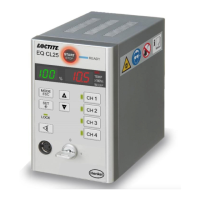
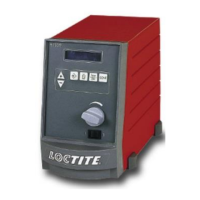
The Loctite EQ CL40 LED Quad Controller (IDH# 2804936) is a versatile device designed for use with light cure products that require exposure to ultraviolet and/or visible light. It functions as a power supply for up to four Loctite EQ CL40 Spot Heads, available in 365nm and 405nm wavelengths, and various lens sizes (3mm, 6mm, 10mm).
Function Description:
The controller provides electrical power to the LED heads via connecting cables. It initiates the curing cycle by irradiating light at or near maximum intensity from the LEDs. The curing process is controlled by two primary variables: exposure time and light strength (irradiance). The device automatically shuts down the LED array in the event of a temperature fault to protect the LEDs. The cooling fan on the LED Spot Head operates only during the exposure cycle.
Important Technical Specifications:
- Dimensions (W x H x D): 99x162x163 mm
- Total weight: 2 Kg (4.4 lbs.)
- Operating voltage: 24V DC (60W Adapter)
- Power consumption: <35 Watts
- Operating Temperature: +10°C to +40°C (+50°F to +104°F)
- Storage Temperature: -10°C to +60°C (+14°F to +140°F)
- Capacity: Up to four UV LED Heads
- Compatibility: Works with Loctite EQ CL40 Spot Heads (365nm and 405nm)
Usage Features:
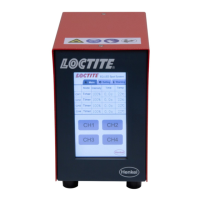
The EQ CL40 LED Quad Controller offers a user-friendly interface with a touch screen HMI and supports three running modes: Timer, Continue, and Advance.
-
Operating Modes:
- Continue Mode: The LED head turns ON when a footswitch is pressed and remains ON until the footswitch is released. The intensity can be set independently for each channel.
- Timer Mode: The LED head turns ON when a footswitch is pressed and remains ON for a set duration. If the time is set to 0, the LED head turns ON when the footswitch is pressed and remains ON until the footswitch is pressed again. Intensity can be set independently for each channel.
- Advance Mode: This mode allows the intensity to change automatically during the curing cycle, following a predefined sequence of steps with specific intensity and time settings. The system can run multiple cycles of these steps.
-
Display and Controls:
- Main Page: Displays the running mode (Continue, Timer, Advance), intensity percentage, exposure time, and LED head temperature for each of the four channels (CH1-CH4). It also provides access to the Parameter Setting page and Warning Message page.
- Parameter Setting Page: Allows selection of the operating mode (Continue, Timer, Advance) and individual intensity and timer settings for each channel. It includes "Link" buttons to turn on linked LED heads with a start signal, and "Restore Factory" and "Save" options for settings.
- Warning Message Page: Displays error messages such as "LED Head connection error" and "LED over heat" (alarm temperature threshold 65°C), with a "Reset" button to clear warnings.
-
Connectivity:
- Power Supply Inlet: For connecting the DC power cord.
- Power Switch ON/OFF: To turn the unit on or off.
- Head Connection: Six-pin connectors for up to four LED heads.
- PLC/IO Interface: For connecting a footswitch (97201) or a higher-ranking controller, and for automated control via an external PLC output relay.
- Socket XS5: RS232: For serial communication.
-
Safety Features:
- Visual confirmation of LED operating range.
- Automatic shutdown in case of temperature fault to protect the LED array.
- Warnings for LED head connection errors and overheating.
Maintenance Features:
The unit requires no special care and maintenance. However, users should:
- Check the power cord and the unit for damage before each use.
- Replace a damaged power cord with a new one.
- Ensure the unit stands stable and secure.
- Use only original equipment replacement parts.
- Always disconnect the power supply before servicing.
- Observe the operating manual of the LED head used.
- While under warranty, repairs must be performed by an authorized Loctite service representative.
Troubleshooting Guidance:
The manual provides a detailed troubleshooting table for common malfunctions, including:
- No display on screen: Check power cable connection and fuse.
- LED head does not irradiate: Verify target channel selection and UV intensity level (must be 1% or higher).
- Temperature warning: Indicates LED head temperature has reached the warning level (65°C). Suggests lowering UV intensity or improving heat radiation performance. Also advises checking the LED head fan.
- LED head Connection Error: Check connection cable, LED head for damage, and ensure the LED head is properly reconnected to the controller.
- Linked LED head does not turn on with start signal: Check if the linked button was selected.
The EQ CL40 LED Quad Controller is designed for both intermittent and constant duty cycle operations, making it suitable for various light curing applications.


 To Next Page
 General