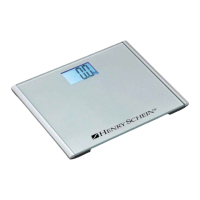
Scale Operation
User weighing
1. Step on the scale and remain still.
2. When a stable weight is reached, the display will lock and hold the weight reading.
3. The scale will hold the weight and after 15 seconds shut off automatically.
BMI (Body Mass Index) Reading
1. Step on the scale and remain still.
2. When a stable weight is reached, the display will lock and hold the weight reading.
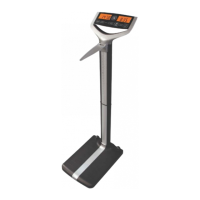
3. Press the BMI button.
4. The height will flash on the right side display. Enter the height with the up/down arrow
buttons. Press the BMI button to accept the correct height.
5. The BMI value will be displayed on the right side display and the weight will be displayed
on the left side display.
Zero Button
1. Press the zero button.
2. The display will display a zero button after the scale becomes stable.
Setting the Clock
1. Press and hold the Clock button.
2. The left side display will show 12Hr or 24Hr, release the clock button.
3. To select 12Hr or 24Hr mode press the up/down arrow buttons then press the Clock
button to accept.
4. The hour digit will flash, use the up/down button to enter the correct hour. Press the
clock button to accept.
5. The minute digit will flash, use the up/down button arrow buttons then press the clock
button to accept and exit the clock setting mode.
6


 To Next Page