HEPRO User Manual | Side 31
3.2 Aurora with tilt motor
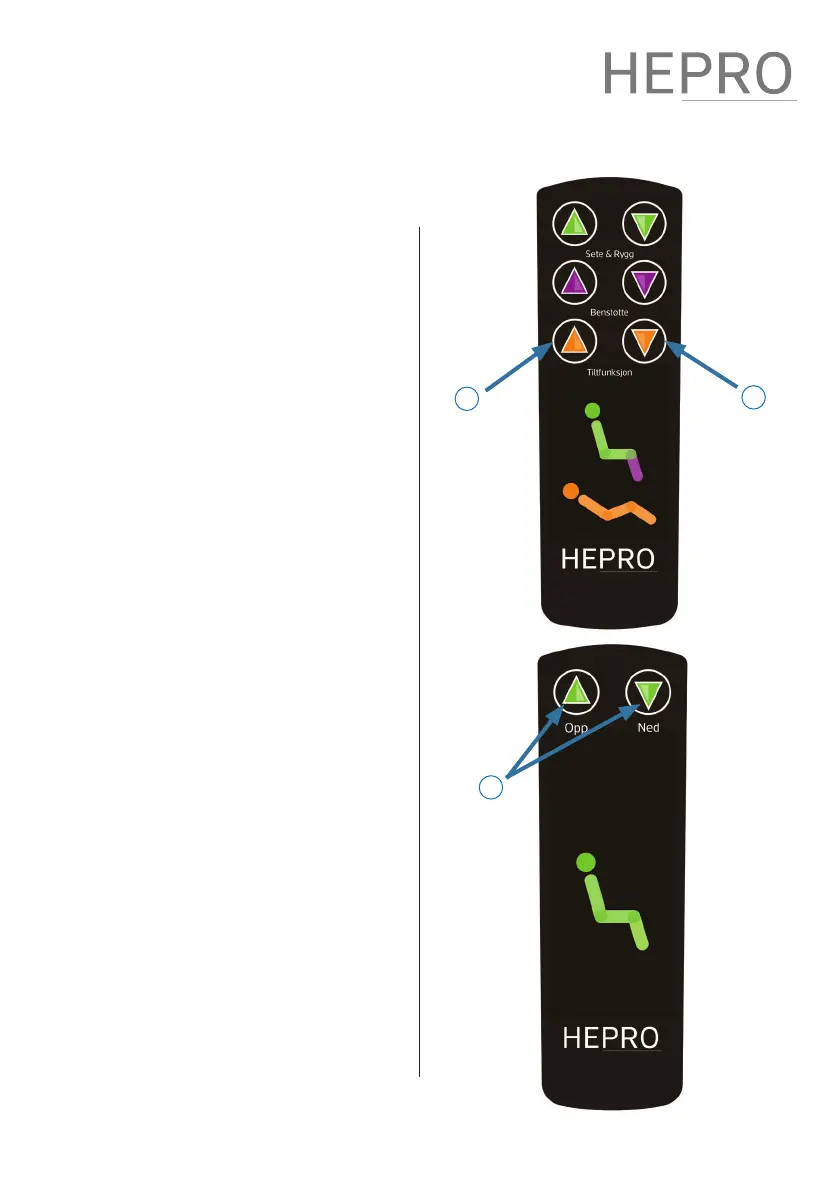
F – Tilt backwards
When holding button F, the chair is
tilted/reclined backwards. e feature
allows the entire seat unit to tilt/recline,
regardless of the angle of the seat
and back. For safety reasons, the tilt/
recline function can only be activated
with the chair in a default position.
E – Tilt forwards
When button E is held, the chair is tilted
forward.
3.3 Aurora synkron
G – Synchronous motion
Two buttons control seat and leg
support synchronously for ease of
operation. e left button moves the
chair to the horizontal position, and
the right button moves the chair to the
upright position.
E F
G


 To Next Page