EasyManua.ls Logo

Heritage Audio ELITE Series - User Manual

Heritage Audio ELITE Series
11 pages
Print Icon
To Next Page IconTo Next Page
Loading...
USER MANUAL
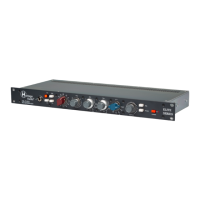
DUAL CHANNEL CLASS A
COMPRESSOR/LIMITER
ELITE SERIES
HA-609A
August/2022)Rev.)1.0.)

Questions and Answers

  • M
    Megan BaileySep 13, 2025
    What to do if there's no output from my Heritage Audio Amplifier?
    • M
      Mark HillSep 14, 2025
      If there's no output from your Heritage Audio Amplifier, check whether the OUTPUT knob is fully turned down, as this will completely attenuate the signal.
  • C
    Chelsea SuttonAug 25, 2025
    What to do if a signal from DAW overloads my Heritage Audio Amplifier?
    • C
      Carrie RamirezAug 25, 2025
      If you are sending a signal to the Heritage Audio Amplifier from a DAW and it overloads, switch to the LINE GAIN section and use the XLR LINE Input, as it expects a signal with a very different impedance and level.
  • B
    Brittney HernandezAug 25, 2025
    Why aren't my condenser microphones working with my Heritage Audio HA-81A EQ Amplifier?
    • N
      Nancy Davis MDAug 26, 2025
      If condenser microphones don't seem to work with your Heritage Audio HA-81A EQ, make sure the red +48 V button is pressed to activate the phantom power sent to the microphone.
  • S
    Stacy DanielsAug 26, 2025
    What to do if there is no output from my Heritage Audio ELITE?
    • M
      Michelle SmithAug 27, 2025
      If there doesn't seem to be any output from your Heritage Audio Amplifier, check to see if the OUTPUT knob is fully turned down, as this will completely attenuate the signal.
  • T
    Timothy JonesSep 14, 2025
    How to prevent signal overload from DAW to Heritage Audio Amplifier?
    • K
      Kathryn BrownSep 15, 2025
      If sending a signal from a DAW overloads your Heritage Audio Amplifier, press the LINE button. Otherwise, the unit expects a microphone signal with a very different impedance.
  • W
    Wendy JonesSep 23, 2025
    How to fix no signal at XLR input on Heritage Audio ELITE?
    • B
      Brenda PittsSep 23, 2025
      If no signal appears to be arriving at the back XLR of your Heritage Audio Amplifier, ensure that the GAIN knob is not in the 'Off' position.
  • B
    Brenda EvansSep 7, 2025
    Why is there no lighting in VU meters of Heritage Audio Recording Equipment?
    • C
      Cynthia WiseSep 7, 2025
      The VU meters on your Heritage Audio Recording Equipment not being lit is normal in Bypass mode. Upon activating the unit, they will light up.
  • A
    Autumn MillerSep 8, 2025
    What to do if condenser microphones don't work with Heritage Audio ELITE Amplifier HA-73?
    • B
      Benjamin HesterSep 8, 2025
      If your condenser microphones aren't working with the HA-73 Heritage Audio Amplifier, ensure that the red +48 V button is engaged. This activates the phantom power needed for condenser microphones to function correctly.
  • M
    Miss Tiffany HartmanSep 23, 2025
    What to do if XLR input still has no signal on Heritage Audio Amplifier?
    • J
      Jonathan JacksonSep 23, 2025
      If there's still no signal arriving at the back XLR of your Heritage Audio Amplifier, check if a jack cable has been left plugged into the front panel D.I.
  • R
    Roger RiveraAug 31, 2025
    What to do if too many peaks are getting through on Heritage Audio Recording Equipment?
    • S
      Steven WhiteAug 31, 2025
      If too many peaks are getting through on your Heritage Audio Recording Equipment, try using the ATTACK FAST button to make the processors react quicker and more aggressively.

Summary

Introduction

Product Description

Getting Started

Front Panel Controls Explained

Details on all controls on the front panel, including limit level, attack, release, ratio, gain makeup, bypass, and indicators.

Rear Panel Connections

Explanation of rear panel connectors for line inputs, outputs, and power connection to the PSU04.

Applications

Bass Recording Setup

Diagram and explanation for connecting the HA-609A for bass recording using DI and microphone inputs.

Guitar Recording Setup

Diagram and explanation for connecting the HA-609A for guitar recording with FX pedals and amp simulation.

Mixing Workflows

Mixing with DAW

Diagram showing how to integrate the HA-609A into a Digital Audio Workstation (DAW) workflow for mixing.

Mixbus Setup

Diagram illustrating the HA-609A's use on a mix bus, potentially with other outboard gear like equalizers.

Technical Specifications

Signal Flow Diagrams

Troubleshooting Guide

Power and Metering Issues

Solutions for problems concerning the unit not powering on or VU meters not lighting up.

Signal and Output Problems

Troubleshooting steps for no signal, low output levels, or incorrect routing in the DAW.

Compression and Transient Adjustments

Guidance on managing peak handling, softened transients, and overall compression levels.

Stereo Linking and Control Response

Resolving stereo level mismatches and ensuring compressor/limiter controls are functioning correctly.

Warranty Information

Product Registration

Recall Sheets for Settings

Heritage Audio ELITE Series Specifications

General IconGeneral
BrandHeritage Audio
ModelELITE Series
CategoryAmplifier
LanguageEnglish

Related product manuals