General typing rules
Capital letters
•
To write capital letters or those signs in the upper case,
press one of the keys 1 or 45 which are found on each side
of the keyboard ; pressure must be maintained whilst typing
the
sign.
To write a series of capitals, press down completely
the shift lock (2). To return to normal writing (small letters)
press the left shift key (1).
Space bar
The space bar (46) is used to move the carriage from right
to left, for separating two words or leaving blank spaces.
ijfijjgjg!3?MMWgwgg'*y'*y*-www»»*^'6
-
'W'q^
.*••
»> . •
>-»
>•»:
• •* :•• *»
>"• >••:
•"• :•
£:>:o:V:tf:o:o:o:
4
5»:»:c<««<>:.»;o>w»
*::^ft*::««:»»:ft:ft^:ft:ft:ft:s:ft:ft':ft:S:^S
•-c
:
:o:::::
;
:
:
:;:
:
:;:
:
;
:
:
;
:v:
;
:
:
;
:
:
;
;;
:
;
;
:
>:-:-:'>:
:
ft
:
:
:
:
:
ft'X
:
ft
:
ft
:
:
:
:
:
:
:
:
:
:
:
:
:
:":
:
x
:
:
:
:'"S':''.'
:-:•:-....
¥:*:*::ft::
:
:::
:
::ft:»:o»:o:o:::::o:o:o:o::j:o;:::;o;:j
x x g :
'•'•:•:••:•:•
"::ft:v;y;v;v;y;::vAvr::
:
;
• •
1
^*
:
:^?:
:
£«:
:
s
:
ft¥:S!SS:¥:S:*ft::oftM:oS^.-^
wmmmmmm
m
mrnmymm
•.'.».»
.
WyyyyyMy^yyyyyyy^^
Wi^'y-
ft;ft«¥i;:o:o:*:o:t:*::ft:x::::;>::::::ft:ft:ft:>::ft:ft^:ft*:
:#
.
Jftx
:
*::
:
:
;
ft
:
ft:ft
:,:,:,:
S5&B
:oy.:oy.w:o:*:o:-y«^:o:o>Kox'y^:«:yfti"::
XXvi
yxx-xxxxxxxxxxxxxxxxxxxxiox^^^^
o:*:o-:o:o:o:o:.:.:o:.:.:.:.:.>;.>:o:^ssfsft¥:*SS¥:b
:
'-
:
««*:o»w«o:o:o:»»:^»¥iss:o:;.
SffiHH
S
:
ft
:
:
:
[!:
:
:
:
:":
:
:J
1
&•§£;;
¥:¥::>:¥:
<W£¥:S5Kv:-
:
"xx
:
-'tt
:
ft
:
x^^
•
l§SsKSRH|^Sft::bx;^^^
Buttons for moving the carriage
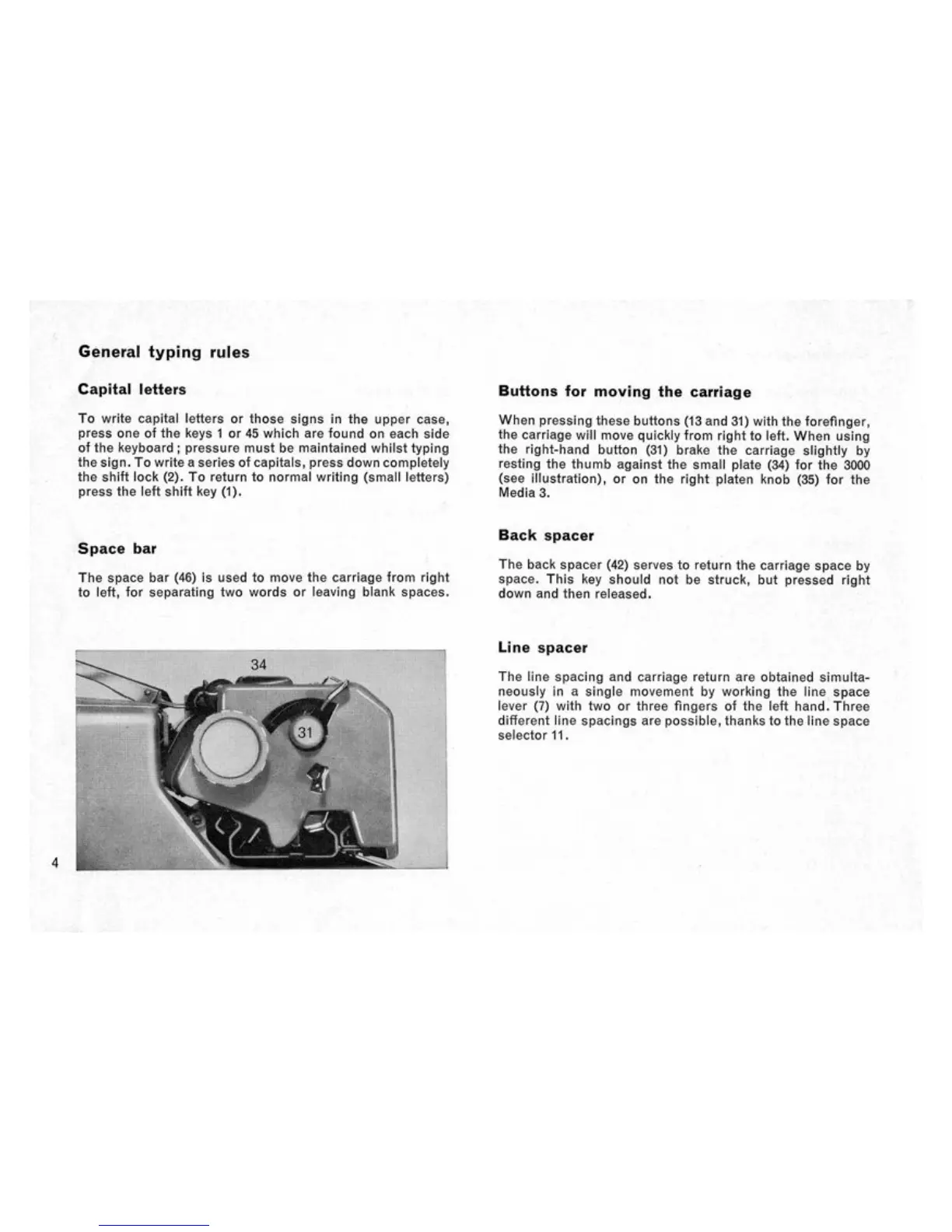
When pressing these buttons (13 and 31) with the forefinger,
the carriage will move quickly from right to left. When using
the right-hand button (31) brake the carriage slightly by
resting the thumb against the small plate (34) for the 3000
(see illustration), or on the right platen knob (35) for the
Media 3.
Back spacer
The back spacer (42) serves to return the carriage space by
space.
This key should not be struck, but pressed right
down and then released.
'
Line spacer
•
-
The line spacing and carriage return are obtained simulta-
neously in a single movement by working the line space
lever (7) with two or three fingers of the left hand. Three
different line spacings are possible, thanks to the line space
selector 11.


 To Next Page
 Loading...