Hermida Audio Technology Pedal Quick-Start Guide
Page 4 of 5
Dual Boost Pedal
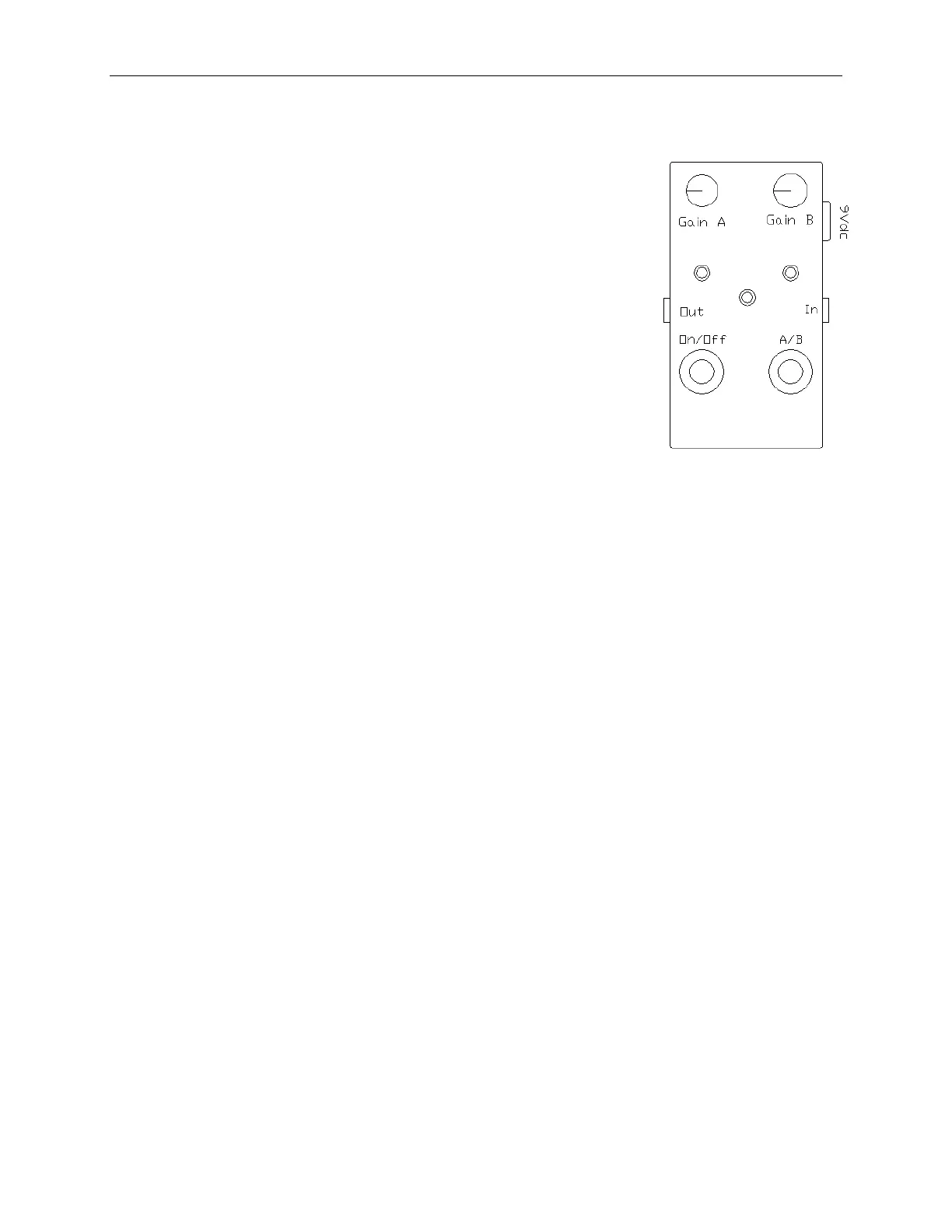
The Dual Boost pedal (Diagram D) offer s tw o distinct cl ean gain
levels selectable by a footswitch.
The Dual Boost has the following configuration:
1. Ga i n A , Gai n B, T o n e an d Vo i c e k n o b s
2. In/ Out jacks
3. 9V DC adapter jack
4. St a t u s On / Of f L E D an d Ga i n A a n d Ga i n B L ED i n d i c a t o r s
5. Bypass footswitch (true bypass) and A/ B toggle footswitch
6. 9V battery clip (located inside the unit)
Dual Boost Pedal Operation
1. Install a battery or DC adapter plug into the unit and connect the audio signal from a
gui tar or anot her pedal to t he In jack. Connect t he Out jack to anot her pedal or
ampl i fi er .
2. The Status LED (lower middle) indicates if the unit is active (LED is On) or i n bypass
mode (LED is Off).
3. The Gain A and Gain B LED indicators are located under the corresponding Gain
knob. One of the two LEDs should always be On when there’s power supplied to the
unit. The LEDs indicate which Gain channel will be active when the Status LED is On.
4. The Gain A and Gain B knobs are independent of each other and the A/ B footswitch
can onl y select A or B.
5. To fully bypass the unit, press the On/ Off footswitch. The Status LED should turn
Of f .


 To Next Page