20
SHAKING CYCLE
After loading a can, close the front door carefully.
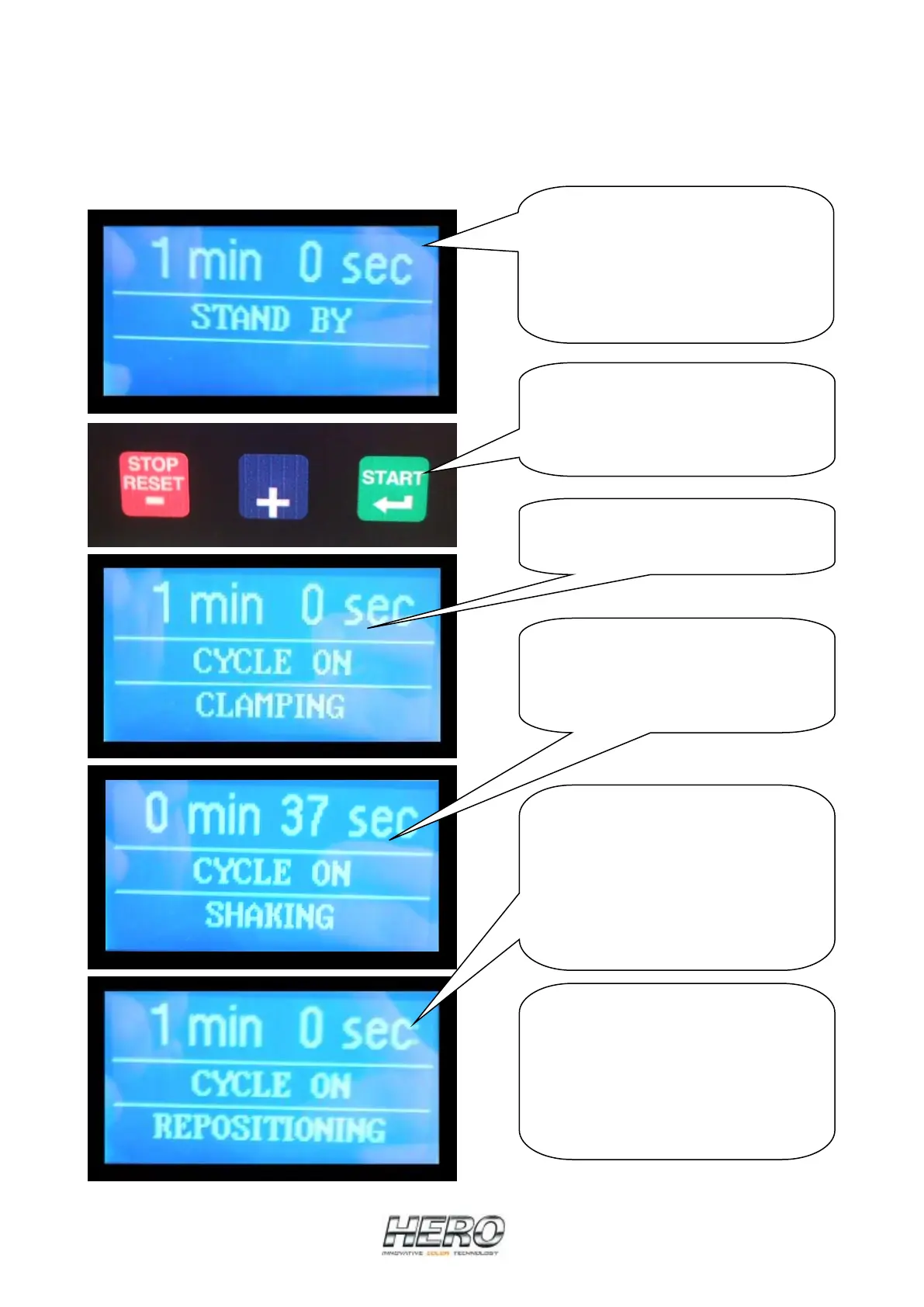
The shaker must be in “STAND BY” (no alarms) to initiate a shake cycle.
Set the desired shaking time by
using the “UP / +” button to
increase the tim, or the “DOWN / -“
button to decrease it.
The timer goes from a minimum of
15 seconds to a maximum of 5
minutes.
Press the GREEN button (START) to
start the shaking cycle.
When the START is pressed, the door
locks automatically.
The cycle begins with the clamping
of the can. The clamp plate goes
down to clamp the can tightly.
When the can is clamped, the
machine starts to shake. The display
counts down the remaining shake
time until the end of the cycle.
When the shake cycle is finished,
the machines waits for all motion to
stop before the clamp plate moves
up to allow can removal.
When the repositioning operation is
complete, the door lock is released,
allowing the door to be opened.
If it is necessary to raise the clamp
plate to accommodate different
can sizes, press and hold the BLUE
(SHIFT) button until the clamp plate
begins to move. It is possible to stop
the plate in the desired position by
pressing the RED (STOP/RESET)
button, otherwise it will fully raise.


 To Next Page