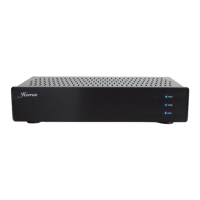
VTPH-2 Vacuum Tube Phono Preamplifier Owners Manual
Please read the Owner’s Manual Completely BEFORE operating the unit
11
The operation of the Herron VTPH-2 Phono Preamplifier is straightforward.
As with any fine audio component, careful set-up and integration into one’s
system is important for optimum performance, safety, and reliability. Please
read through the following set-up instructions completely prior to operating
the unit.
5. Plug the power cord into the
VTPH-2. Make sure it is firmly
seated into the IEC socket prior
to inserting the plug into an AC
outlet.
6. Plug the power cord into a 115
volt (U.S. spec. units) AC outlet.
7. Power up the unit by switching
on the power switch.
8. Observe the LEDs for the appro-
priate operation (see the Front
Panel Indicators section). Listen
carefully for the click of the
automute engaging the outputs.
9. Power up the rest of the system
with the line stage input selec-
tor positioned to select any input
not otherwise in use other than
the phono preamplifier. With the
volume control of the line stage
set at its lowest position, select
the phono preamplifier. Gradually
increase the volume control until
a normal listening level is reached.
Installation and Operation
Procedure
1. Position the unit in a well-venti-
lated area on a firm, stable surface,
away from equipment that gener-
ates alternating magnetic fields
such as motors, transformers, etc.
Magnetic fields of this type can in-
troduce hum into the signal path.
2. Connect the ground bleed wire
from the turntable to the ground
connector of the VTPH-2. (this
may be needed to prevent hum
at the inputs to the VTPH-2)
3. Connect the cartridge signal leads
from the turntable (tone arm) to the
VTPH-2 left-to-left and right-to-right
and the appropriate input connec-
tors (“MC INPUTS” for a moving
coil cartridge or “MM INPUTS” for a
moving magnet cartridge. (left-to-
left and right-to- right)
4. Connect the line stage preampli-
fier inputs to the “OUTPUTS”
RCA connectors on the back of the
VTPH-2 (left-to-left and right-
to-right)


 To Next Page