EasyManua.ls Logo

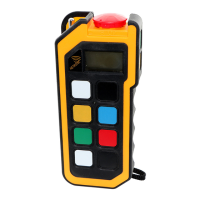
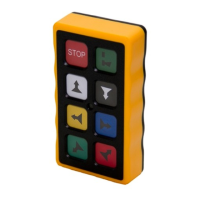
HETRONIC NOVA Series - User Manual

HETRONIC NOVA Series
64 pages
Print Icon
To Next Page IconTo Next Page
Loading...
USER MANUAL
NOVA Transmitters
USER MANUAL
09/2019
www.hetronic.com

Table of Contents

Questions and Answers

  • M
    Michael RichardsonJul 28, 2025
    What to do if HETRONIC NOVA is transmitting but machine not responding?
    • K
      kthompsonJul 28, 2025
      If your HETRONIC Transmitter is transmitting (Power LED flashing) but the machine isn't responding, there could be several reasons. First, ensure the receiver has power by checking the diagnostic LEDs and verifying proper grounding. If the receiver is powered off, turn it on. Also, check all fuses in the receiver and replace any that are blown. The transmitter may be out of range; move it closer to the receiver and press START. If the transmitter/receiver frequency channels do not match, follow instructions under “Setting Frequency and channels” or contact your supervisor. If the STOP failure in receiver, red STOP LED on PC board is illuminated, contact your supervisor.
  • D
    David MoralesAug 2, 2025
    How to fix HETRONIC NOVA Transmitter when it won’t start?
    • G
      Gerald TaylorAug 3, 2025
      If your HETRONIC Transmitter won’t start, it might be due to an incorrect access code (if enabled). Try entering the correct access code. Alternatively, the battery may be fully discharged. If so, replace it with a fully charged battery.
  • K
    Karen EverettAug 8, 2025
    What to do if HETRONIC NOVA Transmitter is on but not transmitting?
    • K
      Keith DuncanAug 8, 2025
      If the HETRONIC Transmitter is turned on but not transmitting (Power LED not flashing), the battery might be discharged. Replace the battery with a fully charged one. If the problem persists, it could be due to component failure, in which case you should contact your supervisor or the nearest Hetronic Service Centre.
  • B
    barrettritaAug 14, 2025
    Why do all machine motions operate intermittently with my HETRONIC NOVA Transmitter?
    • M
      Melinda BennettAug 15, 2025
      If all machine motions operate intermittently when using your HETRONIC Transmitter, check the receiver antenna connection to ensure it is tight and not missing; tighten or replace it if necessary. If using an external antenna, make sure it has a tight connection and proper grounding. For further assistance with external antenna issues, contact Hetronic or your Dealer for more information. Also, check all connectors inside the receiver and reseat if needed. If another frequency may be interfering with the system, contact your supervisor.
  • A
    Adrian HigginsAug 20, 2025
    How to fix HETRONIC NOVA when battery status is not displayed?
    • A
      Anthony WhiteAug 21, 2025
      If the battery status is not displayed on your HETRONIC Transmitter, the I2C connector inside the transmitter might be loose. Check all connectors and reseat them if needed.

Summary

Safety

Intended Use and Operator Training

Defines intended use and emphasizes required operator training for safe operation.

Safety Symbols, Practices, and Danger Sources

Explains safety symbols, safe practices, applicable laws, and potential dangers.

Protective Features and Emergency Stop

Details protective features and procedures for emergency stopping.

Operating Your Transmitter

Pre-Operation and Initialization

Covers holding, checking, powering on, and initializing the transmitter.

Stopping, Powering Off, and Battery Status

Explains stopping, powering off, LED indicators, and battery status.

Generic Radio Remote System functionalities

Start and Stop Functions

Details the operation and importance of the Start and Stop switches.

Quickset;Programming Mode

Describes how to enter and use the programming mode for speed settings.

Setting up your Nova Transmitter for Operation

Cable Control Installation and Operation

Covers cable control installation, operation, and returning to wireless mode.

Troubleshooting

Troubleshooting Common Issues

Provides solutions for common problems like transmitter not starting or transmitting.

Warranty, Service, Repairs and Maintenance

Appendix B: Operator Safety and Checklist

Operator Safety Basics

Lists essential safety precautions for operators before starting a shift.

Safety Checklist for Operation

Provides a checklist for safe radio control operation.

Transmitter Nova S

Nova S Operation, Features, and Specifications

Covers operation, features, specifications, battery, charger, cable, and accessories for Nova S.

Transmitter Nova M

Nova M Operation, Features, and Specifications

Covers operation, features, specifications, battery, charger, cable, and accessories for Nova M.

Transmitter Nova L

Transmitter Nova L 2.4

Transmitter Nova XL

Transmitter Nova XL 2.8

Transmitter Nova XL 4.3

Transmitter Nova XXL 4.3

HETRONIC NOVA Series Specifications

General IconGeneral
BrandHETRONIC
ModelNOVA Series
CategoryTransmitter
LanguageEnglish

Related product manuals