EasyManua.ls Logo

HF Scientific CLX-Ex - User Manual

HF Scientific CLX-Ex
45 pages
Print Icon
To Next Page IconTo Next Page
Loading...
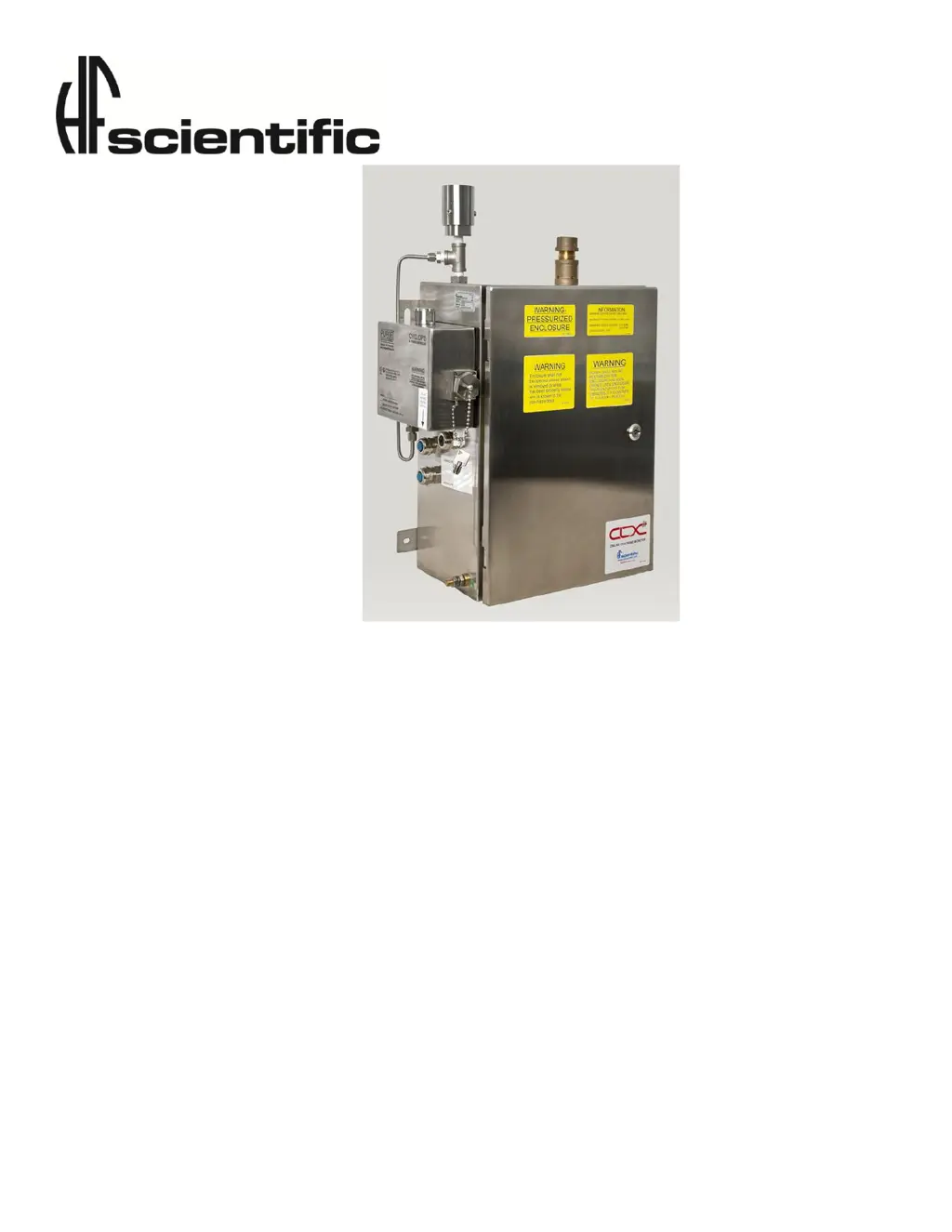
OWNER’S MANUAL
CLX-Ex Online Residual
Chlorine Monitor
For Use in Explosive Environments
And Extended Reagent Life
Model 28031
HF scientific
3170 Metro Parkway
Ft. Myers, FL 33916
Phone: 239-337-2116
Toll Free: 888-203-7248
Fax: 239-332-7643
EMail:HFInfo@Watts.com
Website: www.hfscientific.com
Catalog No 28815B
Rev 1.5 (10/11)

Table of Contents

Other manuals for HF Scientific CLX-Ex

Questions and Answers

  • E
    ecrawfordAug 17, 2025
    Why are the readings lower than expected on my HF Scientific CLX-Ex?
    • J
      Jeffrey McintyreAug 17, 2025
      If the readings on your HF Scientific Measuring Instruments are lower than expected, there are several potential causes. It could be due to condensate or a leaky measurement cuvette, in which case you should install a desiccant cartridge kit. Another possibility is a dirty measurement cuvette, requiring you to replace or clean it. Bad or expired reagents can also lead to lower readings, so replace the reagents. Finally, check the buffer lines and check valves to ensure the buffer reagent is being dispensed correctly.
  • J
    James NelsonAug 20, 2025
    How to fix erratic readings on HF Scientific CLX-Ex?
    • B
      Beth JonesAug 20, 2025
      Erratic readings on your HF Scientific Measuring Instruments can be caused by bubbles in the solution or debris in the flow. To resolve this, install a T strainer at the inlet.
  • T
    Tyler BurnsAug 22, 2025
    What to do if 4-20 mA is enabled and loop open on HF Scientific CLX-Ex Measuring Instruments?
    • M
      Matthew HoganAug 23, 2025
      If you see that the 4-20 mA is enabled and the loop is open on your HF Scientific Measuring Instruments, it indicates an issue with the 4-20 mA loop. To solve this, check the 4-20 mA wiring. If you are not using the 4-20 mA feature, turn it off.
  • M
    Matthew ChapmanAug 25, 2025
    Why does the lower display show MA on HF Scientific Measuring Instruments?
    • L
      Lisa WiseAug 26, 2025
      If the lower display of your HF Scientific Measuring Instruments shows 'MA', it indicates an open 4-20 mA loop. Check the wiring to resolve this issue.
  • M
    Ms. Debra PaulAug 27, 2025
    What to do if there is a dirty cuvette in HF Scientific CLX-Ex Measuring Instruments?
    • K
      Kaylee BrandtAug 27, 2025
      If you suspect a dirty cuvette is affecting the performance of your HF Scientific Measuring Instruments, replace or clean the cuvette.
  • M
    Matthew ShawAug 30, 2025
    How to troubleshoot problem with intake solenoid in HF Scientific CLX-Ex?
    • R
      Ryan PerezAug 30, 2025
      If you're experiencing a problem with the intake solenoid in your HF Scientific Measuring Instruments, check the wiring and inspect the solenoid for any clogs.
  • M
    Matthew EspinozaSep 1, 2025
    How to troubleshoot problem with purge solenoid in HF Scientific CLX-Ex Measuring Instruments?
    • B
      bassbradleySep 1, 2025
      If you're experiencing a problem with the purge solenoid in your HF Scientific Measuring Instruments, check the wiring and inspect the solenoid for any clogs.
  • K
    Kathleen MeyersSep 4, 2025
    What to do if there is no water flowing in HF Scientific CLX-Ex Measuring Instruments?
    • S
      Scott KnightSep 4, 2025
      To address the issue of no water flowing in your HF Scientific Measuring Instruments, check the water flow.
  • E
    Emily SantiagoSep 6, 2025
    What to do if sample cuvette is not purging in HF Scientific CLX-Ex Measuring Instruments?
    • K
      Kimberly GrahamSep 7, 2025
      If the sample cuvette is not purging correctly in your HF Scientific Measuring Instruments, check the drain lines.
  • R
    Rebecca PittsSep 9, 2025
    What to do if sample cuvette has slow purge in HF Scientific Measuring Instruments?
    • B
      Bryan PerrySep 9, 2025
      If the sample cuvette has a slow purge in your HF Scientific Measuring Instruments, check the drain lines.

Summary

Specifications

Overview

Unpacking and Inspection of the Instrument and Accessories

Details the items included in the instrument shipment and inspection procedures.

The Display

The Touch Pad

Orientation

Safety

Symbols Used In CLX-Ex

Explains standard IEC symbols used on the instrument, particularly for electrical hazards.

Use in Explosive Environments Safety

Provides safety guidelines for operating the instrument in potentially explosive atmospheres.

Theory of Operation

The Measurement

Explains the principle of chlorine measurement using the CLX-Ex, including reagents and optical components.

The Purge Control X-Purge Controller

Optional Remote Standby

The Reagents

The Reagent Cooler

Installation and Commissioning

Mounting & Site Selection

Guides on choosing an appropriate location for mounting the instrument for accessibility and performance.

Plumbing

Air Supply

Electrical Connections

Installing Reagents

Purge Control X-Purge Controller Operation

Start Up

Explains the start-up sequence, including the purge cycle and indicator lamp status.

Indicator Lamp

Describes the meaning of different indicator lamp colors for safe operation status.

Maintenance By-Pass Operation

Operation

Routine Measurement

Provides step-by-step instructions for performing routine chlorine measurements on process water.

Routine Measurement With Optional Remote Standby

Explains how to perform routine measurements when the optional remote standby feature is used.

Security Access Feature

The White LED

Instrument Calibration

Slope (gain) Calibration Procedure

Details the procedure for calibrating the slope or gain of the instrument against a reference measurement.

Zero (offset) Calibration Procedure

Restore Factory Settings

Instrument Configuration (CONFIG mode)

Setting the 4-20 mA Output

Describes how to configure the 4-20 mA analog output, including setting limits and error levels.

Configuring the Error Level

Configuring the RS-485 Port

Configuring the Alarms

Enabling the Security Access

Extended Settings

Units of Measurement

Averaging and Filtering

LCD Backlight Brightness

RS-485 Parameters

Cycle Time

Water Conservation

4 mA Adjustment

20 mA Adjustment

Additional Features and Options

RS-485 Outputs

Describes the capabilities for simple communication and Modbus communications via RS-485.

Remote Panel Meter (Catalog # 19609)

Information on the optional remote panel meter for indicating mg/L readings.

Desiccant Cartridge Option (Catalog #09944)

Details an optional desiccant cartridge to prevent condensation on the cuvette.

Troubleshooting

CLX-Ex Fault Detection

Explains the four severity levels of fault detection and how faults are displayed.

Setting Flow Rate

Clearing Faults

Reagent Clogs

Diagnostic Chart

Technical and Customer Assistance

Routine Maintenance

Maintenance Schedule

Outlines a recommended schedule for replacing reagents and performing maintenance tasks.

Pump Tubing Replacement

Cap Assembly Replacement

Cuvette Replacement

T-Strainer Cleaning

Replacing or Installing the Reagents

Indicator Reagent Preparation

Check Valve Flushing Kit

Instrument Storage

Cleaning the CLX-Ex

Accessories and Replacement Parts List

ATEX Certificate

Warranty

HF Scientific CLX-Ex Specifications

General IconGeneral
Accuracy±5% of reading or ±0.03 mg/L, whichever is greater
Resolution0.01 mg/L
Operating Temperature0 to 50°C (32 to 122°F)
Operating Humidity0 to 95% non-condensing
Power100-240 VAC, 50/60 Hz
Light SourceLED
Power Supply100-240 VAC, 50/60 Hz
MethodColorimetric DPD Method

Related product manuals