Easy HD Expressway!
WWW.HIDES.COM.TW 10
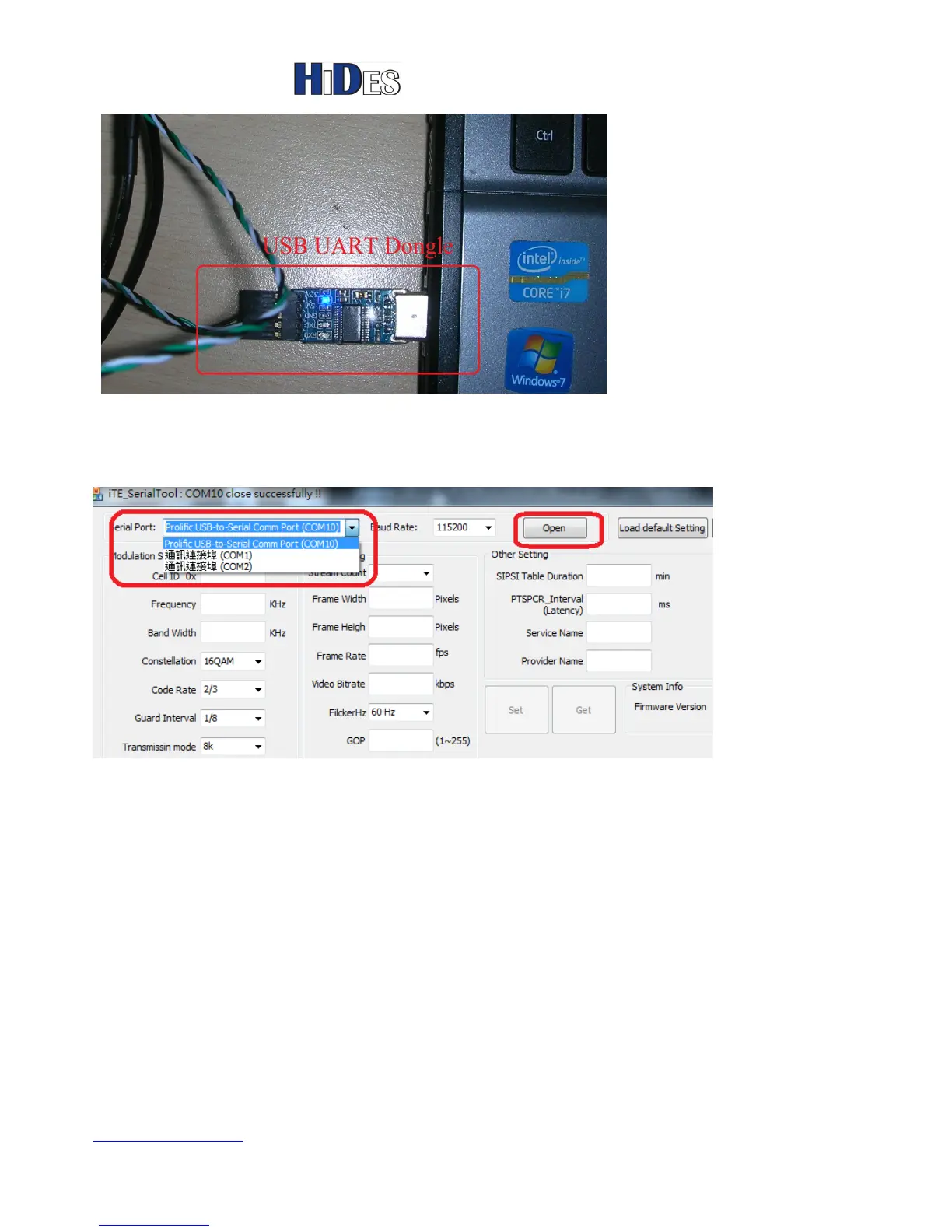
Launch “iTE_SerialTool.exe “.
Specify the correct COM port which corresponds to the USB UART dongle, then click on “Open” button.
Note: The com port’s friendly name is “Prolific USB-to-Serial Comm Port (COMxx)”.
The following shows the USB UART dongle is open successfully.
Click on “Get” button to retrieve current configurations.



 To Next Page