Easy HD Expressway!
WWW.HIDES.COM.TW 16
Update Firmware
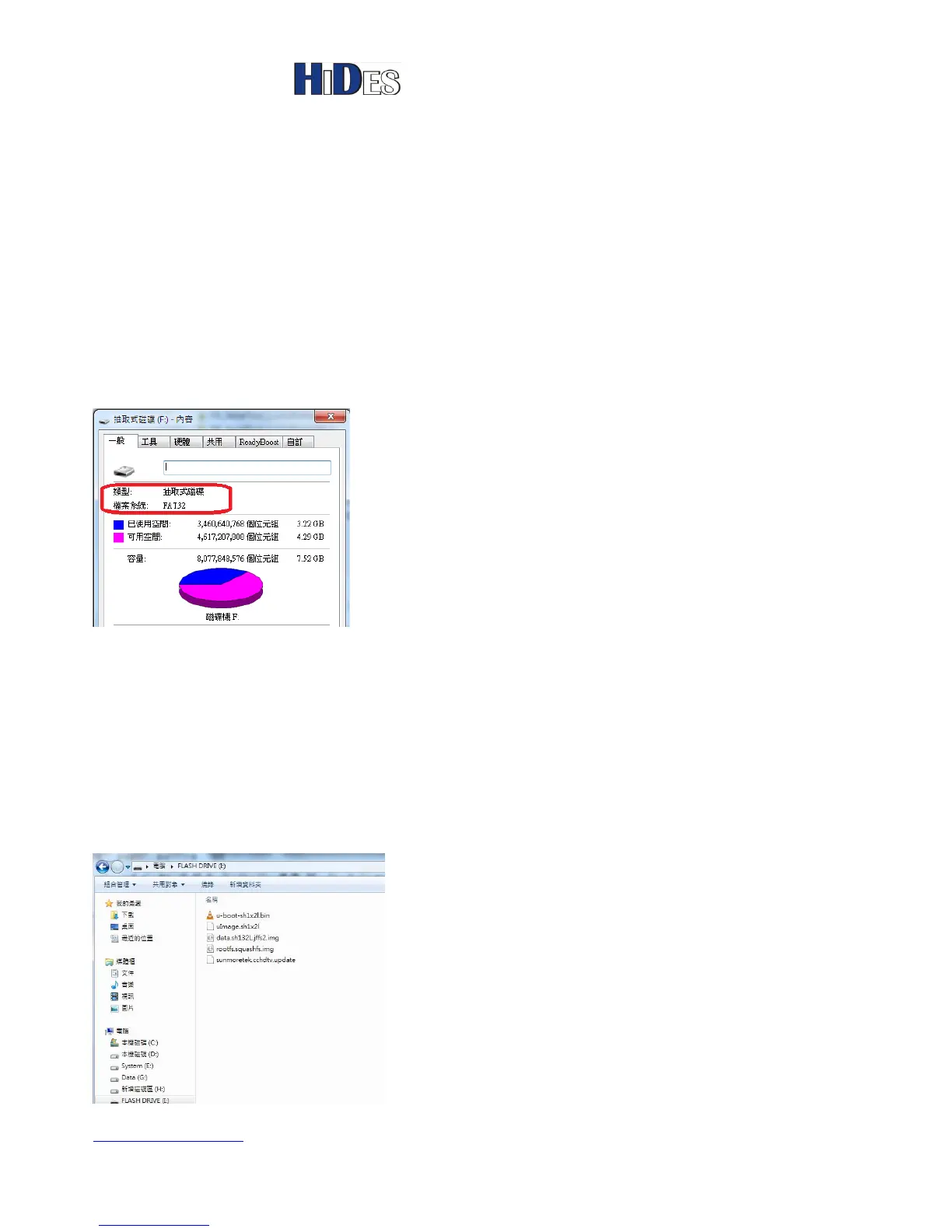
First of all, please prepare a clean USB disk with FAT32 file system and copy the following files to the
root directory of the USB disk. Don’t use NTFS formatted file system.
Note:
1. In Windows, you may click on the flash disk with right mouse button to check its file system property.
2. It’s recommended the USB disk is clean without any other files or folder expect the 5 firmware files.
A newly formatted disk is preferred.
These five files can be found in the folder \Firmware of the software package of DC-105
sunmoretek.cchdtv.update
uImage.sh1x2l
u-boot-sh1x2l.bin
data.sh132L.jffs2.img
rootfs.squashfs.img
Note: these files should be in the root directory of the flash disk, as shown below.



 To Next Page