Easy HD Expressway!
WWW.HIDES.COM.TW 17
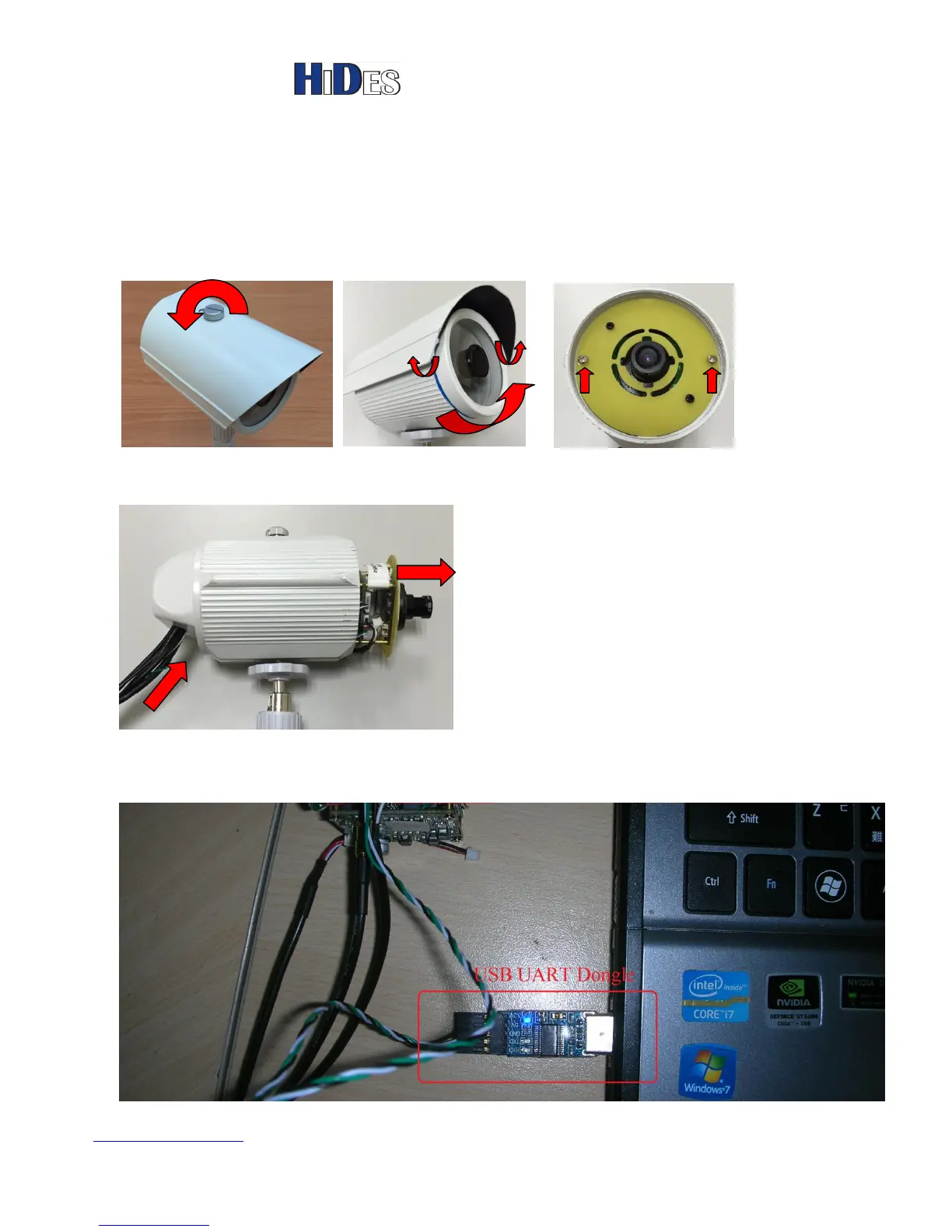
The following steps describe how to update DC-105 firmware
1. Power off DC-105
2. Open the camera housing ( You may skip this step for DC-105-BB or DC-105H-BB)
*Loosen the cover screw * Remove the housing and *Loosen two screws
the lens cover to get the main board
3. Push the cables and pull out the main board carefully until you can see the whole camera module.
( You may skip this step for DC-105-BB or DC-105H-BB)
4. Connector USB UART dongle to a laptop PC, as shown below,



 To Next Page