Easy HD Expressway!
WWW.HIDES.COM.TW 18
5. Launch “iTE_SerialTool.exe “ or any UART console to monitor the debug messages.
UART communication parameters:115200,n,8,1
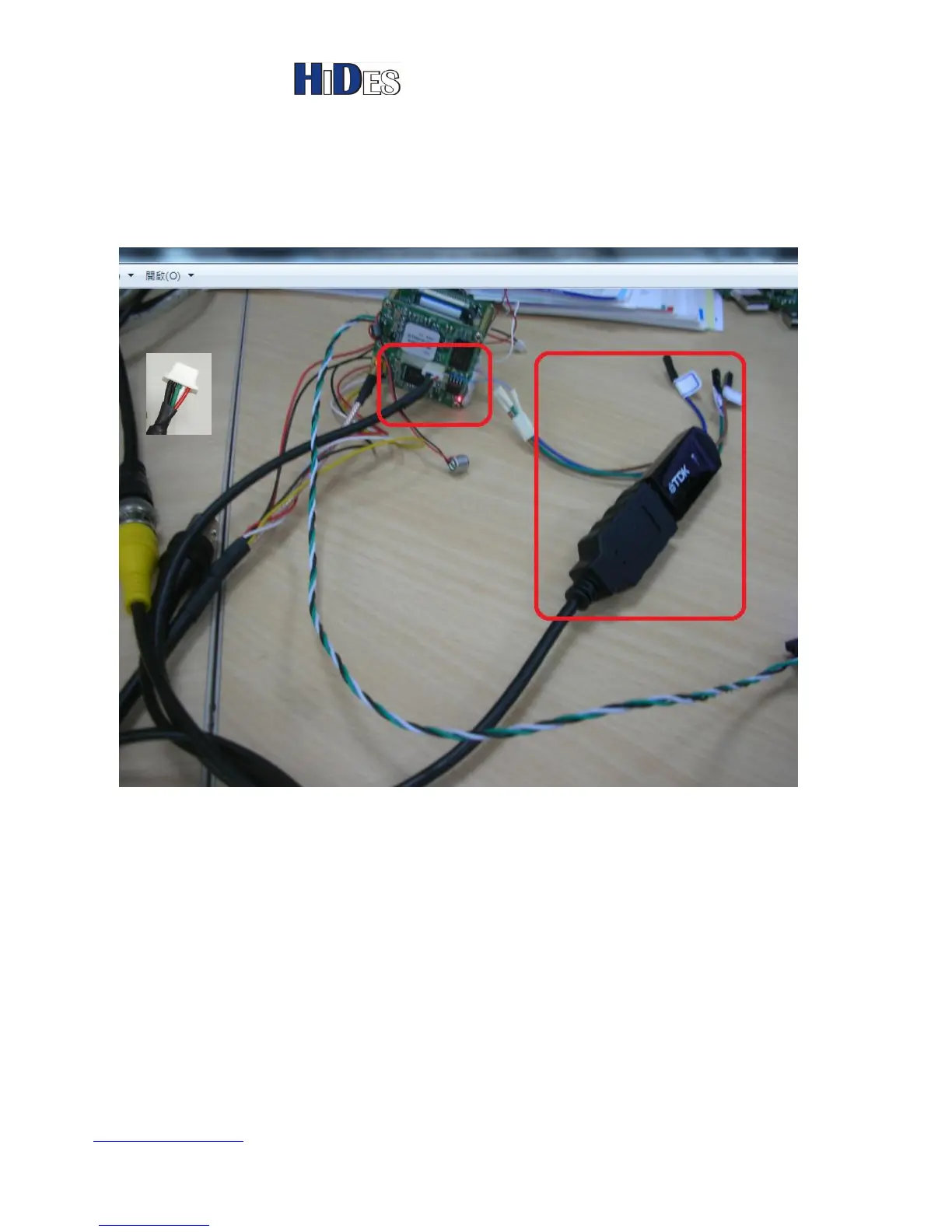
6. Attach the USB disk with the special USB cable to the tiny connector in the middle of the main board of
DC-105. Refer to the picture below.
7. Power on DC-105
8. It will take about 3 minutes and you will see the following messages on the UART terminal.
USB: scanning bus for devices... 2 USB Device(s) found
scanning bus for storage devices... usb_stor_get_info->1406,blksz:512
1 Storage Device(s) found
reading sunmoretek.cchdtv.update
524 bytes read
command=sf probe 0
command=mw.b 0x82000000 ff 0x40000



 To Next Page