Easy HD Expressway!
WWW.HIDES.COM.TW 3
It will take about 20~30 seconds for DC-105 to boot.
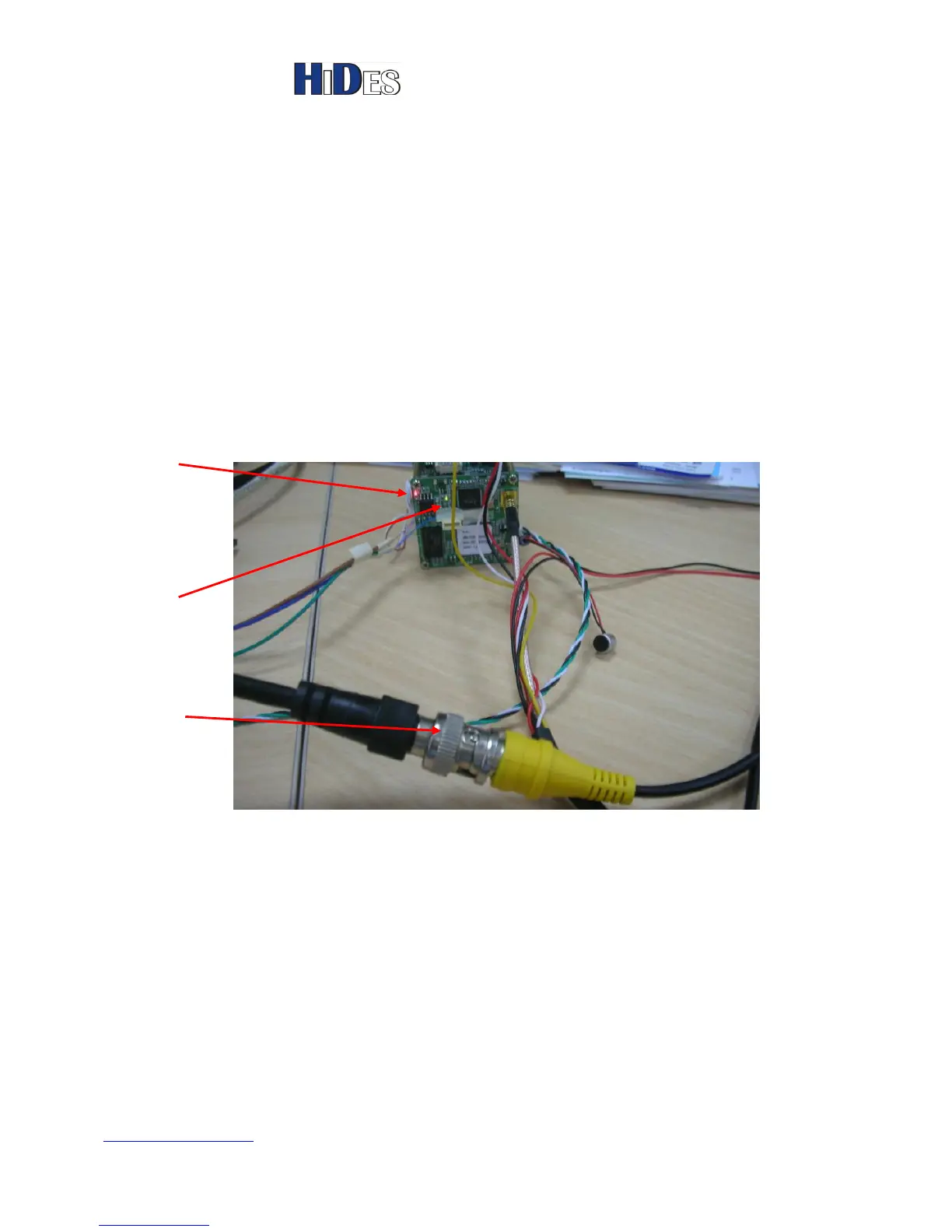
When the boot process is completed, it begins to transmit the camera video from the yellow BNC
connector in DVB-T, and the CVBS output (thru the black BNC) is also present.
A yellow LED will be on when transmitter is on.
Note:
1. Default RF channel is CH21, Frequency: 474MHz, BW:8 MHz, unless specified.
2. When initialization done, “###Camera Boot Finished###” message will be shown in the UART
debug port output; refer to more details below.
Connect to a DVB-T receiver
1. Connect the video RF output to a coaxial cable (or an antenna). A DVB-T receiver can be
either DVB-T TV, DVB-T STB or DVB-T USB receiver dongle.
2. The video output is full HD 1920x1080x30P H.264 format. Please make sure your receiver is
capable of HD decoding. (Many old DVB-T STB’s or TV’s can only decode 720x576 SD).
3. Default RF channel is CH21, Frequency:474MHz, BW:8 MHz, unless specified.
Adjust the Focus of the Lens
By default the focus of the lens may not be correct. Please turn the lens clockwise or



 To Next Page