Easy HD Expressway!
WWW.HIDES.COM.TW 6
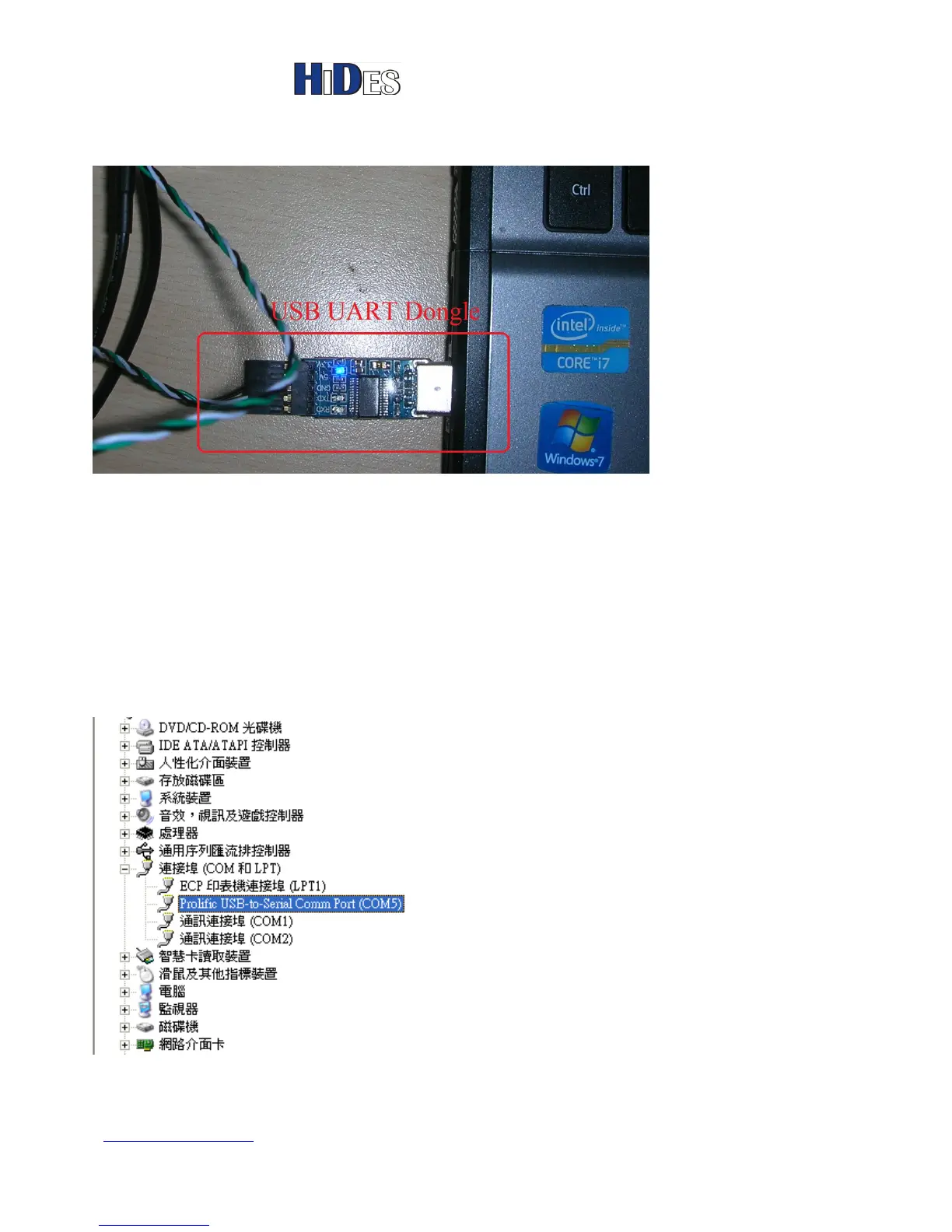
You may connect the UAB UART to a Laptop PC.
On most Windows platforms, the driver will be installed with in-box driver automatically.
However, if Windows prompts to install driver for the new device, please run
“PL2303_Prolific_DriverInstaller_v1.7.0.exe”, which can be found in the folder
“ \PL2303_Prolific_DriverInstaller_v1.7.0”
If the device driver is installed well, there will be a new Com Port device, shown in Windows Device
Manager.
The com port assignment may vary depending on the PC configurations. In the following example, COM5 is
assigned.
The following picture show how the USB UART dongle is connected to DC-105.



 To Next Page