10
Restore Factory Settings
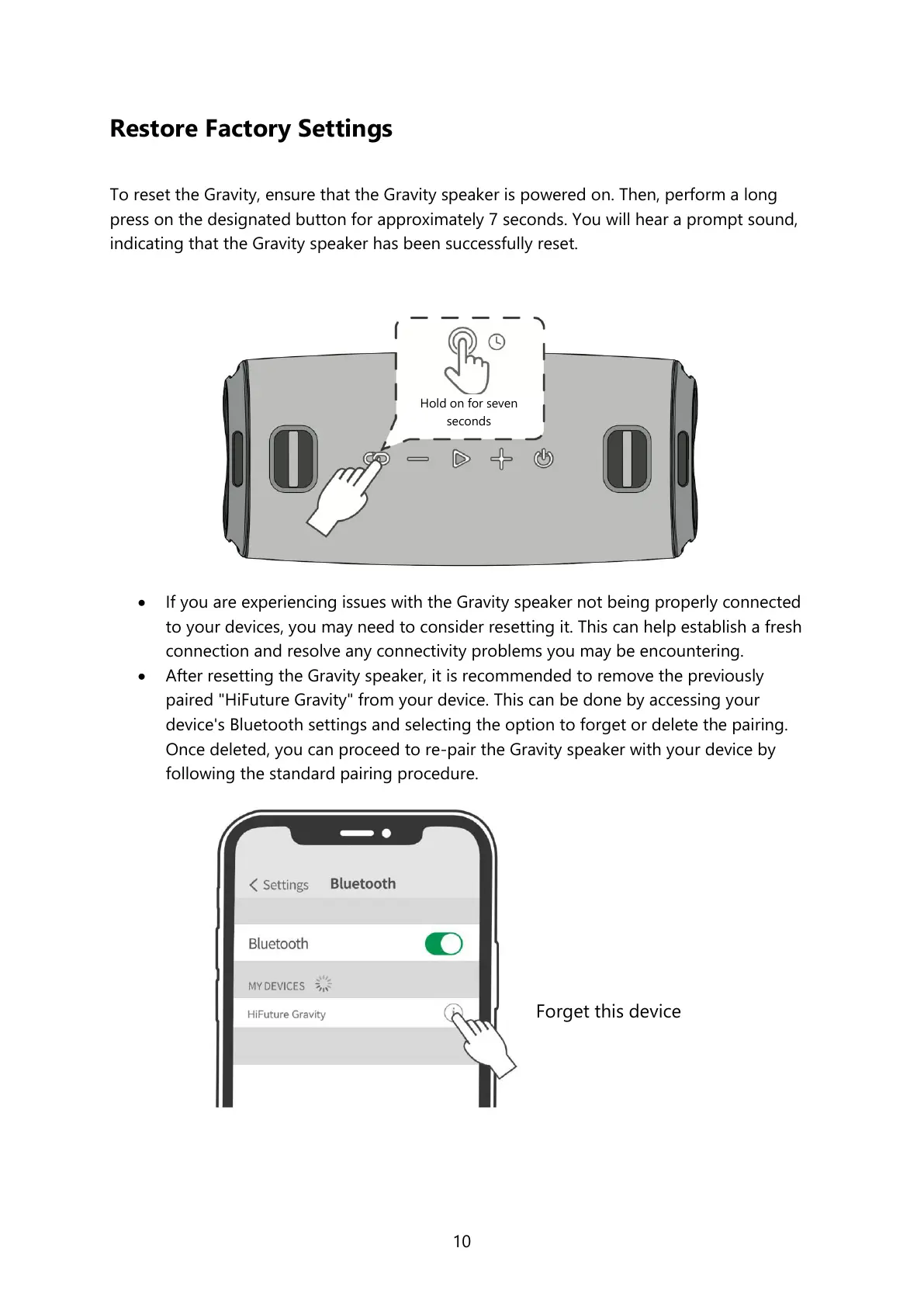
To reset the Gravity, ensure that the Gravity speaker is powered on. Then, perform a long
press on the designated button for approximately 7 seconds. You will hear a prompt sound,
indicating that the Gravity speaker has been successfully reset.
If you are experiencing issues with the Gravity speaker not being properly connected
to your devices, you may need to consider resetting it. This can help establish a fresh
connection and resolve any connectivity problems you may be encountering.
After resetting the Gravity speaker, it is recommended to remove the previously
paired "HiFuture Gravity" from your device. This can be done by accessing your
device's Bluetooth settings and selecting the option to forget or delete the pairing.
Once deleted, you can proceed to re-pair the Gravity speaker with your device by
following the standard pairing procedure.
Hold on for seven
seconds


 To Next Page