5
Diagram
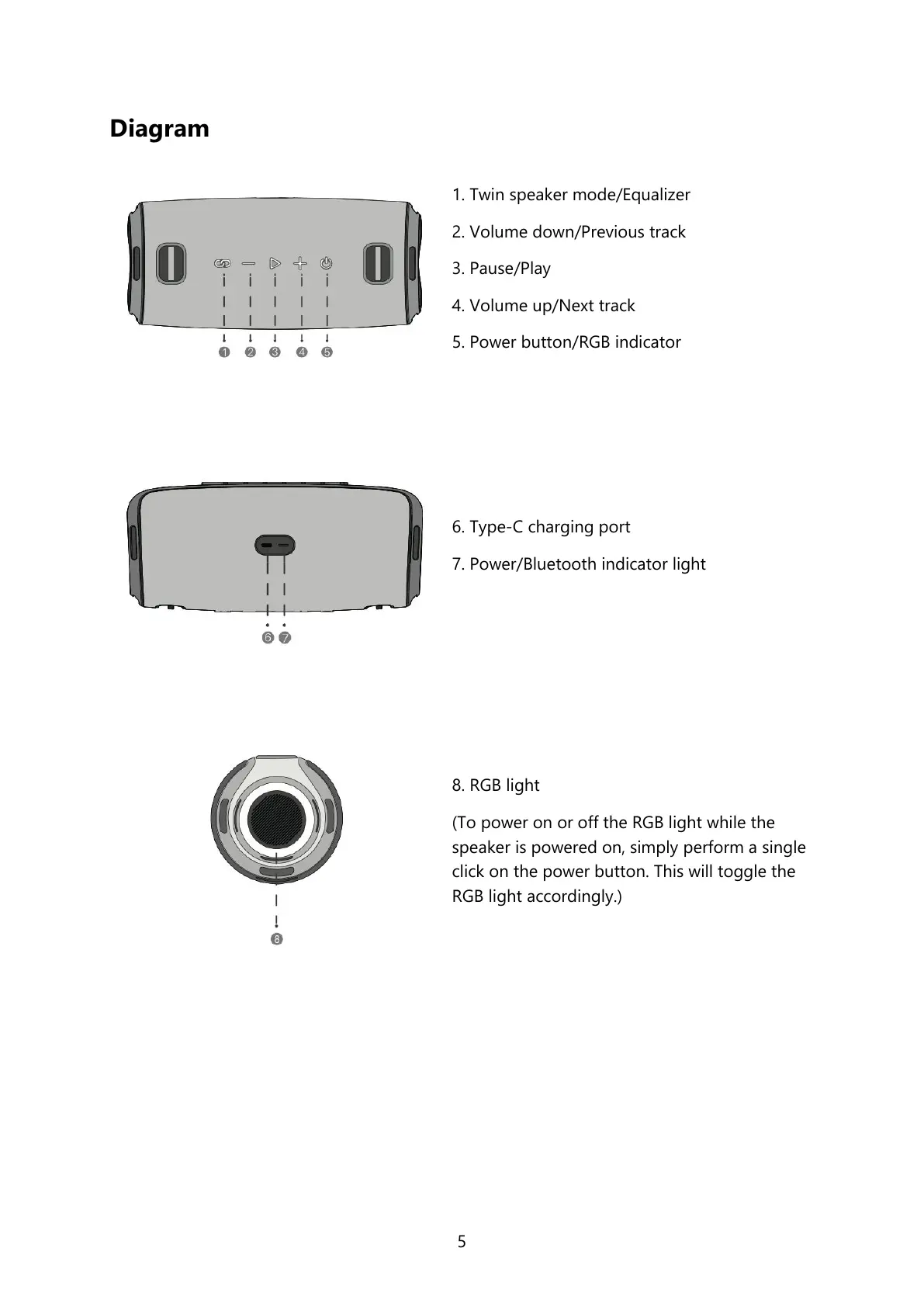
1. Twin speaker mode/Equalizer
2. Volume down/Previous track
3. Pause/Play
4. Volume up/Next track
5. Power button/RGB indicator
6. Type-C charging port
7. Power/Bluetooth indicator light
8. RGB light
(To power on or off the RGB light while the
speaker is powered on, simply perform a single
click on the power button. This will toggle the
RGB light accordingly.)


 To Next Page