1. Turn ON the Bluetooth in your smaphone
2. Open the GloFit, go “Device”, “+ Add a new device”
3. Search Bluetooth device & Select the “Ultra2 Pro” for
binding
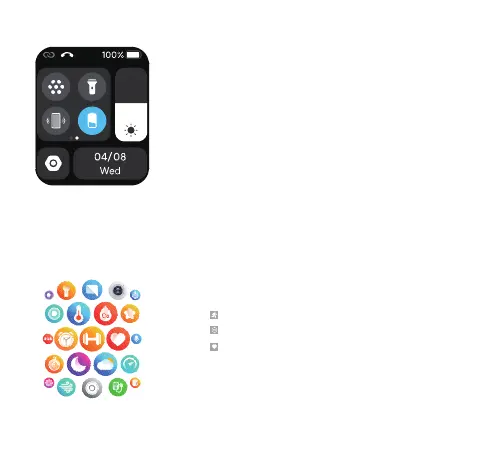
Main Menu
Quick Menu
Phone call
Sub menu style
Do not disturb
Mute
Brightness
Raise wrist setting
Search
Torch
Batte
Settings
...
Exercise data can view steps, distance, calories
The phone's information wil be synced to the watch
Health monitoring:hearate, blood oxygen,
sleep
Enjoy more on Ultra2 Pro ......



 To Next Page