16 17
EN EN
Using the appliance Using the appliance
B B
Rinse-aid usage
• The rinse aid helps to dry the dishes without streaks and stains. Rinse-aid is required for
stain-free utensils and clear glasses. The rinse aid is automatically released during the hot
rinse phase. If rinse aid dosage setting set too low, whitish stains remains on dishes and
dishes do not dry and washed clean.
• If rinse aid dosage setting set too height, you can see bluish layers on glass and dishes.
Filling the rinse-aid and setting
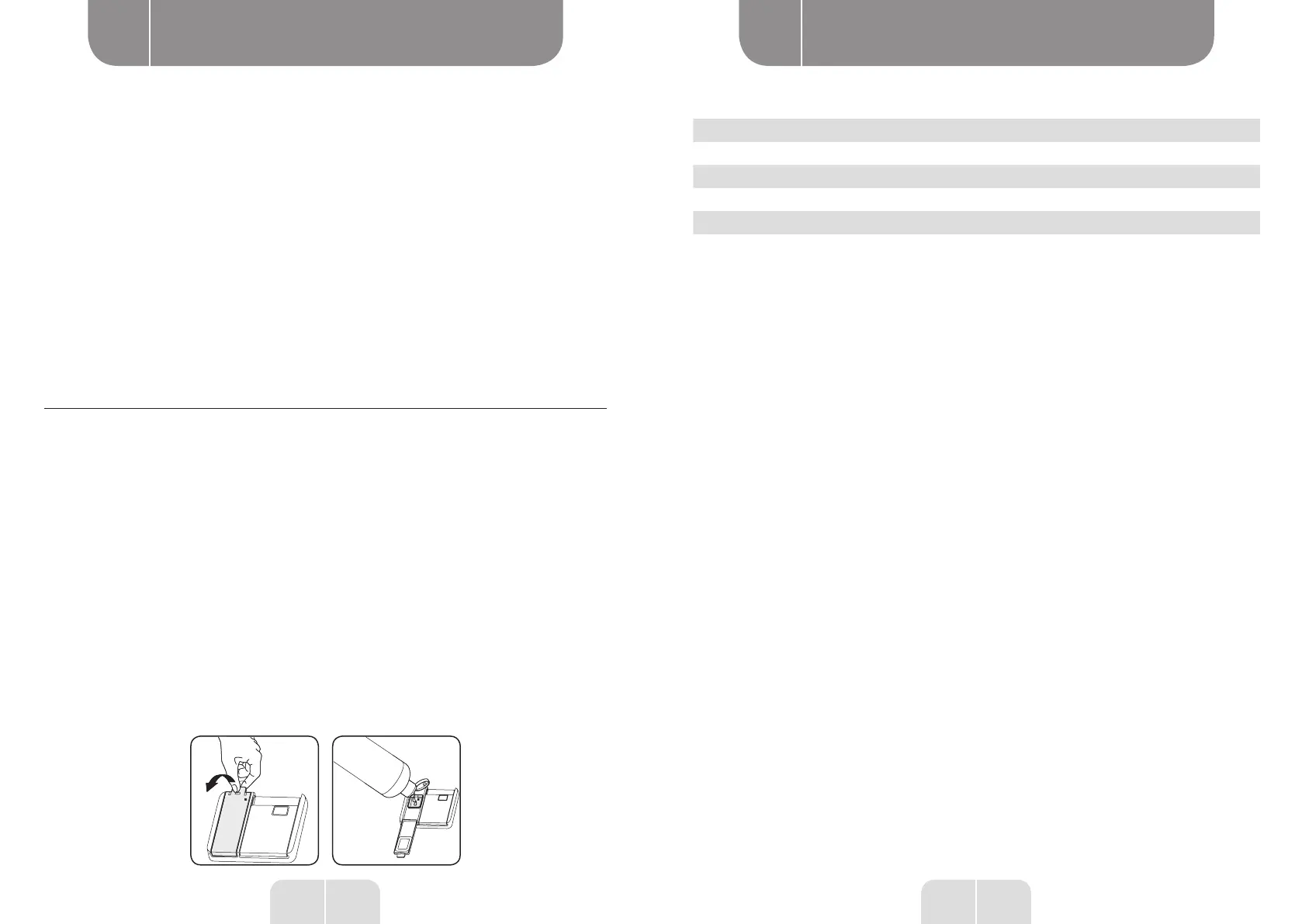
To fill the rinse aid compartment, open the rinse-aid compartment cap. Fill the compartment
with rinse aid to the MAX level and then close the cap. Be careful not to overfill the rinse aid
compartment and wipe up any spills.
In order to change the rinse aid level, follow the below steps before turning on the machine:
• Turn on the machine by pressing the On/Off button.
• Press the Up button for at least 5 seconds immediately after the machine is turned on.
• Release the Up button when all leds blinks twice. The last setting level is displayed.
• Press Up or Down button to increase or decrease the hardness level.
• Turn off the machine to save the setting.
The factory setting is “4”.
If the dishes are not drying properly or are spotted, increase the level. If blue stains form on
your dishes, decrease the level.
Level Brightener Dose Indicator
1 Rinse-aid not dispensed Wash LED is on.
2 1 dose is dispensed Dry LED is on.
3 2 doses are dispensed End LED is on.
4 3 doses are dispensed Wash and Dry LEDs are on.
5 4 doses are dispensed Wash and End LEDs are on.


 To Next Page