CONVENIENT FEATURES
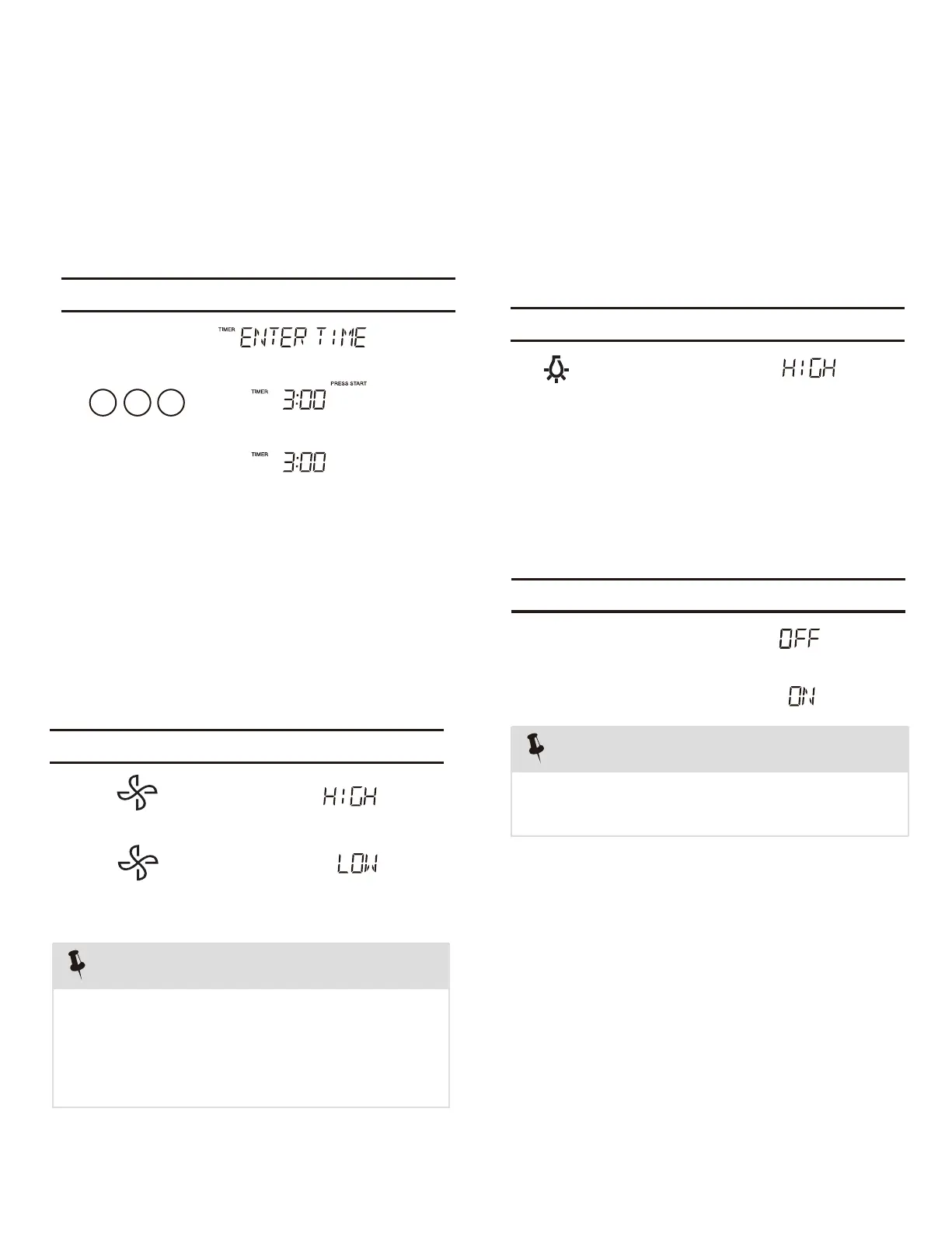
Your microwave oven can be used as a kitchen
timer. You can set up to 99 minutes, 99 seconds.
Timer starts
counting down
1.
2.
3.
03 0
The kitchen timer can be used while the microwave
oven is running.
1.
2.
3.U
The pad controls the 2-speed vent fan. If the vent fan
is OFF the first touch of the Vent pad will turn the fan
on HIGH, second touch LOW and third touch OFF.
2. Setting Kitchen Timer
• Suppose you want to set for three minutes.
• Suppose you want to set the vent fan speed to
LOW from the OFF position.
sing Vent Fan
Touch: Display Shows:
Touch: Display Shows:
Timer
Hi | Low | Off
Hi | Low | Off
START
+30Sec
enter
NOTE
If the temperature from the range or
cooktop below the oven gets too hot, the vent
fan will automatically turn on to protect the oven.
It may stay on up to an hour to cool the oven.
When this occurs, the Vent pad will not turn the
fan off.
1.
The pad controls the cooktop light. If the light is OFF
the first touch of the light pad will turn the light ON
(high), second touch Ni te (low) and third touch OFF.
For best cooking results, leave the turntable on. It
can be turned off for large dishes.
Sometimes the turntable can become
hot to the touch during and after cooking. Do not
run the oven empty without food in it.
le On-Off to turn the turntable on or Press Turnt ab
off.
1.
2.
4.U
5. Setting Turntable On/Off
NOTE
• Suppose you want to set the light for HIGH from
the OFF position.
sing Cooktop Light
T ouch: Display Shows:
T ouch: Display Shows:
Hi | Low | Off
Turntable
On-Off
Turntable
On-Off



 To Next Page