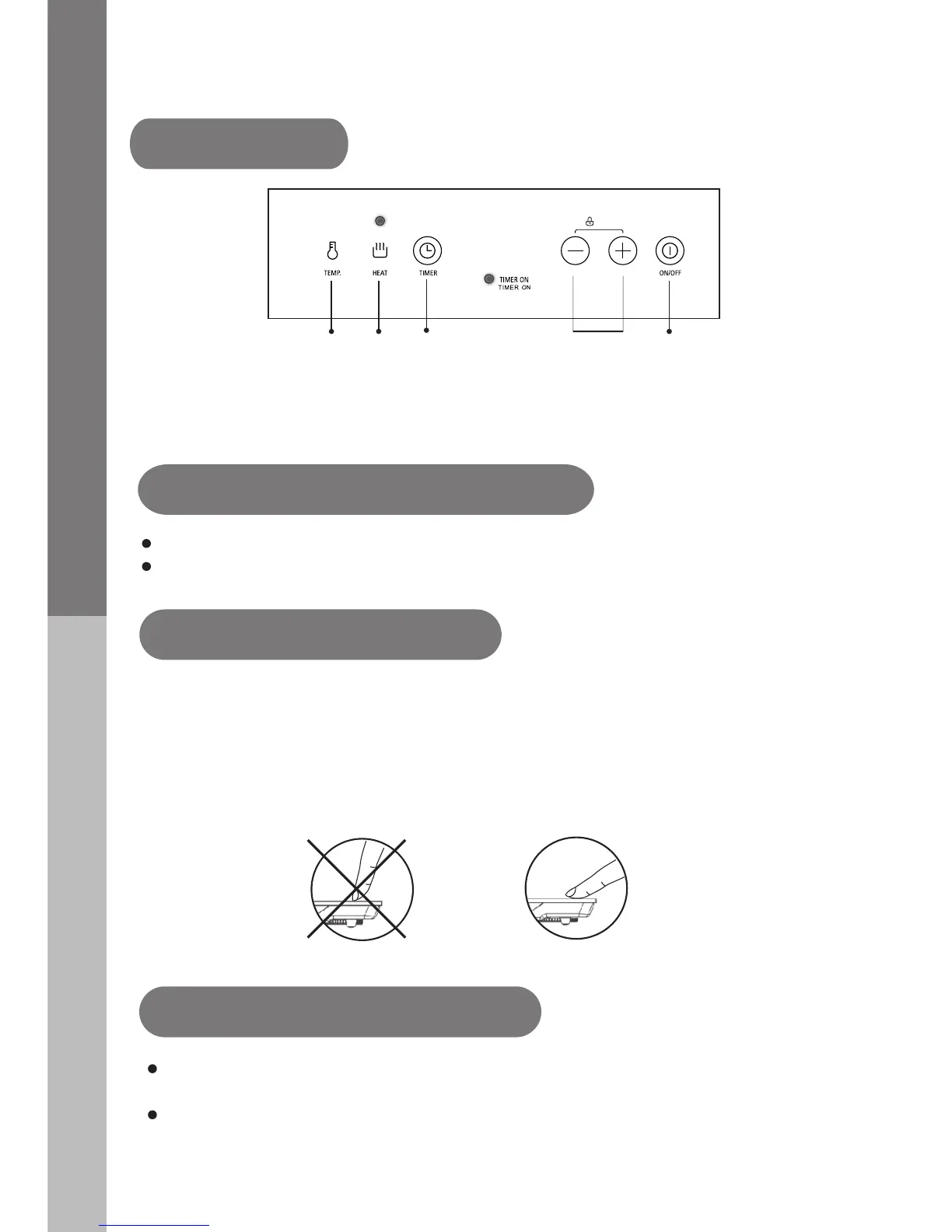
1. ON/OFF 2. Power regulating / Childproof Lock
4. Heating
5. Temperature
1
2
4
3
5
9
PRODUCT INTRODUCTION
Control Panel
Before using
New Induction cooker
Read this guide, and take special note of the “Safety Warnings” section.
Remove
any
protective
film
that
may
still be on
your
ceramic plate.
The controls respond to touch, so you don't need to apply any pressure.
Use the ball of your finger, not its tip.
You will hear a beep each time a touch is registered.
Make sure the controls are always clean, dry, and that there is no
object (e.g. a utensil or a cloth) covering them.
Even a thin film of water may make the controls difficult to operate.
Using the Touch Controls
Make sure the air vents are not blocked and keep utensils away from
the
immediate surrounds of the ceramic plate.
Make sure the cookware which has food or liquid is placed in
the
center of ceramic plate.
Put the pot on the ceramic plate
3. Timer


 To Next Page