RocketRAID 174x BIOS Utility
4) Select the “Browse the CD” option, and access the directory provided for
the RR174x host adapter.
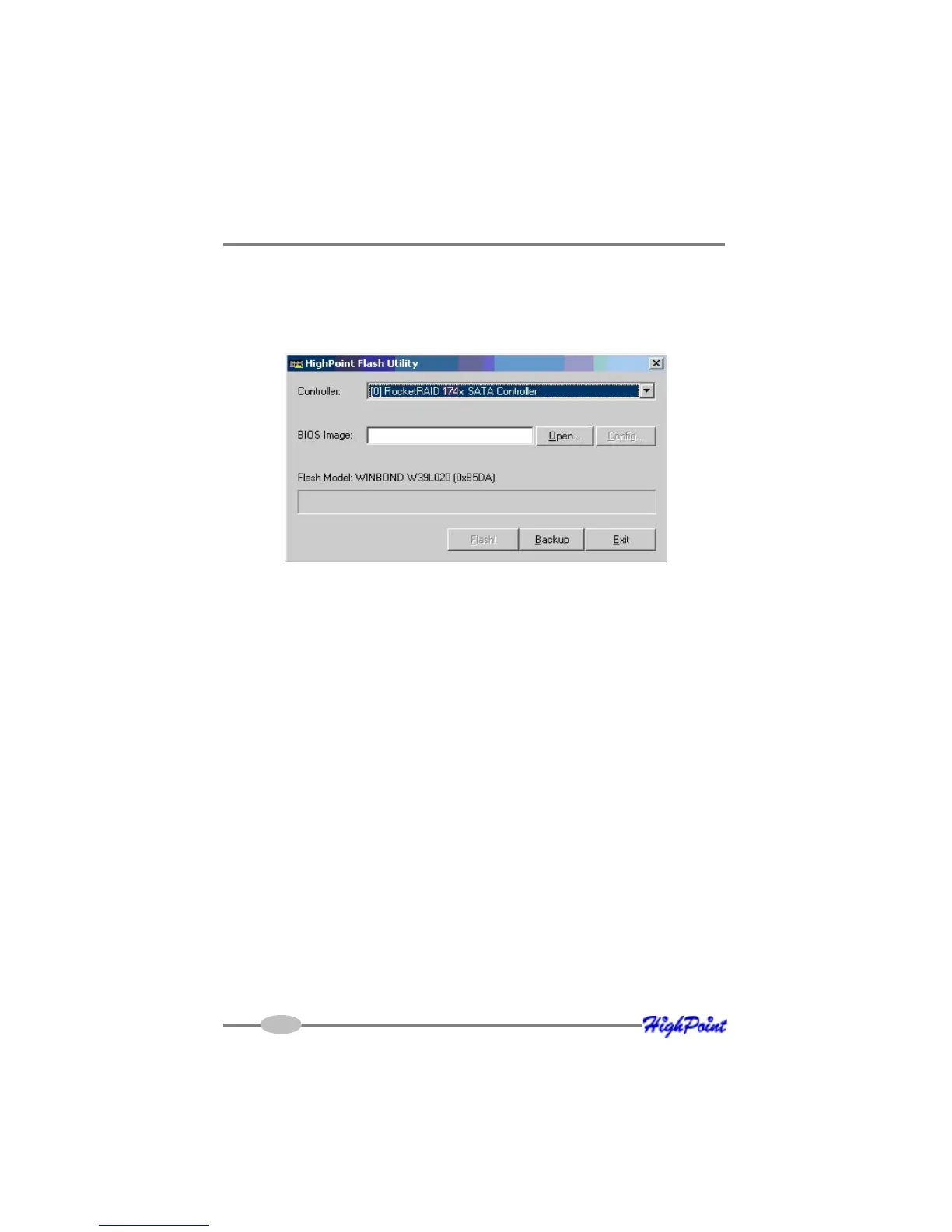
5) Open the “BIOS” directory, and double click the “hptflash.exe” icon. This
will start the BIOS flash utility:
6) Select the RR174x from the drop down menu labeled “Controller”, and press the
“Open” button – this will allow you to browse to the extracted BIOS download
(step 1).
7) Highlight the image file, and click the “Flash!” button. The utility will update
the card, then verify the update.
8) Once complete, click on the “Exit” button to close the utility. Shutdown and
reboot the system.
Note: the “Backup” button will save a copy of the card’s current BIOS to the
directory of your choice.
For other operating systems:
In order to update the BIOS, the system must be booted into DOS mode, using a
DOS-boot diskette or CD image.
1) Copy the load.exe and the bios image file to the bootable floppy diskette
(you may need to use a different floppy depending upon how much space is
available on the boot diskette - this can vary).
3-6



 To Next Page