EasyManua.ls Logo

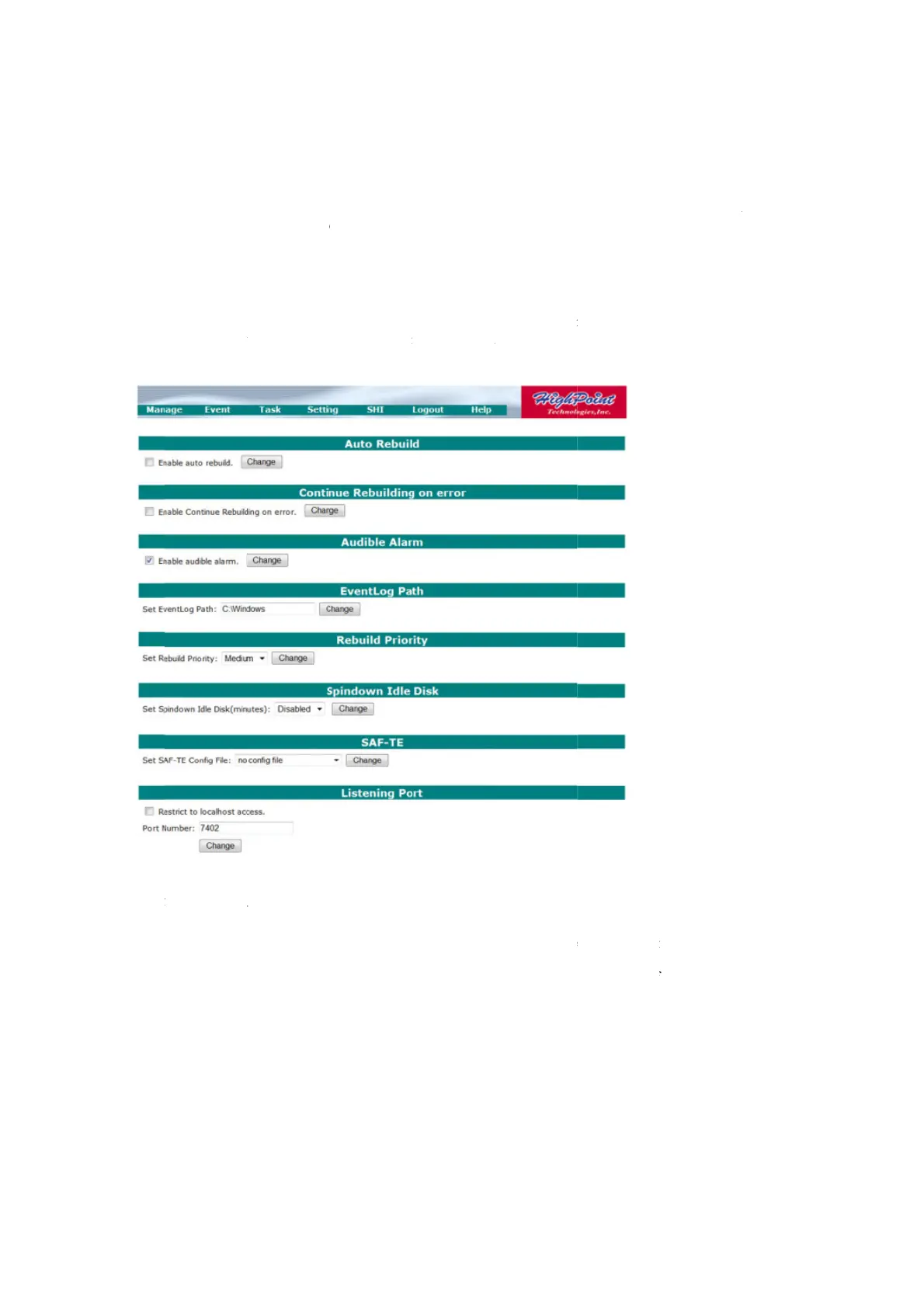
HighPoint RocketRAID 2700 Series - Safeguarding Your Array (Web GUI); Automatic RAID Rebuilding

HighPoint RocketRAID 2700 Series
66 pages
Print Icon
To Next Page IconTo Next Page
To Previous Page IconTo Previous Page
Loading...
S
d
f
t
8 -
W
The
desi
g
of a
m
Au
t
Aut
o
arra
y
This
arra
y
Sim
p
The
h
Clic
k
b
utt
o
S
MART attri
b
d
rives thems
e
f
ailed, or gen
e
t
echnical sup
p
W
eb GUI -
RocketRAID
g
ned to help s
t
m
ajor hardwa
r
t
omatic R
A
o
matic RAID
r
y
, virtually eli
m
feature inst
r
u
y
, when the A
d
p
ly inset the n
e
h
ost adapter
w
k
on the drop
d
o
n.
b
utes vary bas
e
lves – SHI s
i
e
rated an err
o
p
ort, and servi
c
Safeguard
i
Host Adapte
treamline the
r
e failure. To
a
A
ID Rebuil
d
r
ebuilding ca
n
m
inating dow
n
u
cts the Host
A
d
ministrator i
n
e
w hard disk
a
w
ill handle the
d
own menu p
r
ed on the dis
k
i
mply display
s
o
r, we would
c
e recommen
d
i
ng your A
r
r provides a
administratio
n
a
ccess these f
e
d
ing
n
save an adm
i
n
time.
A
dapter to au
t
n
serts a new h
a
a
nd click “Re
s
rest.
r
ovided for “
A
47
k
model and
m
s
and organiz
e
recommend
c
d
ations.
r
ray
number of i
n
n
of critical
d
e
atures, select
i
nistrator con
s
t
omatically i
n
a
rd disk, usin
g
s
can” from th
e
A
uto Rebuild”
.
m
anufacturer.
T
e
s this data.
I
c
ontacting the
n
novative mai
n
d
ata storage, a
n
t
Settings – S
y
s
iderable tim
e
n
itiate a rebuil
g
the card’s H
o
e
ManageA
r
.
Select “Ena
b
T
his informat
i
I
f any attribut
disk manufa
c
n
tenance and
n
d minimize
d
y
stem from th
e
when servici
n
d procedure
f
o
t Swap (Res
c
r
ray page.
b
led” and clic
i
on is reporte
d
e is reported
c
turers for a
d
notification
f
d
owntime in
t
e utility toolb
a
n
g a failed re
d
f
or a failed re
d
c
an) options.
k on the “Sub
d
by the
to have
d
ditional
f
eatures
t
he case
a
r:
d
undant
d
undant
mit

Table of Contents

Related product manuals