Linux Debian on RR640L/620L Installation Guide
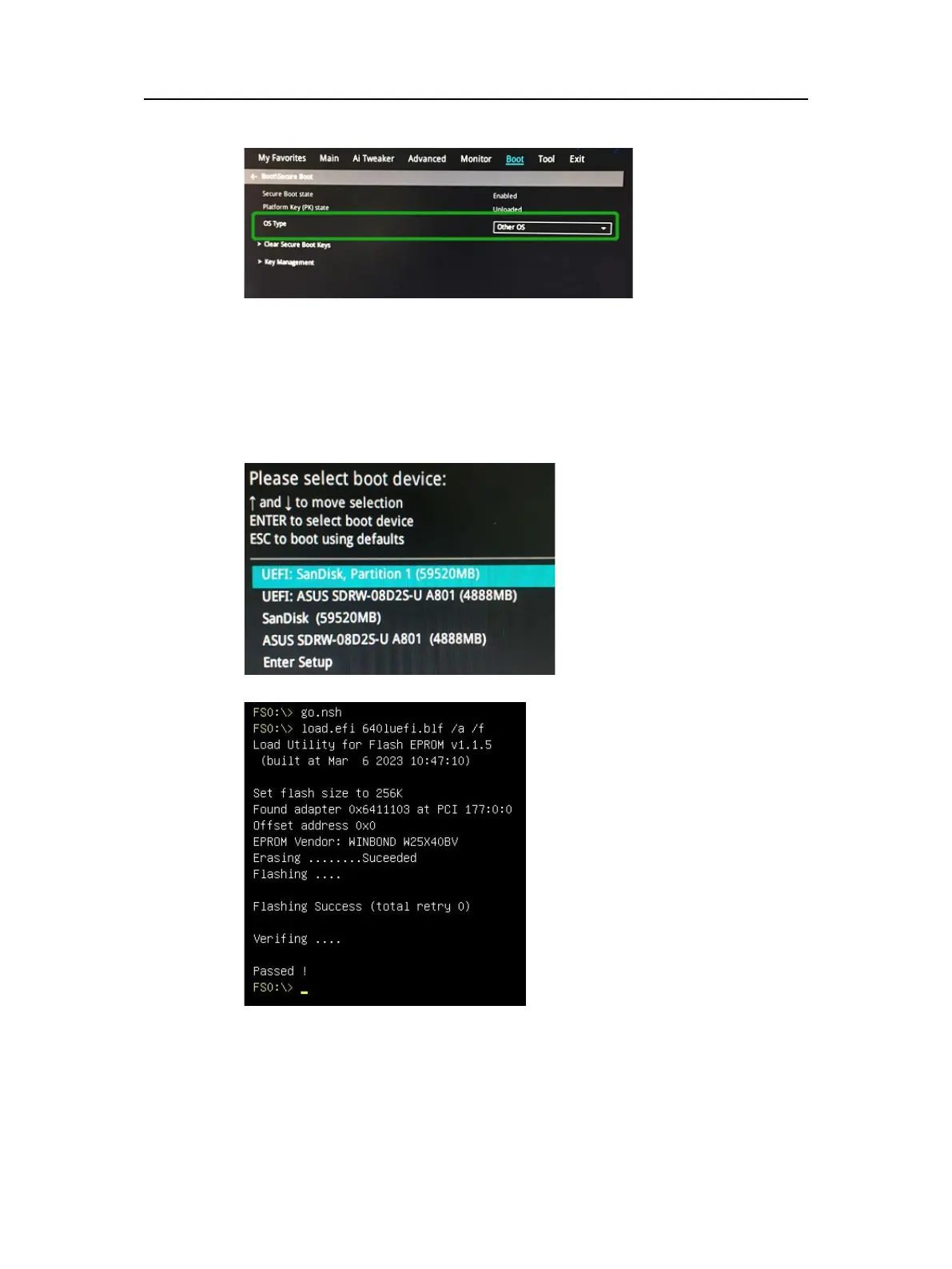
c. Set "OS Type" to "Other OS".
Step 3 Flash UEFI Rom to RR Series RAID Controller
For Example RR640L:
Note
:
Make sure your USB flash partition format is FAT32.
a. Unzip RR640L UEFI package to root dir(/) of a USB flash drive, and insert the
USB flash drive to the motherboard;
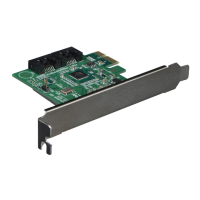
b. Booting from the UEFI USB flash and enter the UEFI environment;
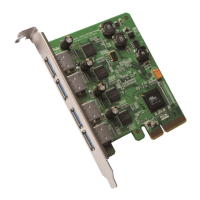
c. Command with “rr640l.nsh”, flash UEFI rom to RR640L Controller and reboot;
For RR620L:
- 3 -


 To Next Page