Linux Debian on RR640L/620L Installation Guide
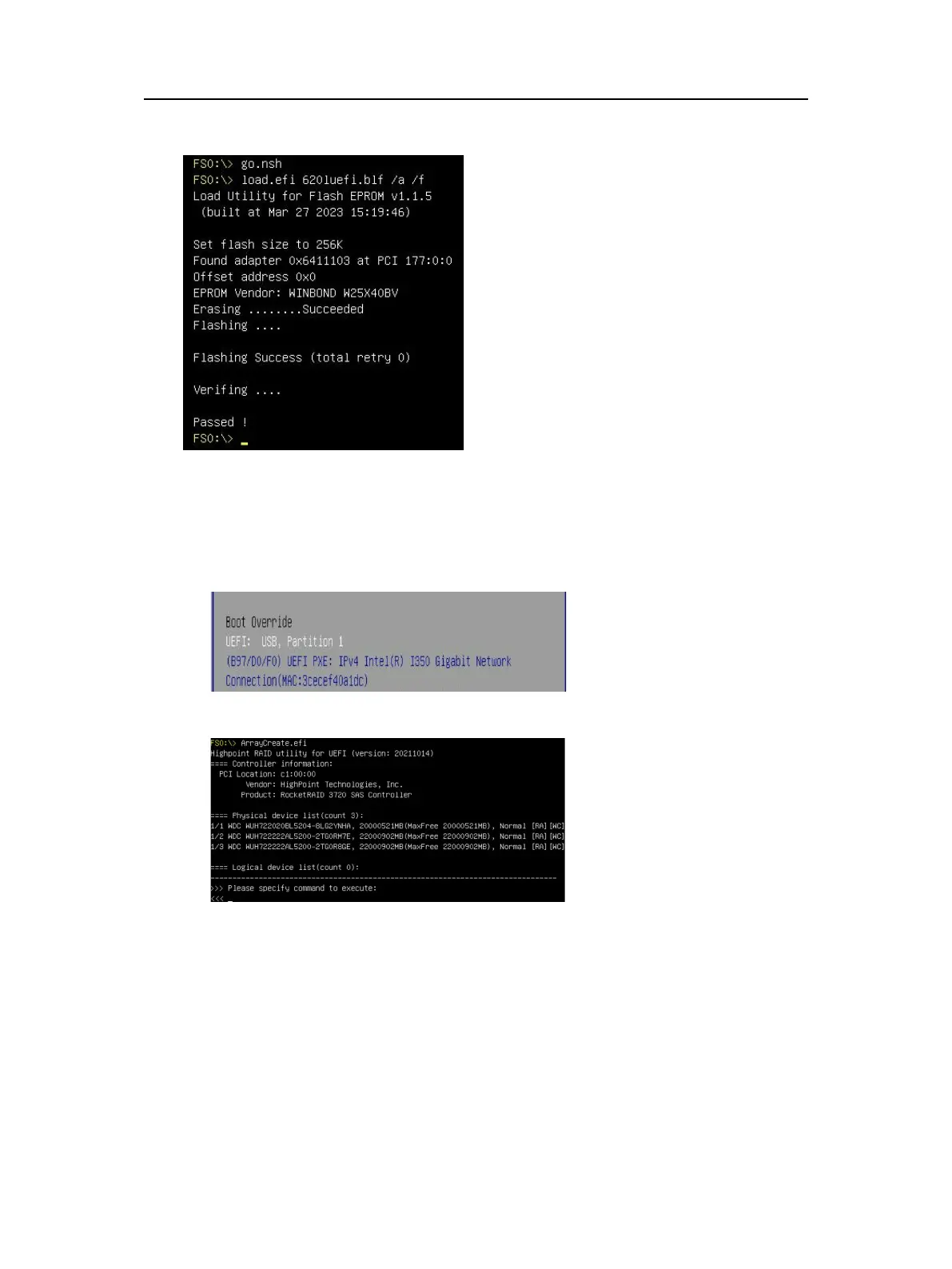
Command with“go.nsh”, flash UEFI rom to RR620L Controller and reboot:
Step 4 Create Array
a. Attach three hard disks to RR640L Controller;
b. Boot, enter the motherboard’s Boot List and select start from UEFI USB flash:
c. Command “ArrayCreate.efi” to enter the Utility:
d. Command “create RAID0”.
Create RAID0 array with all disks and with maximum capacity.
- 4 -


 To Next Page