
EasyManua.ls Logo

Hikmicro CONDOR Series - User Manual

Hikmicro CONDOR Series
47 pages
Print Icon
To Next Page IconTo Next Page
Loading...
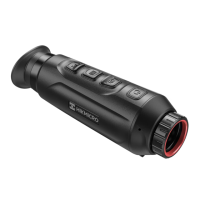
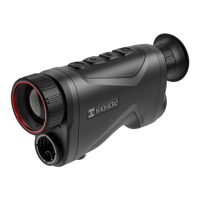
Thermal Monocular
CONDOR Series
User Manual V5.5.70 202308
Contact Us

Other manuals for Hikmicro CONDOR Series

Question and Answer IconNeed help?

Do you have a question about the Hikmicro CONDOR Series and is the answer not in the manual?

Hikmicro CONDOR Series Specifications

General IconGeneral
BrandHikmicro
ModelCONDOR Series
CategoryMonocular
LanguageEnglish

Summary

Chapter 2 Preparation

2.1 Install Battery

Step-by-step guide for installing the device's battery.

2.2 Cable Connection

Instructions for connecting the device via Type-C cable for charging or data transfer.

2.4 Power On;Off

How to power the device on/off and manage auto power off settings.

2.6 Client Software Connection

Steps to connect the device to the HIKMICRO Sight app.

Chapter 3 Image Settings

3.1 Adjust Diopter

Guide to adjusting the diopter for clear visual focus.

3.2 Adjust Focus

Instructions on using the focus ring for optimal target clarity.

Chapter 7 Frequently Asked Questions

7.1 Why does the charge indicator flash improperly?

Troubleshooting guide for charging indicator issues.

7.3 The image is not clear, how to adjust it?

Solutions for unclear images by adjusting focus or diopter.

7.4 Capturing or recording fails. Whats the problem?

Troubleshooting common issues with capture and recording functions.

7.5 Why the PC cannot identify the device?

Steps to resolve PC device recognition problems.

Safety Instruction

Related product manuals