© Hangzhou Hikvision Digital Technology Co.,Ltd. All Rights Reserved.
No.555 Qianmo Road, Binjiang District, Hangzhou 310052, China • Tel: +86-571-8807-5998 • Fax: +1 909-595-0788
E-Mail: support@hikvision.com • www.hikvision.com
3. View serial port information
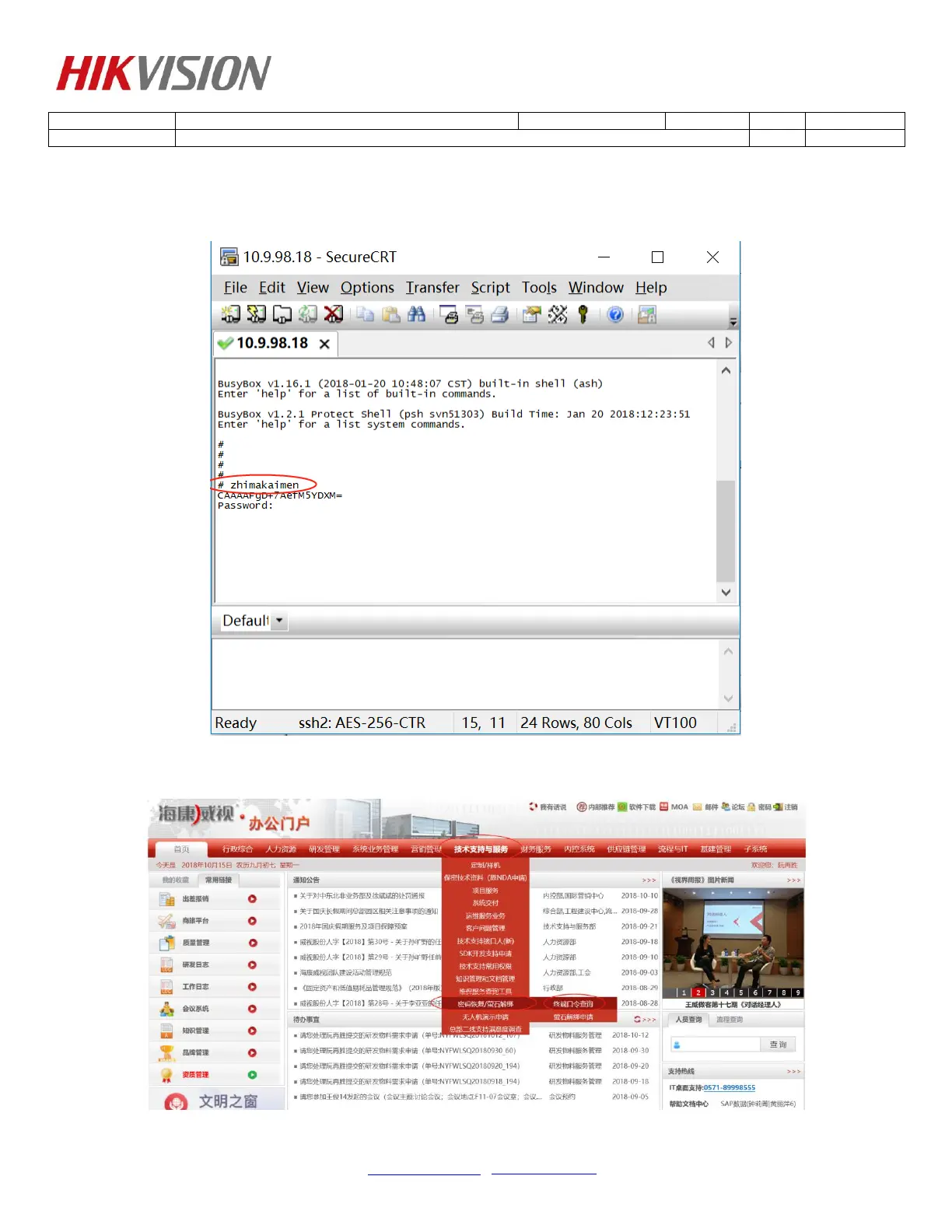
1) Input "zhimakaimen" and press enter key, get a string of characters, show as below.
2) Copy the string of characters, get password on OA (customer need give our engineer), show as
below.


 To Next Page
 Loading...