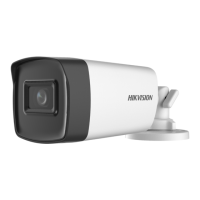
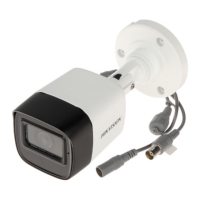
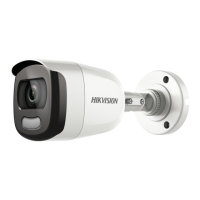
This document serves as a user manual for the HIKVISION TURBO HD Full Time Color Series Bullet Camera, covering both Type I and Type II camera models.
Function Description:
The HIKVISION TURBO HD Full Time Color Series Bullet Camera is designed for surveillance applications, providing full-time color imaging. It utilizes a high-performance CMOS sensor to capture clear images. The camera supports multiple video output formats, including TVI, AHD, CVI, and CVBS, allowing for flexible integration into various surveillance systems. A key feature is its ability to maintain color imaging even in low-light conditions, enhanced by a "Smart Light mode" that controls integrated white light to prevent overexposure. The camera also includes an On-Screen Display (OSD) menu for configuring various parameters, ensuring adaptability to different environments and user preferences. Internal synchronization is supported, and the camera offers 3-axis adjustment for optimal positioning during installation.
Important Technical Specifications:
The manual lists specific models for Type I and Type II cameras:
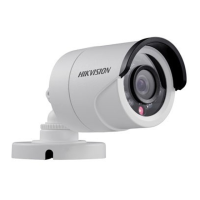
- Type I Camera Models: DS-2CE10DFT-F, DS-2CE10DFT-PF, DS-2CE10DFT-F28, DS-2CE10DFT-PF28
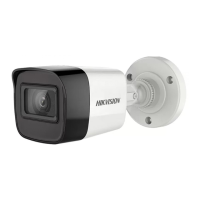
- Type II Camera Models: DS-2CE12DFT-F, DS-2CE12DFT-F28
The input voltage should comply with SELV (Safety Extra Low Voltage) and Limited Power Source standards, specifically 12 VDC according to IEC60950-1. The operating temperature range is specified as -40°C to 60°C. Video format can be set to 2MP@25fps or 2MP@30fps.
Usage Features:
The camera is designed for ease of use and configuration.
- Video Output Switching: Users can switch between TVI, AHD, CVI, and CVBS video outputs by pressing and holding a switch button for 5 seconds. This allows for compatibility with different DVRs and monitors.
- OSD Menu Navigation: The camera features an OSD menu accessible via PTZ control. The menu allows adjustment of various image and function settings. Navigation is done using direction arrows (up/down/left/right) and an "Iris +" button for confirmation.
- Image Settings:
- FORMAT: Sets the video format (2MP@25fps or 2MP@30fps).
- EXPOSURE: Controls brightness-related parameters.
- EXPOSURE MODE: Options include GLOBAL (normal exposure), BLC (Backlight Compensation) to clarify foreground objects in strong backlight, and WDR (Wide Dynamic Range) for clear images in challenging backlight conditions by balancing brightness levels.
- AGC (Auto Gain Control): Optimizes image clarity in poor light, with levels HIGH, MEDIUM, LOW, or OFF.
- SLOW SHUTTER: Increases exposure time (x2, x4, x6, x8, x10, x12, x14, x16) for better images in low lux conditions.
- VIDEO SETTINGS:
- IMAGE MODE: Sets image saturation to STD (Standard) or HIGH-SAT (High Saturation).
- WHITE BALANCE: Adjusts color temperature to remove unrealistic color casts. Modes include AUTO (automatic adjustment) and MANUAL (R-GAIN/B-GAIN values from 1 to 255).
- BRIGHTNESS: Adjusts image brightness from 1 to 9.
- CONTRAST: Enhances color and light differences from 1 to 9.
- SHARPNESS: Determines image detail from 1 to 9.
- SATURATION: Changes color saturation from 1 to 9.
- 3 DNR (Digital Noise Reduction): Decreases noise, especially in moving images under poor light, from 1 to 9.
- MIRROR: Flips the image 180° horizontally (H), vertically (V), or both (HV), or disables the function (OFF).
- SMART LIGHT: Controls the integrated white light.
- AUTO: White light turns on automatically in dark environments.
- THRESHOLD: Sets the environmental light level for white light activation.
- LEVEL: Controls white light brightness.
- OFF: White light is always off unless an alarm is triggered.
- MODE: Can be set to MODE1 for brighter images in low light.
- FUNCTIONS:
- PRIVACY: Allows covering up to 4 specific areas that should not be viewed or recorded. Users can define position, size, color (RED/OFF), and transparency.
- MOTION: Configures up to 4 motion detection areas. When motion is detected, an alarm is triggered. Sensitivity can be set from 0 to 100.
- DPC (Defective Pixel Correction): Corrects defective pixels in the CMOS image sensor, with ON or OFF options.
- FACTORY DEFAULT: Resets all settings to factory defaults.
- SAVE & EXIT: Saves current settings and exits the OSD menu.
Maintenance Features:
The manual provides guidelines for proper handling and maintenance to ensure the longevity and performance of the camera.
- Installation Precautions: Emphasizes checking package contents, ensuring related equipment is powered off, verifying product specifications for the environment, matching power supply, and ensuring the mounting surface can withstand the camera's weight. It also advises against disassembling the camera for repair.
- Handling:
- Avoid dropping or subjecting the camera to physical shock.
- Do not touch sensor modules with fingers.
- Keep the camera away from extreme temperatures (-40°C to 60°C), dusty, damp locations, and high electromagnetic radiation.
- Clean gently with a clean cloth and a bit of ethanol.
- Do not aim the camera at the sun or extra bright places to prevent sensor burnout.
- Ensure the sensor is not exposed to laser beams.
- Good ventilation is required to avoid heat accumulation.
- For non-waterproof devices, keep the camera away from liquids.
- During delivery, the camera should be in its original packing or equivalent.
- Troubleshooting: If the product does not function properly, users are advised to contact their dealer or the nearest service center rather than attempting self-repair.
The manual also includes regulatory information regarding FCC compliance (Class A digital device), EU Conformity (CE mark, WEEE directive, battery directive), and Industry Canada ICES-003 compliance. It warns that in a domestic environment, this Class A product may cause radio interference, requiring the user to take adequate measures.

 Need help?
 General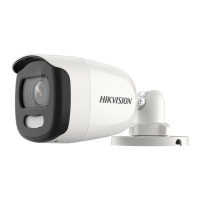


 To Next Page