EasyManua.ls Logo

HIKVISION DS-2CE59U1T-VPIT3ZF - User Manual

HIKVISION DS-2CE59U1T-VPIT3ZF
14 pages
Print Icon
To Next Page IconTo Next Page
Loading...
TURBO HD
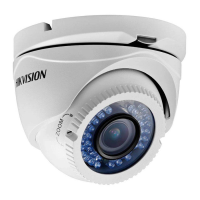
U1T Series Dome Camera
User Manual
User Manual
Thank you for purchasing our product. If there are any
questions, or requests, do not hesitate to contact the
dealer.
This manual applies to the models below:
Type
Model
Type I Camera
DS-2CE59U1T-(A)VPIT3ZF
Type II Camera
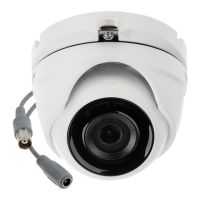
DS-2CE56U1T-(A)ITZF
Type III Camera
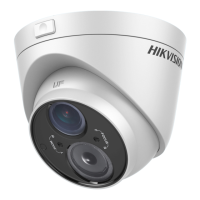
DS-2CE5AU1T-(A)VPIT3ZF
This manual may contain technical incorrect places or
printing errors, and the content is subject to change
without notice. The updates will be added to the new
version of this manual. We will readily improve or update
the products or procedures described in the manual.
0100001080708
Question and Answer IconNeed help?

Do you have a question about the HIKVISION DS-2CE59U1T-VPIT3ZF and is the answer not in the manual?

Overview

This document describes the HIKVISION TURBO HD U1T Series Dome Camera, a surveillance device designed for various monitoring applications. The manual covers three types of cameras: Type I (DS-2CE59U1T-(A)VPIT3ZF), Type II (DS-2CE56U1T-(A)ITZF), and Type III (DS-2CE5AU1T-(A)VPIT3ZF).

Function Description:

The camera is primarily used for video surveillance, capturing images with a high-performance CMOS sensor. It supports multiple video output formats and offers various image adjustment features to optimize video quality in different lighting conditions. The camera is designed for both ceiling and wall mounting.

Important Technical Specifications:

  • Video Output Formats: The camera supports TVI, AHD, CVI, and CVBS video outputs.
    • When switching to CVBS, video format can be PAL or NTSC.
    • When switching to AHD, only 5MP@20fps is supported.
    • When switching to CVI, video format can be 8MP@12.5fps or 8MP@15fps.
    • General video formats include 8MP@12.5fps, 8MP@15fps, 5MP@20fps, 4MP@25fps, 4MP@30fps, 2MP@25fps, and 2MP@30fps.
  • Power Supply: The camera is powered by an external DC power supply (12 VDC, 1 A) that complies with LPS (Limited Power Source) and IEC60950-1 standard. The output current of this external DC power supply must not exceed 6 A.
  • Operating Temperature: The operating temperature range is -40°C to 60°C.
  • Synchronization: Internal synchronization.
  • Adjustment: 3-axis adjustment for optimal camera positioning.

Usage Features:

  • OSD Menu: The camera features an On-Screen Display (OSD) menu with configurable parameters for easy adjustment of settings. The menu can be accessed by clicking the button on the PTZ Control interface or by calling preset No. 95.
  • Video Output Switching: A switch button allows users to change the video output format (TVI, AHD, CVI, CVBS) by pressing and holding it for 5 seconds.
  • Exposure Control:
    • EXPOSURE MODE: Selectable modes include GLOBAL, BLC (Backlight Compensation), and DWDR (Digital Wide Dynamic Range).
      • GLOBAL: Normal exposure based on overall image brightness.
      • BLC: Compensates for bright backgrounds to make front objects clearer, but may over-expose the background.
      • DWDR: Balances brightness levels in scenes with both very bright and very dark areas to provide clear images with details.
    • AGC (Automatic Gain Control): Optimizes image clarity in low light conditions. AGC level can be set to HIGH, MEDIUM, or LOW. Note that higher AGC levels may amplify noise.
  • Day/Night Switch:
    • MODE: Options include COLOR, BW (Black White), and AUTO.
      • COLOR: Image remains colored at all times.
      • BW: Image is black and white, with IR LIGHT turning on in low light.
      • AUTO: Automatically switches between Color and BW based on scene brightness.
    • IR LIGHT: Can be turned on/off to meet different lighting requirements.
    • SMART IR: Adjusts IR light intensity (0 to 3) to prevent over-exposure, with higher values yielding more obvious effects.
    • D→N Threshold (Day to Night Threshold): Controls sensitivity for switching from day to night mode (1 to 9). Higher values increase sensitivity.
    • N→D Threshold (Night to Day Threshold): Controls sensitivity for switching from night to day mode (1 to 9). Higher values increase sensitivity.
  • Video Settings:
    • IMAGE MODE: Adjusts image saturation, with options for STD (Standard) or HIGH-SAT (High Saturation).
    • WHITE BALANCE: Adjusts color temperature to remove unrealistic color casts. Modes include AUTO and MANUAL.
      • AUTO: Automatically adjusts white balance based on scene illumination.
      • MANUAL: Allows adjustment of R-GAIN/B-GAIN values (1 to 255) to fine-tune red/blue color shades.
    • BRIGHTNESS: Adjusts image brightness (1 to 9). Higher values result in brighter images.
    • CONTRAST: Enhances color and light differences (1 to 9).
    • SHARPNESS: Determines image detail (1 to 9).
    • SATURATION: Adjusts color saturation (1 to 9).
    • DNR (Digital Noise Reduction): Decreases noise, especially in low light and with moving images, providing sharper results (1 to 9).
    • MIRROR: Flips the image. Options include OFF (disabled), H (horizontal 180°), V (vertical 180°), and HV (both horizontal and vertical 180°).
  • Factory Default: Resets all settings to factory defaults.
  • Exit Options: EXIT (exits without saving) and SAVE & EXIT (saves settings and exits).

Maintenance Features:

  • Cleaning: If cleaning is necessary, use a clean cloth with a bit of ethanol and wipe gently.
  • Troubleshooting: If the product does not function properly, contact your dealer or the nearest service center. Do NOT disassemble the camera for repair or maintenance by yourself.
  • Installation Precautions:
    • Ensure the device and all assembly parts are in good condition.
    • Power off all related equipment during installation.
    • Check product specifications for the installation environment.
    • Verify power supply matches output to prevent damage.
    • Ensure the wall/ceiling is strong enough to support three times the camera's weight and mount.
    • For cement surfaces, use expansion bolts; for wooden surfaces, use self-tapping screws.
  • Environmental Considerations:
    • Avoid dropping the camera or subjecting it to physical shock.
    • Do not touch sensor modules with fingers.
    • Do not place the camera in extremely hot, cold, dusty, or damp locations.
    • Avoid high electromagnetic radiation exposure.
    • Do not aim the camera at the sun or extra bright places.
    • Ensure the sensor surface is not exposed to laser beams when using laser equipment.
    • Good ventilation is required to avoid heat accumulation.
    • Keep non-waterproof devices away from liquid.
    • Pack the camera in its original packing or similar texture during delivery.

HIKVISION DS-2CE59U1T-VPIT3ZF Specifications

General IconGeneral
BrandHIKVISION
ModelDS-2CE59U1T-VPIT3ZF
CategorySecurity Camera
LanguageEnglish

Related product manuals