Need help?
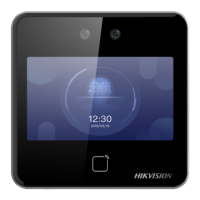
Do you have a question about the HIKVISION DS-K1A802AMF-B and is the answer not in the manual?
Safeguards to prevent serious injury or death from product use.
Precautions to prevent potential injury or material damage.
Managing user information like adding, editing, deleting.
Managing departments, shifts, holidays, and reports.
Steps to add devices to the client software.
Managing user profiles and information.
 General
| Model | DS-K1A802AMF-B |
|---|---|
| Type | Touch Terminal |
| Screen Size | 8 inch |
| Resolution | 1280 x 800 |
| Operating System | Linux |
| Processor | Quad-core |
| RAM | 2 GB |
| Storage | 16 GB |
| Operating Humidity | 10% to 90% |
| Fingerprint Module | Yes |
| Fingerprint Capacity | 3000 |
| Card Capacity | 10000 |
| Event Capacity | 100000 |
| Protection Level | IP65 |
| Camera | 2MP |
| Communication | TCP/IP, Wi-Fi |
| Power Supply | 12 VDC |
| Operating Temperature | -10°C to 55°C |


 To Next Page