6
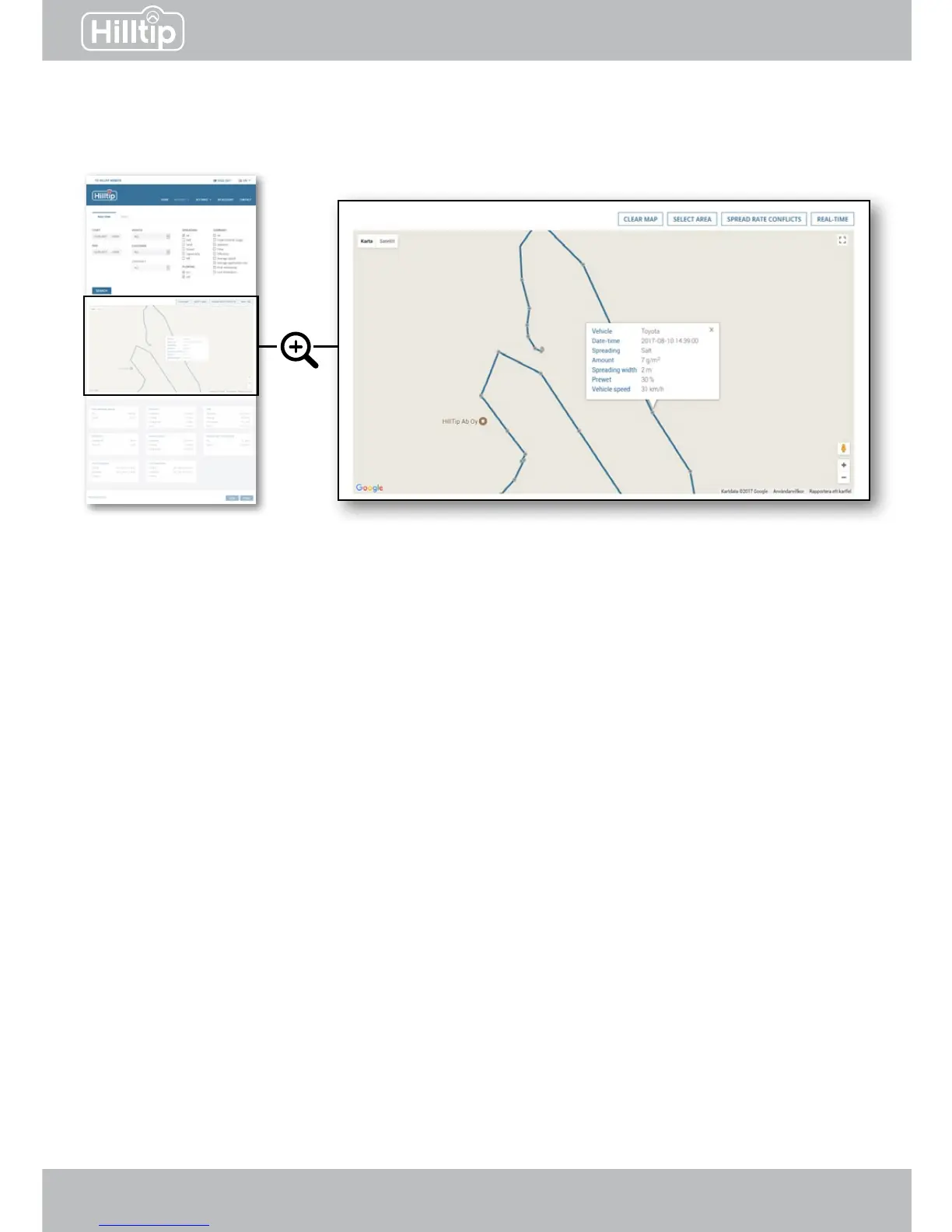
Click on a route to display checkpoints. Checkpoints are logged in 4 second intervals along the
route. Click a specic checkpoint to show spreading data for that location.
Clear map
Clears route from map.
Select area
Click the map to create a boundary for the area you want to select. Data for this area will be
shown in the summary eld.
Spread rate conicts
Highlight areas where the spreader has not been able to accomplish the spread rate as set in
the controller, even if auger is at max speed. This indicates that vehicle speed is too high.
Real time
If a vehicle has been active within the last 2 minutes, its most recent position will be shown on
the map.
REPORTS


 To Next Page