5
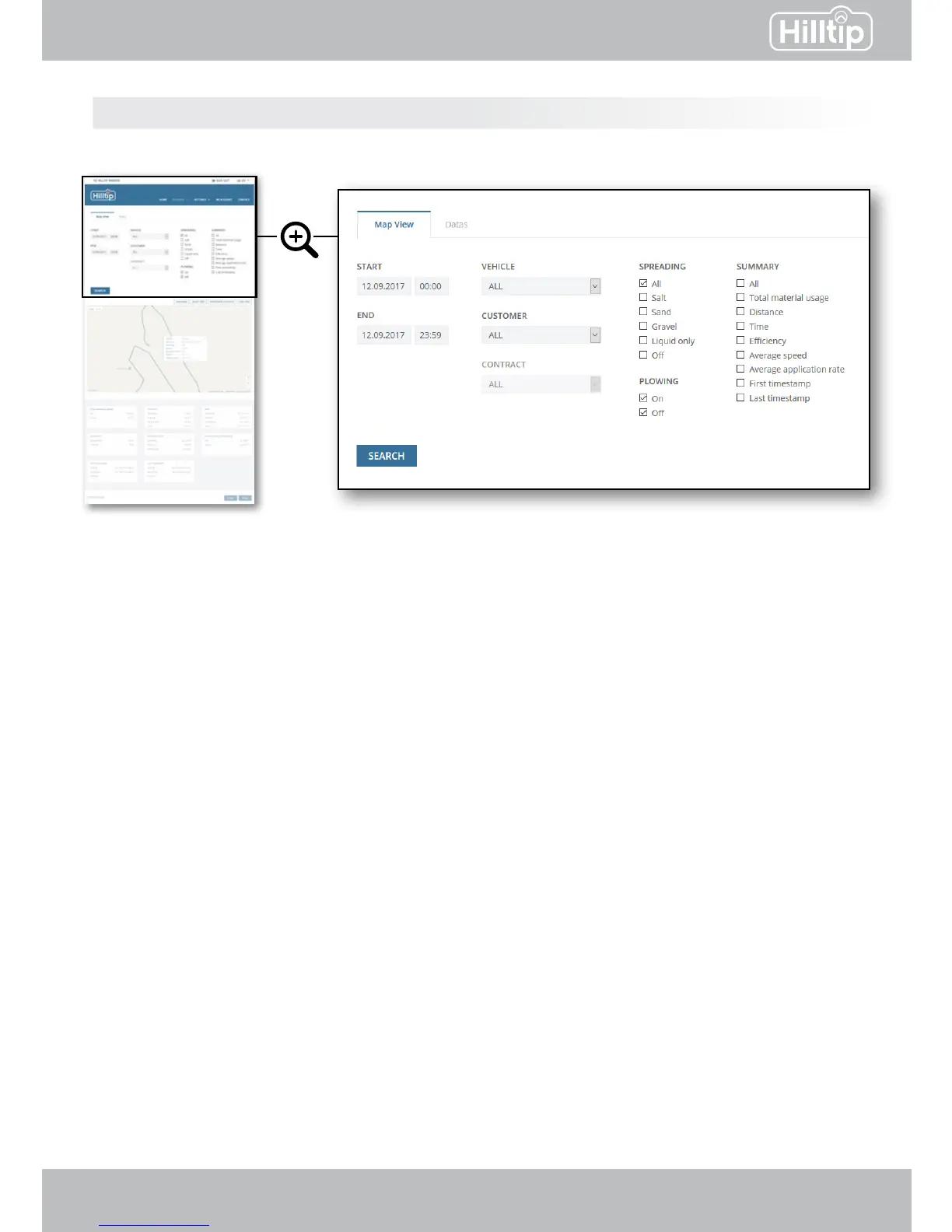
Start - End
Set a time interval: Insert start and end time to show tracking data during a specic time interval.
Vehicle - Customer - Contract
You can choose to view details for all vehicles, customers or contracts, or a selected combination
of these.
Spreading - Plowing
Select one or multiple spreading materials to be shown. Select if you want to see where plow
has been active (on) or inactive (o), or check both values. For SprayStriker applications, please
select “Liquids Only”.
Summary
Check the values you want to be included in the report.
Click SEARCH to show details for the set attributes.
REPORTS
Map view Reports → Map view


 To Next Page