4
Vehicles, controllers and machines Settings → Vehicles/Controllers
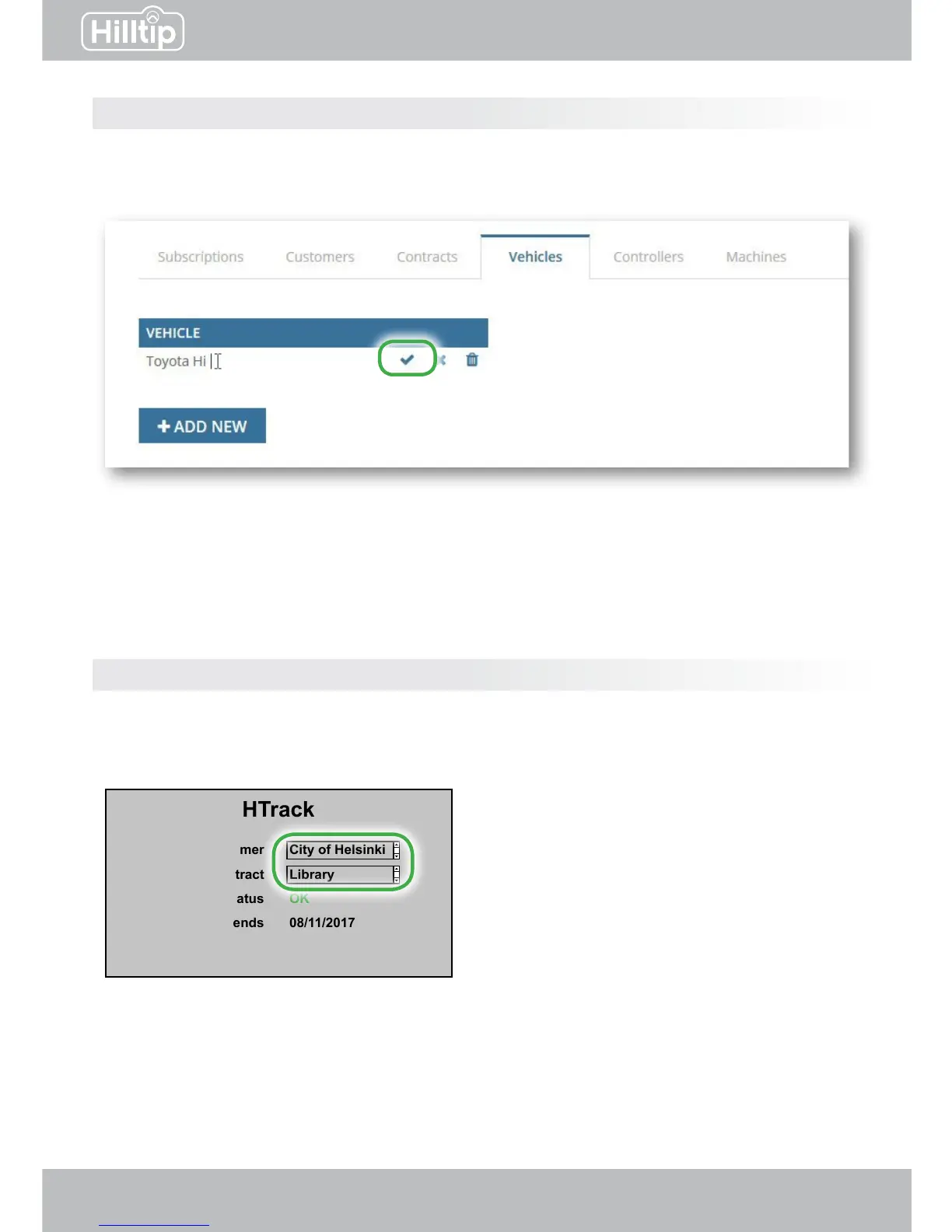
Add a vehicle or controller by clicking “Add new“ below the matching column.
Click the name of an existing device to edit it directly in the table, click the checkmark to save.
Go to the Subscription-page to combine vehicles, controllers and machines.
To be completed after you have set up your devices and subscriptions on the webpage:
Before starting a new spreading/spraying/plowing session, go to HTrack menu in the controller
and select Customer and Contract to track and to be able to create customer specic reports.
Controllers settings
HTrack
Customer
Contract
SIM status
Subscription ends
Controller ID
City of Helsinki
Library
OK
08/11/2017
1407086BA
After webpage setup the options will appear
in the in-cab controller
Click the name to edit


 To Next Page