3
Subscriptions Settings → Subscriptions
You need a subscription to use HTrack. One HTrack subscription can only hold data for one
vehicle/spreader combination at a time.
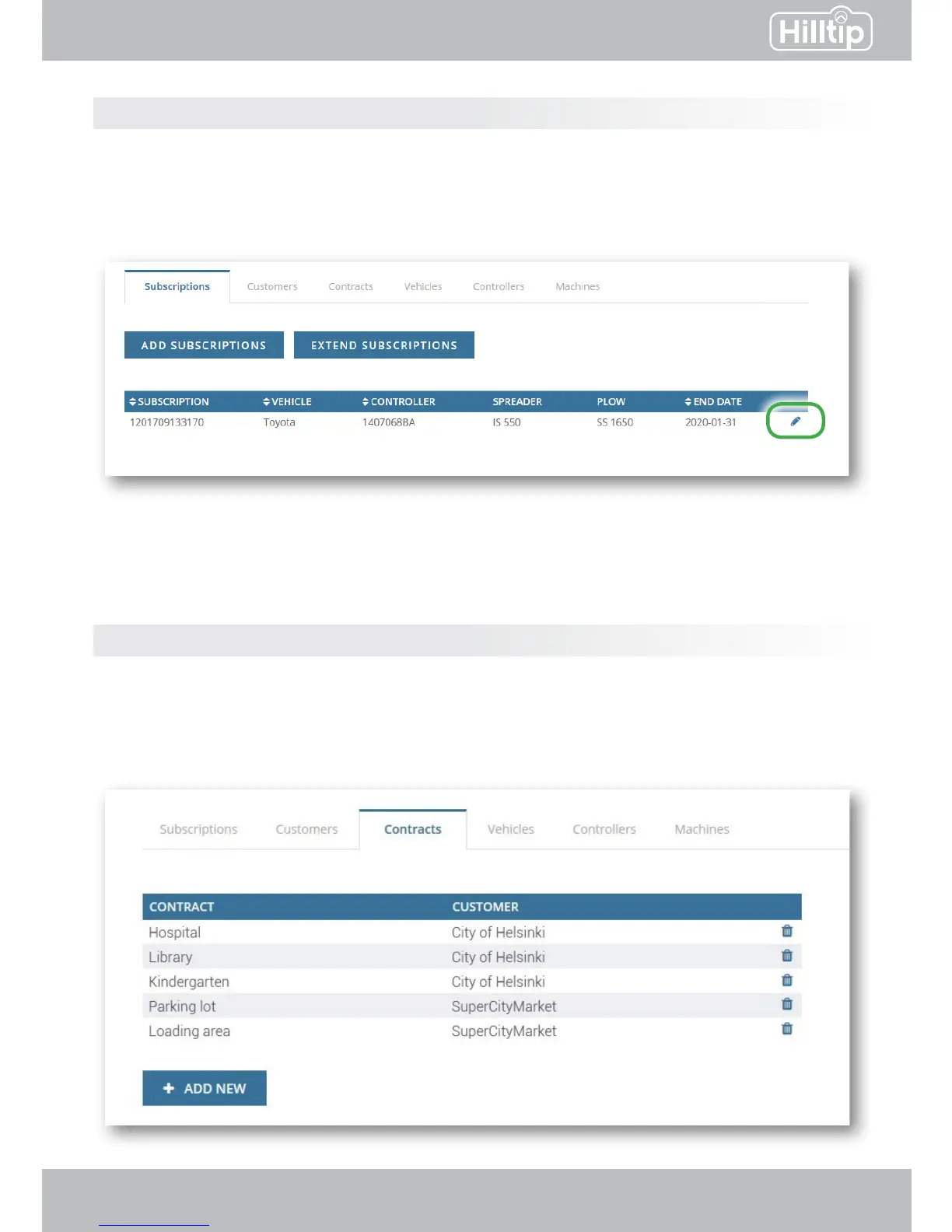
The table at the subscription-page shows which devices are connected to your subscription.
Click the edit symbol (pencil) to change or add the vehicle, controller, spreader/sprayer or plow
connected to your subscription.
Click “Add subscription“ to buy a new subscription, or “extend subscription” to extend an existing
subscription.
Customers and contracts Settings → Customers/Contracts
HTrack is designed so that you can report specic spreading/plowing jobs to specic customers/
clients. Add a new customer (e.g. City of Helsinki) by clicking “Add new” on the Customers-page.
Add a new contract to a specic customer by clicking “Add new” on the Contracts page. (e.g.
add “Library” to City of Helsinki). Click the name of a customer or contract to edit it.
SETTINGS
Click the edit symbol to edit a subscription and change or add a device to it.
Example of customers and contracts



 To Next Page