ID
1
2
3
4
5
6
7
Description
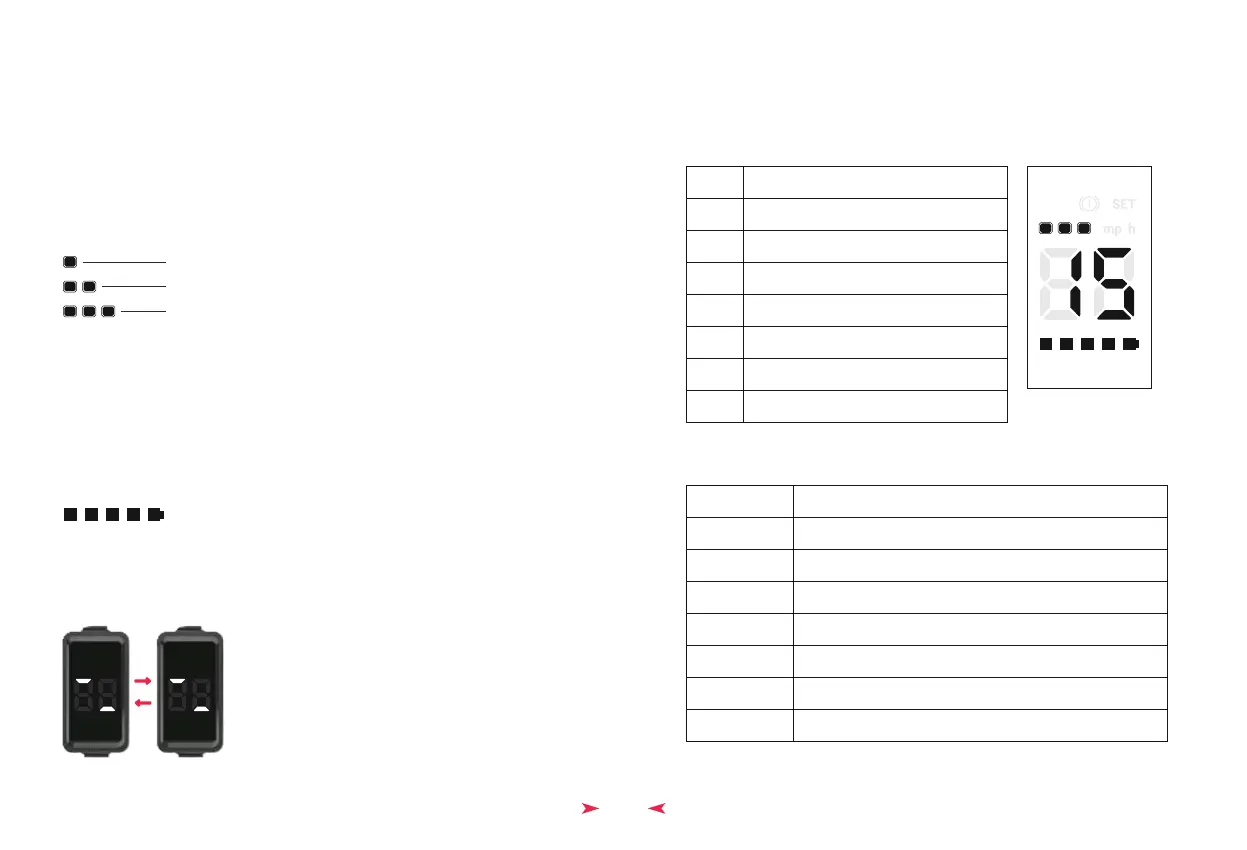
LED brightness, levels 1, 2, 3
Battery voltage, 24, 36, 48
Wheel diameter
Number of magnetic steel pieces, 1-99
zero start/non-zero start
Speed limiter setting
Controller current limit value
Error Code
E1
E2
E3
E4
E5
E6
E7
Description
Gauge communication reception failure
Brake lever failure
Battery undervoltage
Motor failure
Throttle handle failure
Controller failure
Controller and gauge communication reception failure
◆ Start - up Procedure
8
Power On/Off
Press and hold the power button to turn on/off the e-bike.
• Parameter Settings
When entering parameter settings, the 'SET' marker is displayed. There are 8
parameters in total, with their identifiers arranged in the following method
utilising gear and battery indicators.
•
Error Code List•
Switch Display Content
Short press on the power button switches display content: Current speed -> Single trip
distance -> PWM -> Error code (when a fault is detected). When a fault is detected, it
automatically switches to the fault code interface.
•
Cruise Function Indication
When the controller enters the automatic cruise function, it sends a signal to the
instrument panel via communication data. Upon receiving the signal, the mp h (miles per
hour) unit on the instrument panel will flash (it only flashes when speed is displayed).
•
Battery Display
Battery level is divided into 5 sections for display. They turn off from right to left. When
voltage is low, the last section flashes.
•
Power off
When power off is detected, the following 2 screens alternate and display a total of 5
times.
•
Short press on the 'M' button to shift Modes
Mode 1 - 7 mph
•
Mode 2 - 13 mph
Mode 3 - 15 mph
1 2 3
4 5 6 7 8


 To Next Page