24
◆ Reset to Factory Defaults
◆ Speed Limiter Adjustment
The e-bike ships with the throttle set to accelerate the e-bike to a maximum speed of 22 mph. This can be adjusted lower or higher, BUT please be mindful of
local laws and regulations regarding maximum throttle speeds permitted. Himiway is not liable for any consequences of rider misuse of maximum throttle
speed adjustments.
To adjust maximum throttle speed, hold “ + ” and “ - ” keys for two seconds, first bringing you to the trip meter reset screen described above.
Then, hold “ - ” and “ ” keys together for two seconds, bringing you to the passcode screen (“ P ”). Here you can enter the 4-digit passcode, which again is
0510.
Press “ + ” and “ - ” to adjust numbers up/down.
Press “ ” to confirm.
You will then arrive at the Wheel Size (“ Ld ”) screen, showing the diameter of your wheels.
Press “ ” again to arrive at Speed Limiter (“ LS ”) screen, displaying kilometers per hour ( kph ).
Press “ + ” and “ - ” to adjust maximum throttle speed up/down.
Press “ ” to confirm and return to Wheel Size screen.
Hold “ ” down for two seconds to return to main screen.
To restore bike settings back to original default levels,
hold “ - ” and “ ” keys for two seconds.
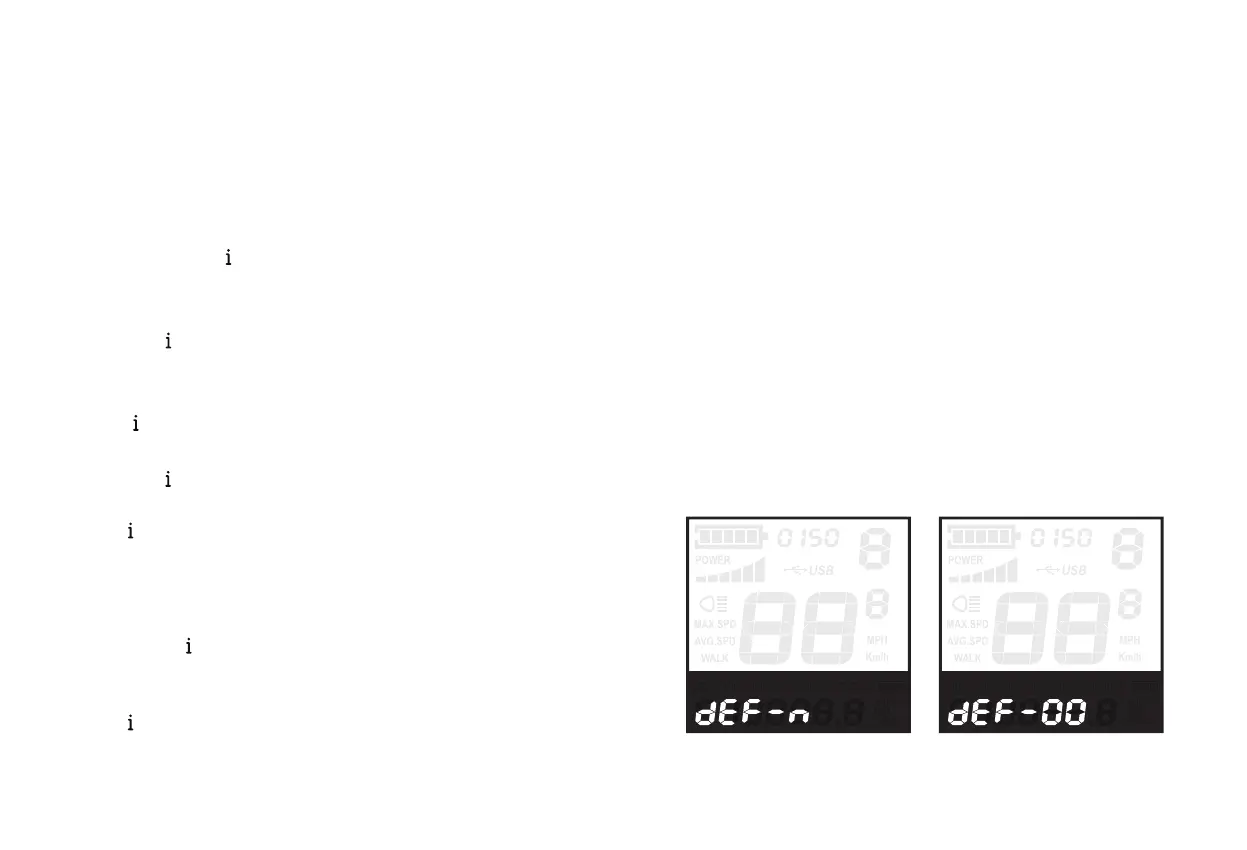
Display will show “ dEF-n ” (no), press “ + ” key to change it to “ dEF-y ” (yes).
Hold “ ” key for two seconds to reset all settings, display will then show “ dEF-00 ”
and settings are now reverted to default levels.
Recover Default Settings Interface
•
•
•
•


 To Next Page