◆ Sercury Passcode
To prevent theft or unauthorized use of your e-bike, you may set a security passcode to prevent use of the motor/electronics (though still permitting manual
pedalling).
Press “ + ” several times to arrive at display #8 (number shown at top right). Display will then show the passcode Input screen (“PS”).
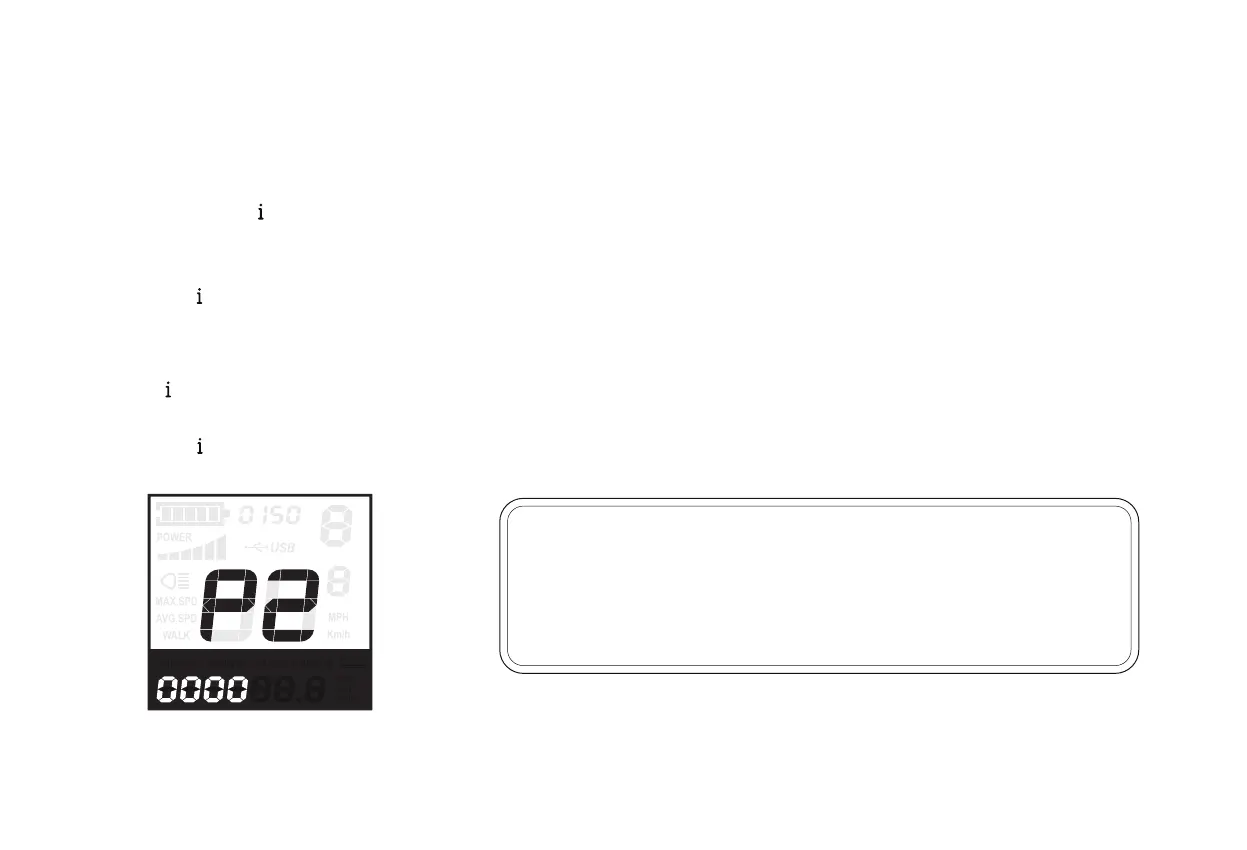
Press “ ” to arrive at the Second passcode screen (“P2”), and enter the 4-digit second passcode of 1212.
Press “ + ” and “ - ” to adjust numbers up/down.
Press “ ” to confirm.
Press “ + ” and “ - ” to adjust numbers up/down.
Press “ ” to confirm.
•
•
•
•
Hold “ + ” and “ - ” together for two seconds, first bringing you to the trip meter reset screen described above.
Then, hold “ - ” and “ ” keys together for two seconds, bringing you to the passcode screen (“ P ”). Here you can enter the 4-digit passcode, which again
is 0510.
1.
2.
3.
4.
NOTICE: It is not recommended to change the default power-on passcodes of the
display (1212) or change the passcodes of the system (0510). If you change and
then forget the passcode, you’ll need to buy a new Display. Therefore we suggest
you take down record the passcodes on page inside front cover of this manual.
29



 To Next Page