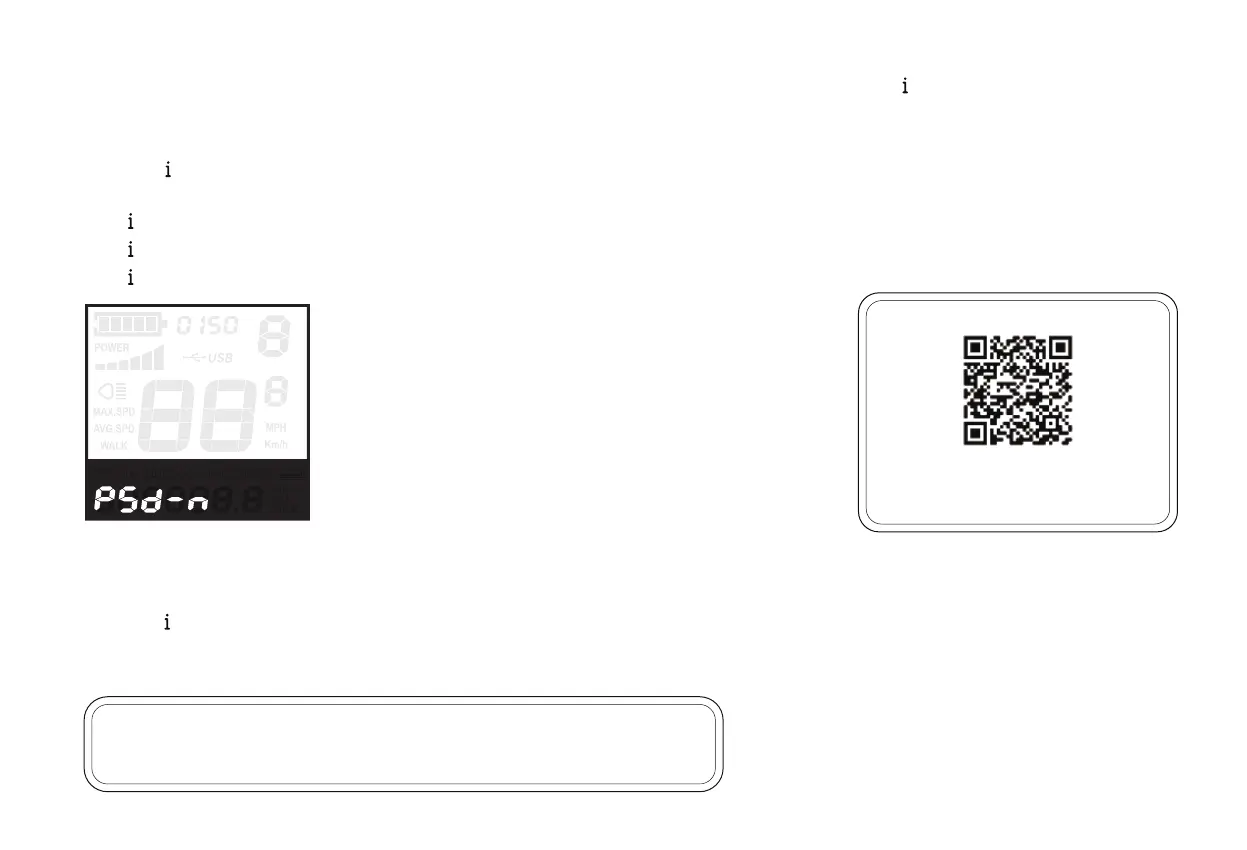
Display will then show “ PSd-n ” (no), press “ + ” to change it to “ PSd-y ” (yes) to turn the security passcode on. Press “ ” to confirm.
Then, choose a 4-digit passcode of your preference.
Press “ + ” and “ - ” to adjust numbers up/down.
Press “ ” to confirm.
Hold “ ” for two seconds to return to the “ PSd-y ” screen.
Hold “ ” again for two seconds to return to the “PS” screen.
Hold “ ” one last time to return to the main screen.
Now, when powering the e-bike on, the bike will prompt you for the passcode you set above.
Press “ + ” and “ - ” to adjust numbers up/down.
Press “ ” to confirm.
If the passcode was entered correctly, the e-bike will power on and display the main screen.
•
•
•
•
NOTICE: if the e-bike is reset to factory defaults as described above, the security
passcode will be lost and will need to be reentered.
Scan the QR Code here for more
instructions of Display Settings!
30


 To Next Page