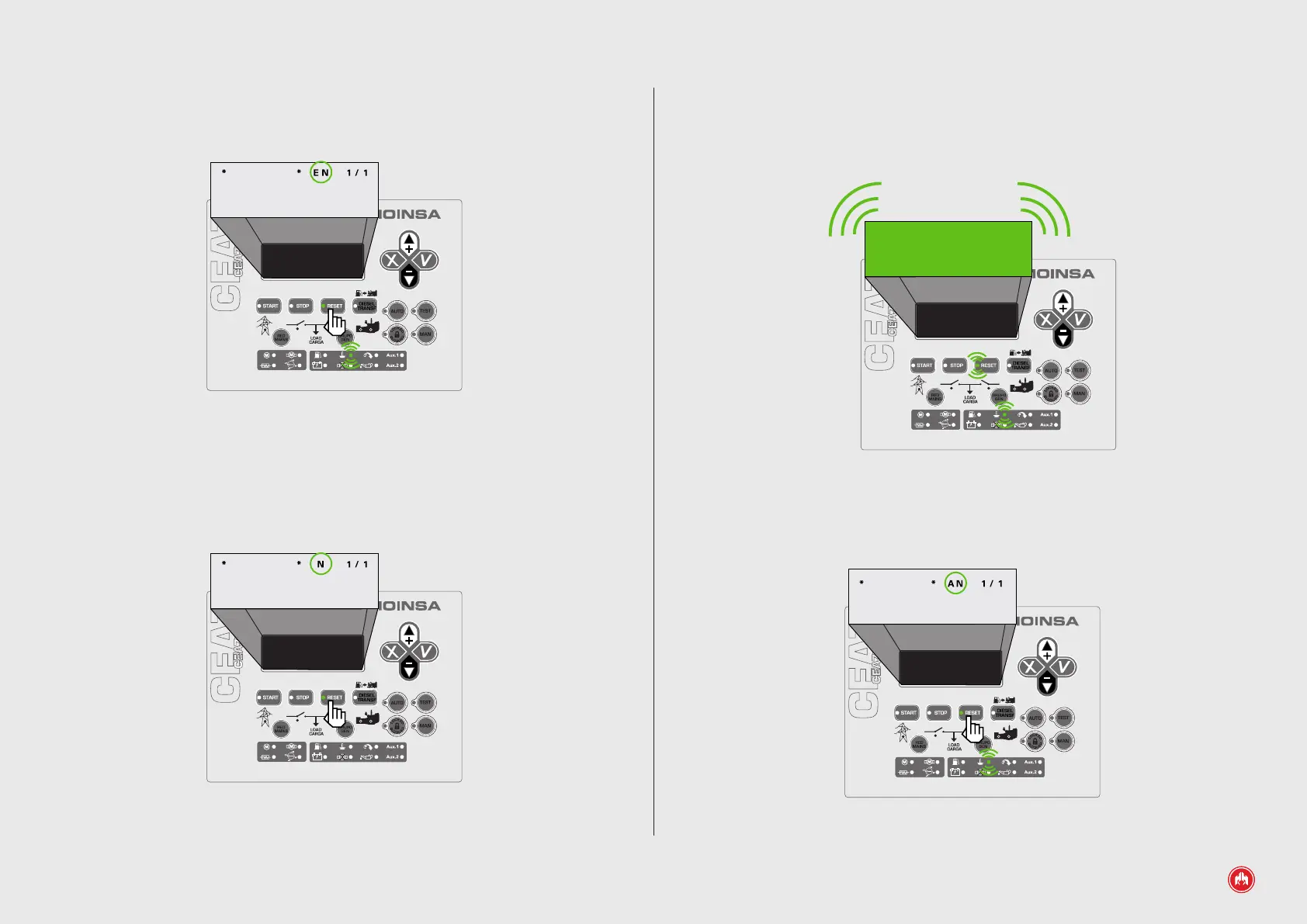
“AN” WARNING THAT NEEDS TO BE RESET, DOES NOT CAUSE THE ENGINE TO STOP
1. Upon detection of an alarm or warning, the control unit produces an acoustic
signal, the LED of the RESET button and the display ashes and the alarm digital
output (AL) is activated. (4)
Fig.4
2. Pressing the RESET button eliminates the acoustic warning and the screen
stops ashing. The RESET LED remains lit and on the screen the warning type is
displayed. Example: Warning active “AN” High Water Temperature. (5)
NOTICE
HIGH WATER
TEMPERATURE
Fig.5
2. Pressing the RESET button eliminates the acoustic warning and the screen
stops ashing. The RESET LED remains lit and on the screen the alarm type is
displayed. Example: Alarm active “EN” High Water Temperature. (2)
ALARM
HIGH WATER
TEMPERATURE
Fig.2
3. We provide solutions for the alarm. In this case the temperature of the engine
when stopped must be lowered. We check the water level of the engine to detect
the cause of the anomaly. Once the alarm is no longer active "N", it can be reset
by pressing the RESET button and the engine can be put into operation again. (3)
ALARM
HIGH WATER
TEMPERATURE
Fig.3
CEM7 CONTROL UNIT ALARMS | PAGE 31



 To Next Page