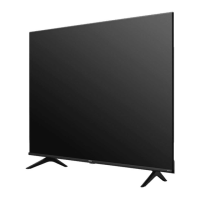
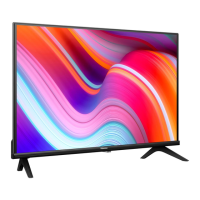
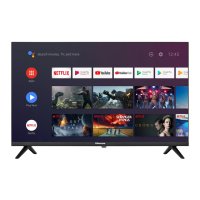
This document serves as a comprehensive user manual for a Hisense television, providing essential information for its safe and optimal operation, setup, and maintenance.
Function Description
The Hisense TV is designed to render video and audio signals, suitable for use in a home or office environment, either on a tabletop or wall-mounted. It functions as a display for various input sources, including broadcast television (DVB-T/T2, DVB-C, DVB-S/S2), external audio/video devices via HDMI and AV connections, and digital audio output. The TV also features built-in wireless LAN and wired LAN connectivity for network access, enabling smart features and content streaming. A Common Interface (CI+) slot allows for the reception of encrypted channels with a compatible module and SmartCard. USB ports are available for connecting external storage devices, enabling media playback.
Usage Features
Initial Setup:
Upon first power-on, the TV guides the user through an installation process, allowing selection of language, country, and network connection type (wired or wireless). It also prompts for acceptance of the End User License Agreement, which is crucial for enabling smart features. Users can link their TV to a VIDAA account, name the TV, and select a voice assistant.
Connectivity:
The TV offers multiple connection options:
- Antenna Inputs: Two antenna jacks (ANT 1 for DVB-T/T2/C and ANT 2 for DVB-S/S2) allow connection to outdoor antennas or satellite dishes. ANT 2 also supports power supply for satellite antennas.
- HDMI Ports: Multiple HDMI ports (including one with eARC) enable high-definition audio and video connections to devices like DVD/Blu-Ray players, AV receivers, and set-top boxes.
- AV Input: An AV input, typically used with an RCA jack to AV cable, allows connection to older devices such as VCRs or video cameras.
- USB Ports: Two USB ports (USB 1 and USB 2) are available for connecting USB devices. USB 1 supports a maximum current consumption of 1A, while USB 2 supports 0.5A.
- LAN Port: A wired Ethernet port allows connection to a router or modem for network access.
- Digital Audio Out: For connecting to external audio amplifiers or speakers.
- Headphone Jack: A dedicated port for connecting headphones.
- Common Interface (CI+) Slot: For accessing encrypted channels with a CI+ module and SmartCard.
Remote Control:
The TV is operated via an included remote control, which features:
- Power Button: To switch the TV on or to standby mode.
- Input Button: To select different input sources.
- Number Buttons: For direct channel selection or number input.
- GUIDE Button: To display the Electronic Program Guide (DTV mode).
- CH.List Button: To display the Channel List.
- Special Function Buttons: Color-coded buttons for specific functions.
- Quick Setup Menu Button: To access quick settings.
- Media Content Control Buttons: For playback control.
- Navigation Buttons (∧/v/</>): To navigate on-screen menus and adjust settings.
- OK Button: To confirm selections.
- BACK Button: To return to the previous menu.
- EXIT Button: To exit the menu.
- HOME Button: To enter the Smart TV interface.
- Volume Buttons (VOL +/-): To adjust the volume.
- Channel Buttons (CH ∧/v): To switch channels.
- MUTE Button: To mute or restore sound.
- TXT/TEXT Button: To turn on/off teletext.
- TV Button: To enter the Live TV screen.
- INFO Button: To display program information.
- SUBTITLE Button: To activate or deactivate subtitle mode.
- APP Buttons: Quick access buttons to various applications, media mode, all apps, and a browser. A custom button is also available for launching inputs or apps quickly.
Smart Features:
The TV's smart features are enabled by network connectivity, allowing access to applications, browsing, and potentially voice assistant integration, depending on the model and user setup. Enhanced viewing can automatically adjust picture and sound modes based on content recognition.
Power Management:
The TV can be turned on from standby mode by pressing the single button on the TV or the power button on the remote. To enter standby mode, the single button on the TV can be pressed to call up the menu, then "Power Off" selected and held for 3 seconds. The TV consumes minimal power in standby mode.
Maintenance Features
Cleaning and Care:
- Power Disconnection: Always unplug the power cord before cleaning the TV.
- Cleaning Materials: Use a soft, moist, clean, and color-natural cloth for cleaning the TV, screen, and remote control. Avoid chemicals, insect repellents, solvents, thinners, or volatile substances, as these can degrade surface quality.
- Liquid Avoidance: Do not spray water or other liquids directly onto the TV to prevent product failure.
- Screen Protection: The display panel is fragile; avoid scratching it with fingernails or hard objects.
- Power Plug: Wipe the power plug with a dry cloth regularly.
Battery Handling (Remote Control):
- Installation: Insert two AAA batteries, ensuring correct polarity (+ and - ends).
- Safety: Incorrect installation can cause leakage, corrosion, or explosion. Use only the specified battery type. Do not mix old and new batteries or different types.
- Disposal: Dispose of used batteries according to local regulations, not as domestic waste. Do not burn or break up batteries, or expose them to excessive heat.
Troubleshooting and Safety:
- Power Supply: Use only the supplied power cable and ensure it's connected to a power supply with the correct voltage and frequency. The power plug should be easily accessible. Avoid overloading power outlets.
- Moving the TV: Disconnect all cables and move the TV in a vertical position, grasping the upper and lower edges of the frame. Avoid pressing or stressing the front panel. If laying down, place it face-down on soft material. Wear rubber gloves when carrying to protect the LED screen.
- Ventilation: Ensure proper ventilation with at least 10 cm free space on the sides and 20 cm above the unit. Do not block ventilation openings.
- Environmental Conditions: Avoid high humidity, dust, direct air-conditioning, and naked flames. If moved from a cold to a hot environment, allow an hour for condensation to dissipate before switching on.
- Abnormal Operation: If anything unusual is noticed, immediately remove the power plug.
- Thunderstorms: During thunderstorms, pull out the power plug and all connected antenna cables to prevent overvoltage damage.
- Long Periods of Absence: Disconnect the power plug and all connected antenna cables if the TV will be unused for extended periods.
- Off-gassing: A slight smell may be noticed during initial use due to components heating up; this will diminish over time.
- Image Burn: Avoid displaying still images for long periods to prevent "image burn," which is not covered by warranty.
- Service/Repair: Do not remove the TV cover/back; refer all servicing to qualified personnel.
- Packaging Disposal: Keep anti-moisture materials and plastic bags out of reach of children. Dispose of packaging materials responsibly.
- Disposal of the Unit: The product should be handed over to an authorized recycler, not damaged, dismantled, or thrown in municipal waste. The TV complies with WEEE and RoHS directives for environmental protection.
Wireless LAN Considerations:
- Network Compatibility: The built-in wireless LAN supports IEEE 802.11b/g/n protocols. An 802.11n router is recommended for better performance.
- Security: The TV supports WPA, WEP, WPA2 security systems.
- Distance: For smooth network operation, keep the distance between the router and TV less than 10 meters.
- Interference: Keep the TV away from other 2.4 GHz devices (microwaves, mobile phones) to avoid radio wave interference.
USB Device Considerations:
- Power Supply: When connecting a hard disk or USB hub, always connect the connected device's mains adapter to its power supply to prevent damage from exceeding current consumption.
- Current Limits: USB 1.1 and USB 2.0 devices have a maximum current consumption of 500mA. USB 3.0 devices have a maximum current consumption of 1A.
- Hard Disk Compatibility: The TV may not support individual non-standard high-capacity mobile hard disks if their impulse current is greater than or equal to 1A, which can cause TV rebooting or self-locking.
- Voltage: The USB port provides a voltage of 5V.
Audio Safety:
- Volume Control: Avoid extreme volume, especially with headphones, to prevent irreversible hearing damage. Reduce volume or stop using headphones if drumming noises are heard.
This manual emphasizes the importance of reading and understanding all instructions to ensure safe, correct, and optimal use of the Hisense television.

 Need help?
 General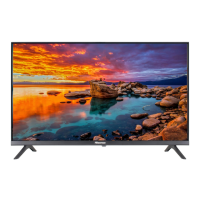

 To Next Page